Buyer's guide · Microsoft Flight Simulator 2024
Best Flight Simulator Chairs, Stands and Cockpits for Microsoft Flight Simulator 2024
Short answer
Most simmers don't need a cockpit: a stand holds your controls in front of the chair you already own. The Dardoo Flight Sim Stand takes a yoke, stick, throttle and rudder pedals; the Wheel Stand Pro for Logitech Yoke is made for the Logitech yoke and the Wheel Stand Pro for Honeycomb for Honeycomb. Want the seat too? The Marada Flight Sim Chair puts a stick and throttle on the chair's arms, and the NLR Flight Simulator Cockpit Boeing Commercial is a full cockpit with a place for every control. Flying at a desk? A chair whose wheels lock, like the Honeycomb Lima Flight Chair, won't roll back when you push the pedals.
This page contains affiliate links. As an Amazon Associate we earn from qualifying purchases.
Our two picks
-
Best value · for most simmers
Dardoo Flight Sim Stand
- Under $200
- Best for Any controls
The most for the money: a metal stand with places for a yoke, stick, throttle and rudder pedals, in front of the chair you already own.
MSFS 2024 score: 76.5/100
-
Best overall
NLR Flight Simulator Cockpit Boeing Commercial
- Over $400
- Best for Sim corners
The highest-scoring setup here: a reclining seat on a metal frame with places for a yoke, stick, throttle, rudder pedals and keyboard.
MSFS 2024 score: 89.5/100


Pick by what you fly with
A stand made for your yoke, a seat with the controls on it, or a chair for your desk.
-
Best for a Logitech yoke
Made for the Logitech (Saitek) Pro Flight Yoke: a metal stand that folds away, with places for a yoke, throttle and rudder pedals. Pull it up to any chair or couch.
-
Best for a Honeycomb yoke
Made for the Honeycomb Alpha and Bravo: a metal stand with places for a yoke, throttle and rudder pedals. Pull it up to any chair or couch.
-
Best flight chair
Your stick and throttle ride on the chair: a reclining chair with arms for a stick and throttle and locking wheels.
-
Cockpit for less
A full cockpit in a lower price band than the NLR Flight Simulator Cockpit Boeing Commercial: a reclining seat on a metal frame with places for a yoke, stick, throttle, rudder pedals and keyboard.
-
Best desk chair
For flying at your desk with the controls clamped to it: an adjustable, reclining chair with locking wheels.
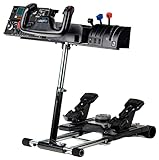

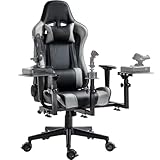


All 7 chairs, stands and cockpits side by side
| Chair, stand or cockpit | Type | Holds | Seat | Space | Best for | Score | Price |
|---|---|---|---|---|---|---|---|
| 1 NLR Flight Simulator Cockpit Boeing Commercial Best overall · Over $400 | Full cockpit seat and frame | Yoke, stick, throttle, rudder pedals and keyboard | Reclines rated 330 lb | Its own corner doesn't fold | Sim corners | 89.5 | Check price |
| 2 Marada Flight Simulator Cockpit $200–400 | Full cockpit seat and frame | Yoke, stick, throttle, rudder pedals and keyboard | Reclines | Its own corner doesn't fold | Sim corners | 88.0 | Check price |
| 3 Dardoo Flight Sim Stand Best value · Under $200 | Stand use your own chair | Yoke, stick, throttle and rudder pedals | Your own chair or couch | Compact about a chair's footprint | Any controls | 76.5 | Check price |
| 4 Marada Flight Sim Chair $200–400 | Flight chair control arms built on | Stick and throttle | Reclines locking wheels | Compact about a chair's footprint | Stick and throttle | 72.3 | Check price |
| 5 Wheel Stand Pro for Logitech Yoke Under $200 | Stand use your own chair | Yoke, throttle and rudder pedals made for the Logitech yoke | Your own chair or couch | Folds away between flights | Logitech yoke | 65.0 | Check price |
| 6 Wheel Stand Pro for Honeycomb $200–400 | Stand use your own chair | Yoke, throttle and rudder pedals made for Honeycomb | Your own chair or couch | Compact about a chair's footprint | Honeycomb yoke | 62.0 | Check price |
| 7 Honeycomb Lima Flight Chair $200–400 | Desk chair no control mounts | None controls stay on the desk | Reclines locking wheels | Compact about a chair's footprint | Desk flying | 54.5 | Check price |
Find your chair, stand or cockpit
Question 1 of 3
The 7 best chairs, stands and cockpits for MSFS 2024, ranked
- #1 Best overall
NLR Flight Simulator Cockpit Boeing Commercial
- Over $400
- Full cockpit
89.5 /100 MSFS 2024 scoreBest for: a sim corner of its own: the seat, the frame and a place for every control
The NLR Flight Simulator Cockpit Boeing Commercial suits MSFS pilots who want a sim corner of their own, with a reclining seat on a metal frame and mounts for a yoke, throttle and rudder pedals. It doesn't fold, so plan a corner you can leave set up.
Watch out for
- About 60 by 39 inches and 109 lb, so check the doorway as well as the corner before it arrives.
- It doesn't fold: plan a corner for it, with room to climb in and out.
Strengths and trade-offs
Strengths
- A yoke, throttle quadrant and rudder pedals bolt to a metal frame, so the yoke stays put when you haul back in the flare and the pedals don't skate away in a crosswind landing.
- The seat is included and the back reclines, and height, reach, tilt and pedal angle all adjust, so you set your arms and feet once and leave them there for a long hand-flown leg.
- There's a place for a yoke, a stick, a throttle, pedals and a keyboard, so a simmer who flies both airliners and fast jets can keep a yoke on the center pole and a stick on a side arm; Next Level Racing says it fits Thrustmaster, Logitech, Saitek and Honeycomb gear.
Trade-offs
- It's a full rig that doesn't fold, and it's big and heavy, so measure the corner and the doorway first and leave space to climb in and out after a flight.
- You're paying for the seat and the frame, and the controls aren't included: the mounts arrive empty, and if you already have a chair you like, a desk clamp or a plain stand asks far less of your room.
- #2
Marada Flight Simulator Cockpit
- $200–400
- Full cockpit
88.0 /100 MSFS 2024 scoreBest for: a sim corner of its own: the seat, the frame and a place for every control
The Marada Flight Simulator Cockpit gives MSFS 2024 a corner of its own: a reclining seat on a metal frame with mounts for a yoke, throttle, rudder pedals and keyboard. It doesn't fold, and Marada doesn't state a user-weight rating.
Watch out for
- It doesn't fold: plan a corner for it, with room to climb in and out.
- Marada doesn't state a user-weight rating.
Strengths and trade-offs
Strengths
- The yoke, throttle and rudder pedals all mount to the same metal frame, so the yoke stays where you put it when you haul back in the flare and the pedals don't skate off on a crosswind landing.
- Height, reach, tilt, recline and pedal angle all adjust, so you can set the yoke at the right arm's length and lean the seat back for the cruise instead of hunching over a desk edge on a long flight.
- It suits the simmer with a spare corner and a growing control collection: Marada names the Honeycomb Alpha yoke and Bravo throttle, plus sticks and HOTAS (stick and throttle sets) from the major brands, so airliner and fighter flying both have a home.
Trade-offs
- It doesn't fold, so it needs a corner of its own with room to climb in and out past the pedals, and Marada doesn't state a user-weight rating, so heavier pilots have no number to check against the frame.
- You're paying for the seat and the frame, not the flying: the yoke, throttle and pedals are all extra, and a simple desk clamp gets you airborne for less, at the cost of re-setting your chair before every session.
- #3 Best value
Dardoo Flight Sim Stand
- Under $200
- Stand
76.5 /100 MSFS 2024 scoreBest for: a stick and throttle or a yoke, plus pedals, in front of the chair you own
The Dardoo Flight Sim Stand suits simmers who want a yoke or stick, throttle and rudder pedals held in front of the chair they already own, on a metal frame. There's no seat, the maker doesn't say it folds, and the center plate also takes a racing wheel, so check your yoke's clamp holes.
Watch out for
- Built for flying and racing: the center plate takes a yoke or a wheel, so check its holes match your yoke's clamp.
Strengths and trade-offs
Strengths
- The frame is metal, as the maker states, so the yoke has something solid to clamp to when you pull back into the flare instead of a desk edge that flexes.
- Height, reach, tilt and pedal angle all adjust, so you can set the yoke where your hands fall on a long hand- flown approach and tip the pedals to the angle your feet want in a crosswind landing.
- It has a place for a yoke, a stick, a throttle or quadrant and rudder pedals, so an airliner setup and a fighter setup can both live on one stand in front of the chair you already own.
Trade-offs
- The center plate is built for flying and racing, so a wheel and a yoke share the same holes; measure your yoke's clamp against the maker's pattern before you commit.
- You get no seat and the maker doesn't say it folds, so you supply the chair and the stand keeps its spot in the room; the next step up in price buys a seat built into the frame.
- #4
Marada Flight Sim Chair
- $200–400
- Flight chair
- Locking wheels
72.3 /100 MSFS 2024 scoreBest for: a stick and throttle at your sides, on a chair that rises and reclines with you
The Marada Flight Sim Chair suits simmers who fly MSFS with a stick and throttle, since the control arms are built onto the seat and move with it as you recline. The trade-off is pedals: there's no pedal plate, so rudder pedals sit loose on the floor.
Watch out for
- No pedal plate: rudder pedals sit on the floor, where a mat stops them sliding.
Strengths and trade-offs
Strengths
- The arms hold a stick and a throttle or quadrant at your sides and move with the seat, so when you drop the backrest for a long cruise your hands stay exactly where you left them.
- Height, reach and recline all adjust, and the seat is included with a back that reclines, so you can set the stick where your forearm rests and then lean back for the quiet part of the flight.
- The casters lock, so when you stamp on rudder pedals to straighten up in a crosswind landing the chair doesn't roll away from you, and the metal frame carries a stated 300 lb user-weight rating.
Trade-offs
- No pedal plate, so rudder pedals live on the carpet and will creep forward under hard braking unless you put a mat under them.
- You get a place for a stick and a throttle and nothing more, so a yoke user, or anyone who wants the pedals held in place too, is looking at the next step up in price for a full cockpit.
- #5
Wheel Stand Pro for Logitech Yoke
- Under $200
- Stand
- Folds away
65.0 /100 MSFS 2024 scoreBest for: a Logitech or Saitek yoke, its quadrant and pedals, in front of your own chair or couch
The Wheel Stand Pro for Logitech Yoke suits MSFS pilots who fly from the chair or couch they already own, with height and tilt adjustment so the yoke sits where your hands want it. It's built for Logitech (Saitek) yokes only, and there's no seat in the box.
Watch out for
- Made for the Logitech (Saitek) Pro Flight Yoke; other yokes may not fit its plates.
Strengths and trade-offs
Strengths
- The frame is metal, as the maker states, so the yoke has something solid in front of you when you haul back on the column in the flare instead of a wobbling desk edge.
- Height and tilt both adjust, so you can set the yoke to match your own chair and keep your elbows relaxed through a long hand-flown approach into weather.
- It has a place for the yoke, the throttle or quadrant and the rudder pedals together, which is what you want when a crosswind landing has one hand on the yoke, one on the throttle and both feet working.
Trade-offs
- The maker built it for Logitech (Saitek) yokes, so if you already own a different brand of yoke the mounting holes may not line up with its plates — check before you buy.
- There's no seat, so your couch or office chair decides how high the yoke ends up and how far you reach for the throttle; the next step up in price buys a frame with a seat in the box and a fixed place for every control.
- #6
Wheel Stand Pro for Honeycomb
- $200–400
- Stand
62.0 /100 MSFS 2024 scoreBest for: a Honeycomb Alpha and Bravo with pedals, in front of your own chair or couch
The Wheel Stand Pro for Honeycomb puts an Alpha yoke, Bravo throttle and rudder pedals on one metal frame in front of the chair you already own, with height and tilt adjustment. There's no seat, it's built for Honeycomb gear only, and the maker doesn't say it folds.
Watch out for
- Made for the Honeycomb Alpha yoke and Bravo throttle; other yokes may not fit its plates.
Strengths and trade-offs
Strengths
- The frame is metal, as the maker states, so your Alpha yoke sits on its own mount instead of clamped to a desk edge that you can feel flexing when you haul back in the flare.
- Height and tilt both adjust, so you can set the yoke where your forearms naturally rest and hand-fly a long approach without your shoulders complaining.
- It has a place for a yoke, a throttle or quadrant and rudder pedals, so an Alpha, a Bravo and pedals live in one setup in front of your couch or office chair, instead of a yoke on the desk and pedals sliding around the floor.
Trade-offs
- It's built for the Honeycomb Alpha yoke and Bravo throttle, so another brand's yoke may not line up with the plates — check the maker's list before you order.
- You supply the seat, and the maker doesn't say it folds, so plan a spot where it can stay; step up in price and you can get a frame with a seat in the box and a mounting point for every control.
- #7
Honeycomb Lima Flight Chair
- $200–400
- Desk chair
- Locking wheels
54.5 /100 MSFS 2024 scoreBest for: flying at your desk, with the yoke or stick clamped to it
The Honeycomb Lima Flight Chair suits simmers who fly at a desk with the yoke or stick clamped to it, and its locking casters stop you rolling back when you push a rudder pedal. It has no control mounts, so the yoke and throttle stay on the desk.
Watch out for
- Sold here by a camera store, which asked more than Honeycomb's own store when we checked. Compare before you buy.
- No control mounts: your yoke or stick stays clamped to the desk.
Strengths and trade-offs
Strengths
- The casters lock, so the chair stays put instead of creeping backward when you stand on the left pedal in a crosswind landing.
- Height, armrests, headrest and recline all adjust, so you can set the seat to meet your desk-clamped yoke and lean back into the headrest during a long cruise leg.
- It suits the simmer who flies from a normal desk rather than a cockpit, and since a chair doesn't plug into anything it works the same with MSFS 2024 on PC, Xbox Series X|S or PS5.
Trade-offs
- There are no mounts of any kind, so your yoke and throttle stay clamped to the desk and your pedals stay loose on the floor; if you want controls held at fixed positions, this isn't that.
- The next step up in price buys a frame with a place for every control, so nothing shifts when you haul back in the flare, and Honeycomb doesn't state a user-weight rating here; it's also sold by a camera store that asked more than Honeycomb's own store when we checked, so compare before you buy.


The controls that go on it
A stand or cockpit is only as good as the controls you mount on it. These rankings cover them; our cockpit guide shows how a home setup fits together, from a desk to a full rig.
Chair, stand or cockpit: which do you need?
Most simmers fly at a desk, with the yoke or stick clamped to its edge. That works until the desk is the wrong height, the pedals slide away or the chair rolls back every time you push a rudder pedal. There are four ways to fix it:
| Setup | What you get | Good for |
|---|---|---|
| Your desk + a better chair | A chair that adjusts and stays put | Flying where you work, no new furniture |
| A stand + the chair you own | Your controls at the right height in front of any chair or couch | Most simmers: small rooms, living rooms, shared spaces |
| A flight chair | A chair with arms for a stick and throttle | HOTAS and Airbus sidestick flyers |
| A full cockpit | Seat, frame and a place for every control | A sim corner of its own, long flights, VR |
If you're not sure, start with a stand: it fixes the height and the sliding pedals, it works with the chair you already have, and it can move to the couch.
What makes a good flight sim seat or stand?
- It holds your controls. Mounting holes differ between brands. Check the maker's list for your yoke, stick, throttle and pedals before you buy (our setup finder starts from what you own).
- The height is right. A yoke sits at about elbow height, a sidestick at the end of your armrest, and the pedals where your knees stay slightly bent. Look for height and tilt adjustments, not just a fixed plate.
- It stays put. Pushing a rudder pedal pushes you back. A cockpit or stand links seat and pedals; a chair needs locking wheels.
- It fits your room. A stand pulls up to your chair, and some fold; a full cockpit needs a corner, and a little more room to climb in.
- You're comfortable for hours. A reclining back and lumbar support matter on a three-hour leg. A stand uses whatever chair you already like.
Flying at a desk: the cheapest upgrade
You don't need new furniture to fly well. Three small fixes cover most desk setups:
- Clamp the controls lower. A yoke clamped to a desk sits too high for most people. A desk mount (a metal bracket that clamps under the desk edge) brings the yoke, stick or throttle down to elbow height.
- Stop the chair rolling. A chair with locking wheels, like the Honeycomb Lima here, stays put when you press a pedal. A rug or a chair mat helps too.
- Stop the pedals sliding. Put them on a mat, or against a wall or a box, so they can't creep away during a crosswind landing.
Once you need all three, a stand does the same job in one piece.
More questions simmers ask
Do racing cockpits and gaming chairs work for flight sims?
A gaming chair works at a desk if it's comfortable and doesn't roll back when you use the pedals. It has no control mounts, so the controls stay on the desk.
A racing cockpit has a plate for a wheel and pedals but often nothing at your sides for a stick and throttle, and the seat sits low, like a car. Some, like the Marada and Dardoo frames here, are sold for flying and racing, with side plates for a stick and throttle; a racing-only seat isn't, which is why we no longer rank the Playseat Challenge here.
How to set up your seat or stand
- Seat first. Sit with your feet flat and your back against the backrest.
- Pedals. Slide them (or the pedal plate) until your knees stay slightly bent at full rudder.
- Yoke or stick. A yoke at about elbow height, close enough that your arms stay relaxed. A stick or sidestick where your forearm rests on the armrest or side plate.
- Throttle. Next to your throttle hand, low enough that your wrist doesn't bend.
- Screen. The top of the monitor at about eye level, so the instrument panel sits in front of you.
- In MSFS 2024, recheck the axes in Settings → Controls after you move a device: nothing changes in the sim, but your calibration might.
Flying in VR: why a fixed seat helps
In VR you can't see your hands or your controls. When the yoke, throttle and pedals are mounted in the same place every time, your hands find them by feel, and your body lines up with the virtual cockpit. A stand or a cockpit gives you that; controls clamped to a desk you also work at tend to move.
What about motion platforms?
Motion platforms move the seat (or the whole cockpit) with the aircraft. They cost more than any cockpit here, need a rig built for them and take extra room and setup. We don't rank one yet. If you're curious, start with a sturdy cockpit that its maker says can take a motion add-on later, like the Next Level Racing cockpit here.
Frequently asked questions
What is the best flight simulator chair or cockpit for Microsoft Flight Simulator 2024?
Most simmers don't need a cockpit: a stand holds your controls in front of the chair you already own. The Dardoo Flight Sim Stand takes a yoke, stick, throttle and rudder pedals; the Wheel Stand Pro for Logitech Yoke is made for the Logitech yoke and the Wheel Stand Pro for Honeycomb for Honeycomb. Want the seat too? The Marada Flight Sim Chair puts a stick and throttle on the chair's arms, and the NLR Flight Simulator Cockpit Boeing Commercial is a full cockpit with a place for every control. Flying at a desk? A chair whose wheels lock, like the Honeycomb Lima Flight Chair, won't roll back when you push the pedals.
Which flight sim stand fits my yoke or stick?
Check the maker's list before you buy: mounting holes differ between brands. From the stands we rank: the Dardoo Flight Sim Stand (places for a yoke, stick, throttle and rudder pedals), the Wheel Stand Pro for Logitech Yoke (made for the Logitech (Saitek) Pro Flight Yoke) and the Wheel Stand Pro for Honeycomb (made for the Honeycomb Alpha yoke and Bravo throttle). Every one of them works with the chair or couch you already have.
Do I need a cockpit for MSFS 2024?
No. A desk, a good chair and your controls are enough to fly well. A stand or cockpit fixes the height of the controls and stops the pedals sliding, which matters more as you fly longer flights or move to VR.
Can I use a gaming chair for flight sims?
Yes, at a desk, as long as it's comfortable and doesn't roll back when you push the rudder pedals. Chairs with locking wheels, or a stand with a slot for the chair's wheels, solve that.
How do I stop my chair from rolling when I use rudder pedals?
Lock the wheels if your chair has locks, put the chair on a rug, or use a stand that links the chair and the pedals. Pedals on a mat, or against a wall, stop the pedals sliding the other way.
Can I use a flight sim stand with a couch?
Yes. Stands like the Wheel Stand Pro models are made to pull up to any chair or couch, as long as your knees can stay slightly bent on the pedals.
Do flight sim seats work on Xbox and PS5?
Yes. A seat, stand or cockpit doesn't plug into anything, so it works the same on PC, Xbox and PS5. What matters is whether your controls work on your platform: our controller guide checks that.
Will a racing cockpit work for flight sims?
Only if it has side plates for a stick and throttle and a place for a yoke. Many are sold for both racing and flying; a racing-only seat with just a wheel plate isn't a good fit.
Will these work with X-Plane 12?
Yes, they don't depend on the sim. See our X-Plane 12 seat and cockpit rankings.
Own any of these?
Rate it in one tap. We research the specs; owners know how the gear holds up.
More hardware rankings
Further reading
- How to Build a Home Flight Simulator Cockpit: The Complete 2026 GuideEverything a beginner needs to build a home flight simulator: the sim, PC or console, controls, screens, VR and seats, plus three complete setups to copy.
How we rank
Score formula
controls it holds × 35% + seat × 20% + adjustability × 15% + space needed × 15% + stability × 15%. Every factor comes from the maker's specs and the Amazon listing: the controls it has a place for (yoke, stick, throttle, rudder pedals, keyboard), whether a seat comes with it and reclines, the adjustments it lists, how much room it takes, and a metal frame with a stated user-weight rating. We don't test hardware ourselves; scores compare products rather than predict a frame rate. Full methodology · How we research
Holds and Best for
"Holds" lists the controls the maker gives a place for; when a maker names the yokes or sticks a stand is built for, we say so, because mounting holes differ between brands. Seats and stands don't plug into anything, so they work the same with MSFS 2024 on PC, Xbox and PS5. "Best for" comes from what it is: a full cockpit, a chair with control arms, a desk chair or a stand for the chair you own.
What we list
Only chairs, stands and cockpits sold on Amazon when we last checked: by Amazon itself, or by the maker's own store there (Wheel Stand Pro, Marada, Dardoo) or, for Honeycomb, a camera store. Amazon names the seller under the price; check it before you buy. Price bands use each one's regular price, so a short sale doesn't move it between bands; the Check price buttons show today's price.
What changed
- Rebuilt as a full buyer's guide: 7 chairs, stands and cockpits you can buy on Amazon, from a stand for the chair you already own to a Boeing-licensed cockpit, with which controls each one holds. New: a setup finder, picks by the controls you fly with, and plain answers on desk setups, getting the height right and racing seats. The score now rates the controls it holds, the seat, adjustments, the room it needs and stability. Racing cockpits, a plain gaming chair and the Obutto Revolution left the ranking: they aren't built for flight controls or Amazon no longer sells them.
Comments
Flying with one of these chairs, stands and cockpits, or still deciding? Ask a question, share your setup or leave a tip. It helps the next simmer choose.
That didn't send. Check your connection and try again.