Buyer's guide · Microsoft Flight Simulator 2024
Best Throttle Quadrants for Microsoft Flight Simulator 2024
Short answer
For most simmers: the Honeycomb Bravo, with six levers, autopilot controls, a trim wheel and a gear lever. Airbus: the Thrustmaster TCA Quadrant Airbus. Boeing: the Thrustmaster TCA Quadrant Boeing. Small planes: the Honeycomb Sierra TPM. Tight budget: the Logitech G Pro Flight Throttle Quadrant. On Xbox, a quadrant plugs into its matching stick or yoke, not the console.
This page contains affiliate links. As an Amazon Associate we earn from qualifying purchases.
Our three picks
-
Best value · for most simmers
Honeycomb Bravo
- Over $250
- Best for All-rounder
The best all-round quadrant for the money, for singles, twins and airliners: six levers, autopilot controls, a trim wheel and a gear lever.
MSFS 2024 score: 71.5/100
-
Best overall
Thrustmaster TCA Quadrant Airbus
- Under $150
- Best for Airbus airliners
The highest-scoring quadrant here: two thrust levers with detents, thrust reversers and engine master switches.
MSFS 2024 score: 76.8/100
-
Best budget
Logitech G Pro Flight Throttle Quadrant
- Under $150
- Best for First quadrant
The least expensive quadrant here: three levers with detents.
MSFS 2024 score: 50.3/100


Pick by how you fly
Airbus, Boeing or a Cessna? Start here.
-
Best for Boeing
A Boeing-style quadrant: two thrust levers, autopilot controls, a speed brake and a flap lever. On Xbox, it plugs into the TCA Yoke Boeing.
-
Best for small planes
Push-pull throttle, prop and mixture knobs, a trim wheel, a gear lever and a flap lever, for flying singles the way the real panel works.


All 5 throttle quadrants side by side
| Throttle quadrant | Works on | Levers | Extras | Sensors | Best for | Score | Price |
|---|---|---|---|---|---|---|---|
| 1 Thrustmaster TCA Quadrant Airbus Best overall · Under $150 | PC · Xbox Xbox via the TCA Sidestick X Airbus | 2 levers with detents | 2 extras thrust reversers and engine master switches | Hall effect contactless, no drift | Airbus airliners | 76.8 | Check price |
| 2 Thrustmaster TCA Quadrant Boeing $150–250 | PC · Xbox Xbox via the TCA Yoke Boeing | 2 levers | 3 extras autopilot controls, speed brake and flap lever | Hall effect contactless, no drift | Boeing airliners | 72.3 | Check price |
| 3 Honeycomb Bravo Best value · Over $250 | PC · Xbox Xbox via Honeycomb's Xbox Hub | 6 levers | 5 extras autopilot controls, trim wheel and gear lever | Sensors not stated no Hall-effect claim | All-rounder | 71.5 | Check price |
| 4 Honeycomb Sierra TPM $150–250 | PC only | 3 verniers | 4 extras trim wheel, gear lever and flap lever | Sensors not stated no Hall-effect claim | Small planes | 61.8 | Check price |
| 5 Logitech G Pro Flight Throttle Quadrant Best budget · Under $150 | PC only | 3 levers with detents | Levers only | Sensors not stated no Hall-effect claim | First quadrant | 50.3 | Check price |
Find your throttle quadrant
Question 1 of 3
The 5 best throttle quadrants for MSFS 2024, ranked
- #1 Best overall
Thrustmaster TCA Quadrant Airbus
- Under $150
- Airbus replica
- Hall-effect sensors
76.8 /100 MSFS 2024 scoreBest for: flying Airbus jets, with the A320 thrust levers, detents and reversers
The Thrustmaster TCA Quadrant Airbus suits MSFS pilots flying the A320, trading a keyboard throttle key for two levers with detents you can feel for takeoff and climb thrust. It's Airbus-shaped, though, and flaps, gear and trim need a separate add-on quadrant.
Watch out for
- On Xbox it plugs into the TCA Sidestick X Airbus, not the console, so it only works there alongside that.
- Flaps, speed brake, gear and trim live on the separate TCA Quadrant Add-On, so budget for that if you want them on the quadrant.
Strengths and trade-offs
Strengths
- Two thrust levers with detents — notches you can feel at set thrust positions — let you set takeoff thrust and then pull back to the climb detent after rotation in the A320 without taking your eyes off the PFD.
- Thrust reversers on the levers and engine master switches put two cockpit jobs on the quadrant: pulling reverse on the landing roll and cutting or starting the engines, instead of hunting for them with a mouse.
- It's the right fit for a simmer who mostly flies Airbus jets and already has a sidestick on the desk, since it's officially licensed A320-style and the lever shapes and detents match that cockpit rather than a generic set of levers.
Trade-offs
- On Xbox it plugs into the TCA Sidestick X Airbus rather than the console itself, so Xbox pilots can't fly MSFS with this quadrant unless they already own that stick; on PS5 no separate quadrant is supported at all.
- Flaps, speed brake, gear and trim aren't on this unit — they live on a separate add-on quadrant — so setting flaps on an approach is still a keyboard key here, and the next step up in price is where you find more levers or an autopilot panel.
- #2
Thrustmaster TCA Quadrant Boeing
- $150–250
- Boeing replica
- Hall-effect sensors
72.3 /100 MSFS 2024 scoreBest for: flying Boeing jets, with twin thrust levers and autopilot controls
The Thrustmaster TCA Quadrant Boeing suits MSFS airliner pilots, swapping a keyboard key for two thrust levers you push forward to set takeoff power. The maker doesn't mention detents, and on Xbox it only works plugged into the TCA Yoke Boeing.
Watch out for
- On Xbox it plugs into the TCA Yoke Boeing, not the console, so it only works there alongside that.
Strengths and trade-offs
Strengths
- Two thrust levers give you one per engine on a twin, so you can walk the power up for takeoff, split them to help a turn on the taxiway, and shove both forward together on a go-around instead of holding a keyboard key and watching a bar climb.
- The extras cover the parts of an approach that usually mean grabbing the mouse: a speed brake lever for a high, fast descent, a flap lever for each stage on the way down, and autopilot controls for dialing a new heading or altitude when ATC changes your clearance.
- Hall effect sensors (contactless magnetic pickups, so nothing rubs as the levers travel) suit the long cruise legs airliner flyers do, and the Boeing-licensed layout fits that same pilot — on PC it's USB, and on Xbox it finishes off a TCA Yoke Boeing setup.
Trade-offs
- On Xbox it plugs into the TCA Yoke Boeing rather than the console, so it's no use there with a stick or on its own, and on PS5 MSFS doesn't support a separate quadrant at all.
- The maker doesn't mention detents, so don't count on a notch for climb power after takeoff; you set thrust by watching the gauges and with two levers a piston single means picking two of throttle, prop and mixture (the lever that sets fuel-to-air for the engine). The next step up in price buys more levers and marked detents.
- #3 Best value
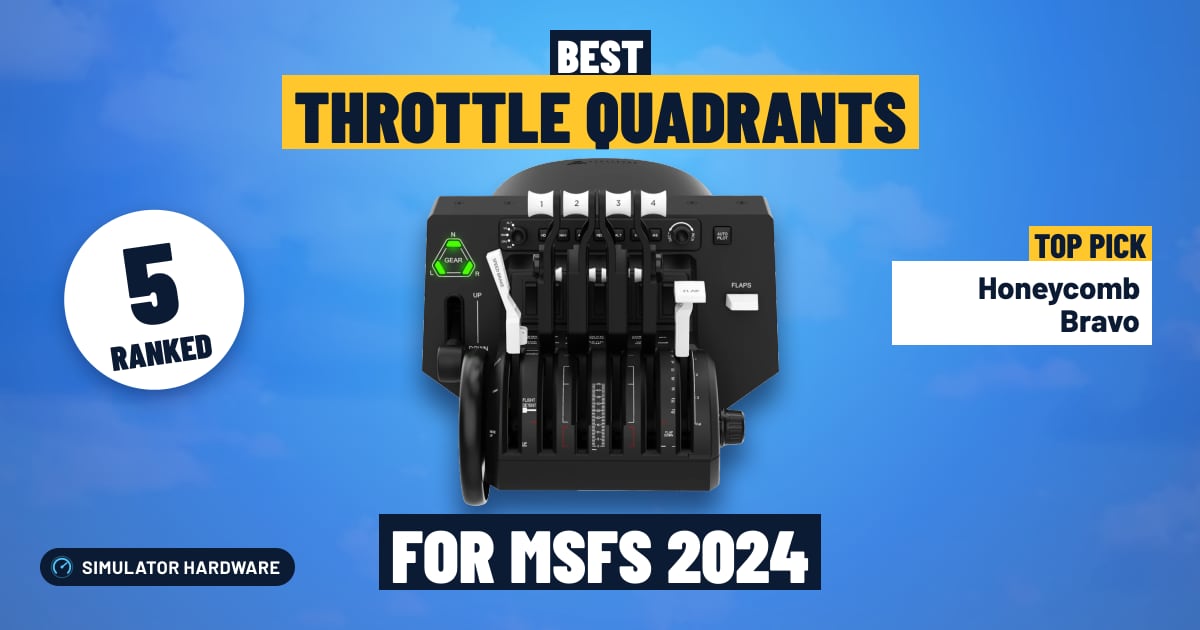
Honeycomb Bravo
- Over $250
- Any aircraft
71.5 /100 MSFS 2024 scoreBest for: anything from a single to a four-engine airliner, with autopilot, gear and flaps
The Honeycomb Bravo suits simmers who fly everything from a Cessna to a four-engine airliner, with six levers and swappable handles so each one can be throttle, prop or mixture. The trade-off: Honeycomb doesn't say the levers use contactless sensors, and on Xbox it needs the Xbox Hub.
Watch out for
- On Xbox it plugs into Honeycomb's Xbox Hub (with the Alpha XPC), not the console, so it only works there alongside that.
- Honeycomb Aeronautical doesn't say the levers use contactless (Hall-effect) sensors. Levers without them can get jittery with age; a calibration or a small dead zone usually fixes it.
Strengths and trade-offs
Strengths
- Six levers with swappable handles cover almost anything in MSFS: four throttles for a four-engine airliner on a long climb, or throttle, prop and mixture in a Cessna so you can lean the mixture (thin the fuel-air mix) as you level off at cruise.
- The autopilot controls, trim wheel, landing gear lever and flap lever keep your hands off the keyboard on an ILS approach — set the heading, drop the gear, run the flaps down — and the annunciator panel's warning lights sit in your eyeline when something trips.
- It fits the simmer who already flies with a yoke and wants the rest of the center pedestal, since on PC it's a USB plug-in and MSFS loads a ready-made control profile for it.
Trade-offs
- On Xbox it doesn't plug into the console: it connects to Honeycomb's Xbox Hub alongside the Alpha XPC yoke, so if you're on a console without that setup, this quadrant isn't an option for your MSFS flying.
- Honeycomb doesn't mention detents — the notches that let you pull the levers back to a set climb power after takeoff without looking down — and doesn't state contactless sensors, so if an axis gets twitchy with age you'll be recalibrating or adding a small dead zone; the next step up in price is where marked detents and contactless sensors show up.
- #4
Honeycomb Sierra TPM
- $150–250
- GA verniers
61.8 /100 MSFS 2024 scoreBest for: Cessnas and other singles: push-pull throttle, prop and mixture knobs, like the real panel
The Honeycomb Sierra TPM suits Cessna and single flyers who want the real panel: three vernier knobs you twist for fine changes or push in fast, for throttle, prop and mixture. It's PC only and built for props, so jets with thrust levers need a second quadrant.
Watch out for
- Honeycomb Aeronautical doesn't say the levers use contactless (Hall-effect) sensors. Levers without them can get jittery with age; a calibration or a small dead zone usually fixes it.
- Built for propeller planes: push-pull knobs, no airliner thrust levers. Pair it with a quadrant like the Bravo if you also fly jets.
Strengths and trade-offs
Strengths
- Three push-pull verniers mean throttle, prop and mixture each get their own knob, so you can lean the mixture (the knob that sets the fuel-to-air ratio) a fraction of a turn at a time during a cross-country climb instead of tapping a keyboard key.
- The trim wheel, gear lever, flap lever and parking brake cover the rest of a GA panel, so on a visual circuit you drop the gear, bring in a stage of flap and roll in nose-up trim without reaching for the mouse.
- It completes a yoke-and-pedals setup for propeller flying: the push-pull knobs sit under the panel the way they do in the airplane, which is what you want if your hangar is full of singles rather than jets.
Trade-offs
- Honeycomb Aeronautical doesn't say the levers use contactless (Hall-effect) sensors, which read lever position without parts rubbing together, so expect the odd jitter as they age — a recalibration or a small dead zone keeps cruise power from wandering on a long leg.
- Honeycomb doesn't mention detents (the notches that let you feel a power setting without looking), and there are no airliner thrust levers, so you can't set a climb thrust mode after takeoff or pull reverse thrust on the landing roll; the next step up in price buys detented levers, more axes and an autopilot panel.
- #5 Best budget
Logitech G Pro Flight Throttle Quadrant
- Under $150
- Any aircraft
50.3 /100 MSFS 2024 scoreBest for: a first quadrant for singles and twins: separate levers for power, prop and mixture
The Logitech G Pro Flight Throttle Quadrant suits pilots flying Cessnas and light twins who set power with a keyboard key today: three levers cover throttle, prop and mixture. Logitech doesn't state contactless sensors, it's PC only, and you get the levers plus a few switches, nothing more.
Watch out for
- Logitech doesn't say the levers use contactless (Hall-effect) sensors. Levers without them can get jittery with age; a calibration or a small dead zone usually fixes it.
- An older design, and Amazon's listing says it usually ships in 1 to 2 months, so order early.
Strengths and trade-offs
Strengths
- Three separate levers map to throttle, propeller and mixture, so you can lean the mixture (trim the fuel-to-air ratio) in a Cessna at cruise altitude with your hand instead of hunting for a keyboard key.
- Logitech says the levers have detents at idle and reverse, the notches you feel at the bottom of the travel, so you can find idle on short final and pull into reverse on the landing roll without looking down.
- It fits the simmer who flies piston singles and twins on PC, where any USB quadrant works in MSFS and popular ones load a ready-made control profile; it sits alongside a yoke or a stick as the missing power axis.
Trade-offs
- Logitech doesn't say the levers use contactless (Hall-effect) sensors, the kind with no sliding contact to wear out, so an older unit can get jittery and make thrust wander on a long ILS approach; a recalibration or a small dead zone usually settles it. It's also an older design that Amazon lists as shipping in one to two months, so order early.
- Three levers and a few switches is the whole package: fly a twin with prop and mixture assigned and flaps or speed brake go back to the keyboard, and there's no autopilot panel for the heading and altitude bugs. Spending more buys extra levers, contactless sensors or that autopilot panel, and this one is PC only, so there's no Xbox route.



What to add next
A quadrant pairs with a yoke or stick; pedals come next. Our cockpit guide shows how it all fits together, and the controller guide checks Xbox support.
What makes a good throttle quadrant for MSFS 2024?
A throttle quadrant gives you real levers for engine power, and often prop, mixture, flaps and more. Pick one by the aircraft you fly:
- It matches your aircraft. Airbus jets use thrust levers with detents; Boeing jets use twin levers and an autopilot panel; a Cessna uses push-pull knobs for throttle, prop and mixture (which kind).
- Levers and extras. One lever per engine, plus prop and mixture for piston twins. Extras like a gear lever, flaps, a trim wheel and autopilot buttons get you off the keyboard.
- Detents. Notches you can feel at idle, climb and takeoff power. Airliner flying leans on them.
- Contactless sensors. Hall-effect levers don't get jittery with age.
- Your platform. On PC any USB quadrant works. On Xbox, a quadrant plugs into its matching stick or yoke; on PS5, separate quadrants aren't supported (what works where).
Do you need a throttle quadrant?
If your yoke or stick already has a throttle, not right away. If it doesn't (the Honeycomb Alpha, for example), a quadrant is the first thing to add: setting power with a key is clumsy on an approach, and impossible to do smoothly on a go-around.
A quadrant also earns its place once you fly twins or airliners. Two engines want two levers, and an airliner's climb and takeoff detents only make sense with real levers under your hand.
Airbus, Boeing or GA: which kind do you need?
| You fly | What the real cockpit has | Pick |
|---|---|---|
| Airbus A320, A330, A350 | Thrust levers with detents (CL, FLX/MCT, TOGA) and reversers | An Airbus quadrant |
| Boeing 737, 747, 787 | Twin thrust levers, speed brake, flaps, autopilot panel up front | A Boeing quadrant |
| Cessna 172, Bonanza, bush planes | Push-pull throttle, prop and mixture knobs, a trim wheel | A GA module |
| A bit of everything | Swappable lever handles | A configurable quadrant like the Bravo |
You can mix: keep an airliner quadrant and a GA module side by side and swap profiles in the sim.
Throttle quadrants on Xbox and PS5
On a Windows PC, every quadrant here plugs in over USB. On Xbox Series X|S, a quadrant never plugs into the console; it connects through its partner:
- Thrustmaster TCA Quadrant Airbus through the TCA Sidestick X Airbus.
- Thrustmaster TCA Quadrant Boeing through the TCA Yoke Boeing.
- Honeycomb Bravo through Honeycomb's Xbox Hub, with the Alpha XPC yoke.
On PS5, MSFS 2024 doesn't support a separate quadrant; the TCA Sky Yoke (PS5 version) has a throttle built in. Our controller guide checks any device.
More questions simmers ask
What detents are, and why airliner pilots want them
A detent is a notch the lever clicks into. In an A320 you push the levers to the FLX or TOGA detent for takeoff, then pull them back to CL (climb) and leave them there; the autothrust does the rest. Feeling those notches lets you set power without looking down.
Detents get in the way for small planes, where you want smooth, continuous power. Thrustmaster's Airbus quadrant lets you switch them off for that.
How to set up a throttle quadrant in MSFS 2024
- Plug it in before starting the sim (on Xbox, into its partner stick or yoke).
- In Settings → Controls, check the profile and assign each lever: throttle 1 and 2, propeller, mixture, flaps or speed brake.
- For airliners with detents, check that the sim reads the idle and reverse positions; many add-on airliners have their own detent setup page.
- Swap lever handles to match the aircraft (black for throttle, blue for prop, red for mixture is the usual color code).
What about VIRPIL, WINWING and other enthusiast throttles?
VIRPIL, WINWING and WINCTRL make excellent metal throttles, mostly for fighters and space sims. Amazon itself doesn't sell them in the US (only resellers with a few units, when at all), so we can't link to them reliably and don't rank them.
Frequently asked questions
What is the best throttle quadrant for Microsoft Flight Simulator 2024?
For most simmers: the Honeycomb Bravo, with six levers, autopilot controls, a trim wheel and a gear lever. Airbus: the Thrustmaster TCA Quadrant Airbus. Boeing: the Thrustmaster TCA Quadrant Boeing. Small planes: the Honeycomb Sierra TPM. Tight budget: the Logitech G Pro Flight Throttle Quadrant. On Xbox, a quadrant plugs into its matching stick or yoke, not the console.
Which throttle quadrants work on Xbox?
On Xbox, a quadrant plugs into its matching stick or yoke, not the console. From the quadrants we rank: the Thrustmaster TCA Quadrant Airbus (through the TCA Sidestick X Airbus), Thrustmaster TCA Quadrant Boeing (through the TCA Yoke Boeing) and Honeycomb Bravo (through Honeycomb's Xbox Hub (with the Alpha XPC)). Everything else here is PC only, and none work on PS5. Our controller guide checks any device for you.
Do I need a throttle quadrant for MSFS 2024?
Not if your yoke or stick has a throttle and you fly singles. Add one when your yoke has no throttle, or when you start flying twins and airliners, where separate levers and detents matter.
Which throttle quadrant is best for the A320?
An Airbus-style quadrant with the real detents and reversers, like the Thrustmaster TCA Quadrant Airbus. Add Thrustmaster's TCA Quadrant Add-On for flaps, speed brake, gear and trim.
Which throttle quadrant is best for Boeing jets?
A Boeing-style quadrant with twin thrust levers and autopilot controls, like the Thrustmaster TCA Quadrant Boeing. On Xbox it plugs into the TCA Yoke Boeing.
What's the best throttle quadrant for the Cessna 172?
A GA module with push-pull throttle, prop and mixture knobs, like the Honeycomb Sierra TPM, or a configurable quadrant like the Bravo or the Logitech quadrant with the black, blue and red handles.
Do throttle quadrants work on Xbox?
Some do, through their partner stick or yoke: the TCA Quadrant Airbus through the TCA Sidestick X, the TCA Quadrant Boeing through the TCA Yoke Boeing, and the Honeycomb Bravo through Honeycomb's Xbox Hub. The Logitech quadrant is PC only.
Do throttle quadrants work on PS5?
No. MSFS 2024 on PS5 doesn't support a separate quadrant. The TCA Sky Yoke (PS5 version) has a throttle built in.
What are detents on a throttle?
Notches the lever clicks into at set power positions, like idle, climb and takeoff in an Airbus. They let you set power by feel.
Can I use two throttle quadrants together?
Yes, on PC. You can chain two Logitech quadrants for four-engine jets, or keep an airliner quadrant and a GA module side by side and switch profiles in the sim.
Will my throttle quadrant work in X-Plane 12?
Yes, on a PC or Mac: X-Plane 12 works with any USB quadrant. See our X-Plane 12 throttle quadrant rankings.
Own any of these?
Rate it in one tap. We research the specs; owners know how the gear holds up.
More hardware rankings
Further reading
- How to Build a Home Flight Simulator Cockpit: The Complete 2026 GuideEverything a beginner needs to build a home flight simulator: the sim, PC or console, controls, screens, VR and seats, plus three complete setups to copy.
- Which Controllers Work With Microsoft Flight Simulator on PC, Xbox and PS5?Check any joystick, yoke or pedals for MSFS 2024 on PC, Xbox or PS5 in seconds. See what works, what needs a hub, and our best picks for each platform.
How we rank
Score formula
throttle and rudder × 35% + sensors × 20% + detent feel × 15% + platforms × 15% + build quality × 15%. Every factor comes from the maker's specs and the Amazon listing: levers and the extra cockpit controls in the box, sensor type, detents, the platforms it works on (Xbox through its partner stick or yoke) and materials. We don't test hardware ourselves; scores compare products rather than predict a frame rate. Full methodology · How we research
Works on and Best for
"Works on" follows the makers and Microsoft's lists: on Xbox, a quadrant plugs into its partner stick or yoke, and we name it; no separate quadrant works on PS5. A Hall-effect claim has to come from the maker; when a maker doesn't state the sensor type, we say "Not stated".
What we list
Only throttle quadrants sold on Amazon when we last checked: by Amazon itself, or by the store that sells it there (for Honeycomb a camera or pilot-supply store, for VelocityOne Turtle Beach itself; Amazon names the seller under the price). Price bands use each one's regular price, so a short sale doesn't move it between bands; the Check price buttons show today's price.
What changed
- Rebuilt as a full buyer's guide: 5 throttle quadrants you can buy on Amazon, from the Logitech G Pro quadrant to the Honeycomb Bravo, with Airbus and Boeing replicas, Honeycomb's new Sierra module for small planes, and what each one plugs into on Xbox. New: a quadrant finder, picks by what you fly, and plain answers on detents, levers and setup. The score now rates the controls in the box, sensors, detents, platforms and build. VIRPIL and WINWING throttles left the ranking because Amazon itself doesn't sell them in the US.
Comments
Flying with one of these throttle quadrants, or still deciding? Ask a question, share your setup or leave a tip. It helps the next simmer choose.
That didn't send. Check your connection and try again.