Want to fly from your spare room? You don't need a garage full of aluminum, a pilot's license or a bottomless wallet. A home flight simulator can start as a stick on your desk and grow, one piece at a time, into a cockpit you climb into.
This guide takes you from "I know nothing about flight sims" to your first proper flight. We'll go through every decision in order: what to fly, which sim, PC or console, controls, screens, seats and setup. Every term is explained as we go, and there are three complete setups to copy if you'd rather skip to the shopping.
Short on time? Answer four questions and get a setup that fits your platform, your aircraft, your budget and your room:
Plan your cockpit
Four questions. Your answer updates as you tap.
Your setup
Fly Microsoft Flight Simulator 2024. The easiest start on PC, with the whole planet to fly over. X-Plane 12 is the pick if flight-model realism matters most.
- Stick + throttleThrustmaster T.Flight Hotas One (MSFS 2024 Edition)Check price

A stick and throttle flies everything well enough to find out what you love.
- Try free webcam head tracking (opentrack with AITrack) before you buy a head tracker.
- Clamp-on yokes and throttles need a solid desk edge. Check your desk is thick enough for the clamps and doesn't wobble.
How to read this guide. Brand new? Read it top to bottom; it's built as a path. Already know what you want to fly? Jump to the three setups. Hit an unfamiliar word? It's in the glossary at the end.
How we chose the hardware
We don't run a hardware lab and haven't bench-tested these products ourselves. Our picks come from manufacturer specs and documentation, Microsoft's official compatibility lists, independent reviews, and what the flight sim community actually flies with. We checked every product below is on sale at Amazon as we write, and every console claim against the maker's or Microsoft's own pages.
Start Here: What a Home Cockpit Really Is
Strip away the shiny photos and every home flight simulator is the same five things working together:
- The sim. The software that models the aircraft, the weather and the world. Microsoft Flight Simulator 2024, X-Plane 12 and DCS World are the big three.
- The machine. A PC or a console that runs the sim.
- The window. A monitor, a TV, three screens, or a VR headset.
- The controls. A stick or a yoke, a throttle, rudder pedals, and maybe some switch panels.
- The seat. A chair at a desk, or a dedicated cockpit rig.
That's it. Everything else is detail. Most home cockpits grow through three levels:
-
Level 1Desk Starter
A stick and throttle on the desk you have. Packs away in a minute.
-
Level 2Desk Cockpit
Yoke, throttle quadrant and pedals at your desk. Where most simmers settle.
-
Level 3Full Cockpit
A rig with a seat and mounts, plus VR or big screens. You climb in.
- Level 1, the Desk Starter. A stick and throttle on the desk you already have. It flies everything, packs away in a minute, and is the best way to discover what kind of flying you love.
- Level 2, the Desk Cockpit. A yoke or sidestick clamped to the desk, a throttle quadrant beside it, pedals underneath, and a wider screen. This is where most simmers end up, and where it starts to feel like flying.
- Level 3, the Full Cockpit. A rig with a seat and mounts, plus VR or three screens. You climb in instead of sitting down.
There's a Level 4, too: full replica shells of a 737 or a Cessna, built over years. It's an amazing hobby of its own, and there's a section on going DIY if that's your dream. But nobody starts there, and you don't need to.
The good news: almost nothing is wasted as you climb. The yoke, throttle and pedals from a Level 2 desk move straight into a Level 3 rig, and a starter stick stays useful for jets and helicopters forever.
Flight Sim Basics in Five Minutes
You don't need to be a pilot to fly a sim, and you don't need to know any of this before you start. But five minutes here will make every buying decision easier, because the controls you need follow directly from how a plane flies.
How you control an aircraft
A plane moves in three directions, plus power:
-
PitchNose up or down
Pull the stick or yoke back to climb, push it forward to descend.
-
RollBank the wings
Tilt the stick, or turn the yoke like a steering wheel.
-
YawNose left or right
Push the rudder pedals, or twist the stick if you don't have pedals.
-
PowerSpeed and climb
Push the throttle forward for more power, pull it back for less.
- Pitch is the nose going up or down. Pull the stick or yoke back to climb, push forward to descend.
- Roll is banking the wings. Tilt the stick, or turn the yoke like a steering wheel, and the plane banks into a turn.
- Yaw is the nose swinging left or right. Your feet do this on rudder pedals. You use it to steer on the runway, keep turns smooth, and line up in a crosswind landing.
- Power comes from the throttle. Push it forward for more. Propeller planes often add a propeller lever and a mixture lever too.
That's why a game controller works but feels vague: two thumbs are doing the work of two hands and two feet. Real controls give each job its own hand or foot, with a long, smooth range of movement, and that's what makes a landing feel controlled instead of lucky.
What all those dials mean
Climb into almost any small plane and you'll see the same six instruments, called the "basic six". Learn these and any cockpit becomes far less scary:
-
Airspeed indicator
How fast you're moving through the air.
-
Attitude indicator
Nose up or down, wings level or banked. The most important one.
-
Altimeter
Your height above sea level.
-
Turn coordinator
How fast you're turning. Keep the ball centered for a smooth turn.
-
Heading indicator
Which way the nose points, like a compass.
-
Vertical speed indicator
How fast you're climbing or descending.
Newer planes show the same information on two big screens (a "glass cockpit", like the Garmin G1000), but it's the same six things, just drawn differently.
The kinds of flying
- Small planes (general aviation, or "GA"). Cessnas, Pipers, bush planes. You mostly fly by looking out the window (that's VFR, visual flight rules). Hands-on and relaxing. Most people start here.
- Airliners. Boeing and Airbus jets. Less hand-flying, more procedures: flight plans, checklists, autopilot, and approaches flown by instruments (IFR, instrument flight rules). A long-haul can take hours in real time.
- Fighter jets and warbirds. Fast, physical and often combat-focused. This is where HOTAS controls (Hands On Throttle And Stick) come from.
- Helicopters. The hardest thing to fly well, and incredibly satisfying once you can hover. They need rudder pedals more than anything else.
You can fly all of them in one sim, so you don't have to choose forever. But knowing what pulls you in decides your controls, which is Step 1.
Step 1: Decide What You Want to Fly
This is the decision most beginners skip, and it's the one that matters most. Real cockpits use different controls, and the closer your setup matches, the better it feels:
| You want to fly | The real cockpit has | Get this | Nice to add |
|---|---|---|---|
| Small planes (Cessna 172, Piper) | A yoke, throttle/prop/mixture levers, pedals | Yoke + three-lever throttle | Pedals with toe brakes, switch panel |
| Piper Cubs, aerobatic planes and gliders | A center stick | Stick + throttle | Pedals |
| Boeing airliners (737, 777, 787) | A yoke and airliner thrust levers | Yoke + airliner throttle quadrant | Autopilot panel, pedals |
| Airbus airliners (A320, A350) | A sidestick by the window and thrust levers with detents | Airbus-style sidestick + quadrant | Flaps and speed-brake add-on |
| Fighter jets and warbirds | A stick, and a throttle full of buttons | HOTAS | Pedals, head tracking or VR |
| Helicopters | A cyclic stick, a collective lever, pedals | Stick + pedals + a lever for the collective | Force-feedback stick |
Not sure yet? Get a HOTAS. It's the Swiss Army knife of flight controls: not perfect for anything, decent at everything, and cheap enough that you won't mind when you outgrow it. Give it a few months and you'll know your favorite kind of flying, and exactly what to buy next.
The one mismatch to avoid: a yoke for Airbus or fighter jets. A stick can fly a Boeing in a pinch, but a yoke can't fake a sidestick or a HOTAS.
Ready-made controls for each of these are in Picks for every kind of aircraft.
Step 2: Choose Your Sim and Platform
The sims worth your time
Microsoft Flight Simulator 2024 is where most people start, and for good reason. It streams the entire planet from satellite and aerial data, so you can fly over your own house. It has small planes, airliners, helicopters, gliders and jets, a career mode with structured lessons, and the biggest add-on market of any sim. It runs on Windows PC, Xbox Series X|S and, since December 2025, PS5. It's included with PC Game Pass, and if you buy it on Xbox, Xbox Play Anywhere gives you the PC version too. It needs a steady internet connection to stream scenery.
X-Plane 12 is the realist's choice. Its flight model works out the forces on each part of the aircraft as you fly, which is one reason many real pilots use it to practice procedures. It's the only big sim that runs natively on Mac (and Linux), and there's a free demo to try before you buy.
DCS World is the combat sim. It's free to download, with two aircraft (the Su-25T attack jet and the TF-51D Mustang) and two maps included, and you buy individual aircraft that are modeled down to almost every switch. PC only, and it rewards a good HOTAS, pedals and head tracking or VR.
Also worth knowing: Aerofly FS 4 is smooth and light on hardware, GeoFS runs free in your web browser, and FlightGear is free and open source. Prepar3D is aimed at professional training, not home hobbyists.
For a deeper look at all of them, see our flight simulators compared guide. Torn between the first two? Our X-Plane 12 vs MSFS 2024 comparison goes topic by topic.
PC, Xbox, PS5 or Mac?
This matters more than most beginners realize, because it decides which controls you can plug in:
| Windows PC | Xbox Series X|S | PS5 | Mac | |
|---|---|---|---|---|
| Sims | All of them | MSFS 2024 | MSFS 2024 | X-Plane 12 |
| Flight controls | Almost any USB device | Only "Designed for Xbox" models | A few Thrustmaster models | Most USB devices (official support varies) |
| Rudder pedals | Plug into the PC | Plug into your stick or yoke | Plug into your Thrustmaster stick or yoke | Plug into the Mac |
| VR | Yes | No | Yes (PS VR2) | No |
| Head tracking | Yes | No | No | Limited |
| Add-ons and mods | Huge choice | Official marketplace | Official marketplace | Huge choice |
| Online air traffic control (VATSIM) | Yes | No | No | Yes |
| Cost to start | Highest | Lowest | Low | Depends on your Mac |
Our honest take: if you already own a console, start there. It's a brilliant, cheap way in, and you'll know within a month whether you're hooked. If you're buying from scratch and want a cockpit that can grow without limits, a PC is the platform with no ceiling.
Console owners: read the box
On Xbox, a stick, yoke or set of pedals has to say "Designed for Xbox" (or Xbox-compatible) or it simply won't connect, adapter or not. On PS5, MSFS 2024 supports only a handful of officially licensed Thrustmaster controllers so far. Our Xbox and PS5 picks only list ones that work, and our controller guide checks any model.
Step 3: Set a Budget and Find the Space
What a home cockpit costs
Here's what each level costs in controls, screens and seat, using today's Amazon prices. The PC or console comes on top:
| Level | What you get | Typical cost |
|---|---|---|
| Desk Starter | Stick and throttle, maybe pedals | Under $250 |
| Desk Cockpit | Yoke, throttle quadrant, pedals, ultrawide screen, head tracking | About $1,400 to $1,600 |
| Full Cockpit | Rig and seat, yoke, quadrant, pedals, VR, button panel | About $2,500 to $2,800 |
| Replica shell | A full aircraft cockpit, built over months or years | Five figures and up |
The PC: a sim-ready PC runs from under $2,000 for a 1080p build to around $4,500 for 4K and VR. Our PC builds for MSFS 2024 give complete parts lists at each level.
Where to spend first: controls before screens, and pedals sooner than you think. A good yoke or stick changes the sim more than a few extra frames do.
Measure your space
- 1Screen at the back of the desk, centered on you.
- 2Head tracker on top of the screen (PC only).
- 3Yoke clamped to the front edge, straight in front of you.
- 4Throttle quadrant by your right hand, like most cockpits.
- 5Rudder pedals on the floor under the desk.
- 6Keyboard off to the side or on a pull-out tray.
- 7Chair that can't roll back when you push the pedals.
- Your desk edge. Most yokes and throttles clamp to the front edge. Check the clamp range against your desk's thickness before you buy, and make sure the desk doesn't wobble: a wobbly desk means a wobbly yoke.
- Desk height. Yokes on a standard desk can sit a bit high. If your shoulders ache after a flight, raise the chair a notch (and check you still reach the pedals), or mount the yoke lower, on a keyboard tray or shelf.
- Depth. A yoke, a screen and a keyboard all want the same strip of desk. Many simmers move the keyboard to a pull-out tray or to one side.
- The floor. Pedals need floor space under the desk and something to push against. Office chairs roll back when you press the pedals; locking casters or a rug fix that.
- For a rig. Ready-made flight rigs need a patch of floor roughly 5 feet long and 3 feet wide (1.5 by 1 meter), plus room to climb in. Check the exact size before you buy.
Sharing the space? Pick controls that clamp on or sit on the desk without tools, and slide the pedals under the desk afterwards. A HOTAS packs away in a minute.
Step 4: The Computer (or Console)
Flight sims are some of the most demanding games around, and they're demanding in an unusual way. A shooter mostly needs a fast graphics card; a flight sim needs a fast processor too, because it's simulating the aircraft's systems, the weather, the air traffic and the scenery streaming in, all at once.
Microsoft's official PC requirements for MSFS 2024:
| Minimum | Recommended | Ideal | |
|---|---|---|---|
| Processor | Ryzen 5 2600X or Core i7-6800K | Ryzen 7 2700X or Core i7-10700K | Ryzen 9 7900X or Core i7-14700K |
| Graphics card | GTX 970 or RX 5700 | RTX 2080 or RX 5700 XT | RTX 4080 or RX 7900 XT |
| Video memory | 4GB | 8GB | 12GB |
| Memory (RAM) | 16GB | 32GB | 64GB |
| Internet | 10 Mbps | 50 Mbps | 100 Mbps |
| Storage | 50GB | 50GB | 50GB |
"Minimum" means it runs, not that it runs well. Aim for recommended or better, put the sim on an SSD (how much storage MSFS really needs), and match the PC to your screen: a 1080p monitor needs much less graphics power than 4K or VR. Our PC builds are built exactly that way.
Laptops can run MSFS 2024, but desktops give you far more performance for the money, stay cooler on long flights and can be upgraded. If you need a laptop, see our MSFS laptop rankings.
Consoles: MSFS 2024 runs on Xbox Series X and Series S, PS5 and PS5 Pro. The Series S works, but at lower detail than the Series X. Either way, you'll want a USB keyboard and mouse alongside your flight controls for menus and flight planning.
Already have a gaming PC? Check it against the table. Often the cheapest upgrade is more memory (32GB) or a newer graphics card, not a whole new machine.
Step 5: Choose Your Flight Controls
This is the heart of your cockpit, and the part that changes the experience most. If you take one thing from this guide: spend on controls before anything else.
Stick, HOTAS or yoke?
| Flight stick | HOTAS | Yoke | |
|---|---|---|---|
| What it is | One stick, often with a twist for rudder | A stick plus a separate throttle full of buttons | A steering-wheel-style control that also pushes and pulls |
| Best for | Gliders, tailwheel planes, helicopters | Fighters, helicopters, all-rounders | Small planes and Boeing-style airliners |
| Rudder | Twist the stick | Twist the stick | Needs pedals (or rudder buttons) |
| Desk space | Small | Medium | Large, clamps to the edge |
| Typical cost | Cheapest | Cheap to mid | Mid to high |
What to look for in a yoke
- A full 180° turn (90° each way). Yokes that turn less make gentle, precise banking harder.
- Long, smooth push and pull. More travel means finer control in the flare just before touchdown.
- A solid mount. Clamps are the standard. Check they fit your desk, and that the yoke doesn't lift or wobble when you pull hard.
- Magnetic (Hall effect) sensors. They measure movement without touching anything, so they don't wear out or get jittery with age. Most good controls use them now.
- Switches you'll use. Some yokes have a built-in switch panel with an ignition key, which is lovely for small planes.
What to look for in a stick or HOTAS
- A twist for rudder if you don't have pedals yet. Once you add pedals, you can switch the twist off.
- Adjustable spring tension. Some people like a light stick, some like heft. Being able to change it helps.
- Throttle detents. Little bumps at idle and full power make it easier to find settings without looking, which matters a lot in VR.
- Enough buttons and hats for views, trim, brakes and flaps. Most HOTAS sets have more than you'll ever need.
Throttle quadrants
A throttle quadrant is a box of levers that sits beside your yoke or stick.
- Small planes use three levers: throttle (black), propeller (blue) and mixture (red). A three-lever quadrant covers almost every single-engine piston plane.
- Airliners use thrust levers, plus flaps and a speed brake. Airbus thrust levers click into set positions ("detents") such as climb and take-off power, and a good Airbus quadrant copies them.
- Extras like a gear lever, a trim wheel and autopilot buttons save you from reaching for the mouse at busy moments.
The Honeycomb Bravo does all of this with swappable handles, which is why it's in so many home cockpits.
Rudder pedals: the upgrade simmers wish they'd bought sooner
Pedals are the piece most beginners leave until last, and the one many simmers say they should have bought first. Here's why:
- On the ground, you steer with your feet. Taxiing with a twist-grip feels clumsy; with pedals it's natural.
- In the air, a little rudder keeps turns smooth and coordinated.
- On landing, crosswinds need rudder. This is where pedals turn white-knuckle landings into nice ones.
- In helicopters, pedals aren't optional. They hold the nose straight in a hover.
Look for toe brakes (press the top of each pedal to brake that wheel, which helps small planes make tight turns on the ground), an adjustable pedal angle, and something to stop them sliding on a hard floor.
Force feedback: the next level
Force-feedback controls have motors that push back. The stick gets heavier as you fly faster, shakes in turbulence, and stays where you trim it. Bases from MOZA (PC only) and premium yokes from makers like Brunner bring this home. It's fantastic in helicopters and warbirds, but it's a luxury: get the basics right first.
Our five rules for buying controls
- Match the aircraft you want to fly (see Step 1).
- On a console, check the label. "Designed for Xbox" or PS5-licensed, nothing else.
- Stay in one family on consoles. On Xbox and PS5, rudder pedals plug into your stick or yoke, so Thrustmaster pedals need a Thrustmaster stick or yoke.
- Check the clamp fits your desk before you buy.
- Skip discontinued gear, even cheap on the second-hand market, unless you know it still works with today's sims and Windows.
Compare more options in our rankings for yokes, flight sticks, throttle quadrants and rudder pedals.
Step 6: Screens, VR and Head Tracking
Pilots see a huge sweep of sky out of a real cockpit. A single monitor shows you a slice of it, which is why looking around matters so much in a sim. Here's roughly how much of the view each option gives you from a normal seating distance:
-
One 27-inch screen
About 50°
-
34-inch ultrawide
About 60 to 65°
-
Three 27-inch screens
About 150°
-
VR headset
About 110°, and you can look anywhere
Your options
- One monitor. Simple, cheap, and it works. A 27-inch 1440p screen is the sweet spot for most PCs. Add head tracking and it becomes far more useful.
- An ultrawide. The best single upgrade for a desk cockpit: a 34-inch ultrawide is about a third wider than a 27-inch monitor, with no extra setup. Note that Xbox and PS5 don't output ultrawide resolutions.
- A TV. Ideal for consoles. Turn on the TV's Game Mode to cut input lag (the delay between moving the yoke and seeing the plane react).
- Three screens. The widest view short of VR, and you can still see your controls. It needs a strong graphics card and some fiddling: you can run the three as one wide display (Nvidia Surround or AMD Eyefinity), and MSFS can also send extra views to other screens. X-Plane 12 has the most flexible multi-screen support.
- A projector. Huge picture for the money, but it needs a dark room and a spare wall. Check the native resolution (not the maximum it accepts) and the input lag before you buy.
VR: the most immersive, with trade-offs
Put on a VR headset and you're in the cockpit. You can look over your shoulder, lean toward the window, and judge your height over the runway the way real pilots do. Many simmers say they can never go back.
The trade-offs are real, though:
- It's hard on the PC. VR draws two high-resolution views many times a second. Plan on a strong processor and graphics card (our Heavy PC build).
- You can't see your desk. You'll learn your controls by feel, which is easier with fewer, well-placed controls.
- Comfort. Headsets get warm on long flights. Many people use VR for short hops and a screen for long-hauls.
Which headset? On PC, the Meta Quest 3 is the popular all-rounder (it connects by cable or Wi-Fi), and the Quest 3S is a cheaper way to try VR. High-resolution PC headsets from makers like Pimax and Bigscreen, and Valve's new Steam Frame, go further at a higher price. On PS5, PS VR2 works with MSFS 2024 since Sim Update 5 (April 2026). Xbox has no VR. Our guide to VR headsets for flight sims explains the types and the PC you need, and our VR headset rankings have the full list.
Avoid old Windows Mixed Reality headsets like the HP Reverb G2, however cheap. Windows 11 version 24H2 removed the software they depend on, so they no longer work on an up-to-date PC.
Head tracking: the bargain upgrade
Head tracking watches your head and turns the in-sim view as you move. Turn your head a little to the left, and you're looking out the left window. On a single screen it's a game changer, and MSFS 2024, X-Plane 12 and DCS support it.
- TrackIR 5 uses an infrared camera on your monitor and a clip on your headset or cap. Precise and proven.
- Tobii Eye Tracker 5 sits under your screen and tracks your head and eyes with nothing to wear.
- A webcam and free software (opentrack paired with AITrack) is the free way to find out if you like it.
Head tracking is a PC thing: it doesn't work on Xbox or PS5.
Our rule of thumb: a good monitor first, head tracking second, VR when your PC is ready for it.
Step 7: Seat, Rig and Getting Comfortable
Flights last a while. An airliner trip can run two hours or ten, so comfort isn't a luxury.
- 1Eyes level with the middle of the screen, so the horizon sits where a windshield's would.
- 2Elbows bent and relaxed, not reaching up or out.
- 3Yoke around lower-chest height. Too high and your shoulders ache.
- 4Knees slightly bent with the pedals in the middle.
- 5Feet able to push full rudder and still reach the toe brakes.
- 6Chair that stays put: locked casters or a rug.
Get your position right
- Eyes: the middle of the screen near eye level, so the horizon sits where it would out of a real windshield.
- Arms: elbows bent and relaxed, not reaching up. If the yoke is at shoulder height, lower it or raise the chair.
- Legs: knees slightly bent with the pedals at neutral, so you can push full rudder and still reach the toe brakes.
- Chair: it shouldn't roll back when you push the pedals.
Chair or rig?
A good office or gaming chair is completely fine for Levels 1 and 2. Lock the casters or put it on a rug so it stays put.
A flight sim rig is a frame with a seat and mounting plates for your yoke, stick, throttle and pedals. Everything stays exactly where you left it, at exactly the right height, and you can fly without a desk at all. Next Level Racing's flight cockpits are one of the best-known ready-made options (it's in our Full Cockpit), and budget stands that sit beside a chair also exist. Compare them in our seats and cockpits rankings.
DIY rigs are popular too: aluminum profile (the "80/20" type) bolts together like a giant construction set, and plywood works fine if you can cut straight. More on that in the DIY section.
Step 8: Panels, Buttons and Nice Extras
Once the core is sorted, these are the things that make a home cockpit feel finished:
- Switch and radio panels put real switches and knobs under your fingers. One catch: Logitech's flight panels don't work natively in MSFS 2024. They need Logitech's plug-in, and paid apps like SPAD.neXt make them far easier to set up. Airliner fans can go further with replica autopilot and flight-computer (FMS) panels from makers like WINCTRL.
- A Stream Deck gives you 15 programmable screen-buttons for lights, views and autopilot, and community plug-ins for MSFS and X-Plane.
- A tablet or second screen for charts and maps. SimBrief plans realistic flights for free, and Little Navmap is a free moving map.
- A headset with a mic to hear the engine and talk to air traffic control. If you fly online, map a push-to-talk button on your yoke or stick.
- A powered USB hub. Every controller wants a port and steady power. A powered hub (not a cheap unpowered splitter) fixes most random disconnects.
- Bass shakers like the ButtKicker bolt to your seat and turn engine rumble and runway bumps into vibration, driven by a small amplifier.
Extras worth adding: parts list
| Part | Our pick | Price |
|---|---|---|
| Head + eye tracking (PC) Follows your head and eyes from under the screen. Nothing to wear. | Tobii Eye Tracker 5 Supported in MSFS 2024. Check it suits your screen size. | Check price |
| Radio + switch panels (PC) Real knobs for radios, real switches for lights and engines. | Logitech G Pro Flight Radio Panel + Switch Panel Needs Logitech's plug-in in MSFS 2024. Paid apps like SPAD.neXt make setup easier. | Check price |
| Button panel 15 little screens that become buttons for lights, autopilot, views, anything. | Elgato Stream Deck MK.2 Community plug-ins turn it into a cockpit panel. | Check price |
| Budget VR headset VR for less than the Quest 3, with a lower-resolution screen. | Meta Quest 3S (128GB) A cheaper way to find out whether VR is for you. | Check price |
| 27-inch screen (buy three for triples) A sharp 1440p screen. Three side by side wrap the view around you. | LG UltraGear 27GP850-B (27-inch, 1440p) Height and tilt adjust, so the three line up neatly. | Check price |
| Triple-screen desk stand Holds three monitors so they wrap around you. | VIVO Triple Monitor Desk Stand (23 to 32 inch) Angle the side screens in so they face you. | Check price |
| Triple-screen floor stand Holds three screens in front of a rig, no desk needed. | Marada Triple Monitor Floor Stand (24 to 32 inch) On wheels, so it rolls out of the way. | Check price |
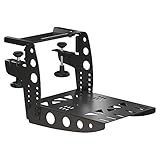
| Desk clamp for a stick or throttle Holds a stick or throttle at the desk edge at a comfy height. | Thrustmaster Flying Clamp Metal. Fits Thrustmaster sticks and throttles. | Check price |



Links go to Amazon, where you'll see today's price. As an Amazon Associate we earn from qualifying purchases, at no cost to you.
Three Setups That Work
You've seen every decision. Here they are, put together. Each list is complete and checked: every part works with the others, and every link goes to Amazon, where you'll see today's price.
- Any desk
The Desk Starter
First-timers, shared desks, and trying every kind of aircraft
- Controls
- Stick + throttle (HOTAS)
- Rudder
- Twist grip, pedals later
- Expect
- Flies everything, masters nothing
Under $250
See the parts list for The Desk Starter - Your own desk Our pick
The Desk Cockpit
Small planes and Boeing-style airliners, the way most simmers fly
- Controls
- Yoke + throttle quadrant
- Rudder
- Pedals with toe brakes
- Expect
- Feels like a real cockpit
$1,400 to $1,600
See the parts list for The Desk Cockpit - A spare corner
The Full Cockpit
Long flights, a setup that stays put, and maximum immersion
- Controls
- Yoke, quadrant, pedals, buttons
- Rudder
- Pedals with toe brakes
- Expect
- Climb in, strap in, fly
$2,500 to $2,800
See the parts list for The Full Cockpit
Swipe sideways to see all 3 builds →
| Desk Starter | Our pick Desk Cockpit | Full Cockpit | |
|---|---|---|---|
| Best for | First-timers, shared desks, and trying every kind of aircraft | Small planes and Boeing-style airliners, the way most simmers fly | Long flights, a setup that stays put, and maximum immersion |
| What to expect | Flies everything, masters nothing | Feels like a real cockpit | Climb in, strap in, fly |
| Controls | Stick + throttle (HOTAS) | Yoke + throttle quadrant | Yoke, quadrant, pedals, buttons |
| Rudder | Twist grip, pedals later | Pedals with toe brakes | Pedals with toe brakes |
| View | The screen you already have | 34-inch ultrawide + head tracking | VR headset |
| Works on | PC and Xbox | Windows PC | Windows PC |
| Budget | Under $250 | $1,400 to $1,600 | $2,500 to $2,800 |
| Room to upgrade | Add pedals, then a yoke | Panels, force feedback, a rig | Panels, force feedback |
Torn between two? Buy the cheaper one now and put the difference into pedals. And whatever you choose, nothing here is a dead end: each setup grows into the next.
The Desk Starter: Your First Flight Controls
For first-timers, shared desks, and anyone who wants to try everything before choosing. It works on PC and Xbox (PS5 owners, see the PS5 picks).
The Desk Starter: parts list
- Any desk
- Under $250
- Flies everything, masters nothing
| Part | Our pick | Price |
|---|---|---|
| Stick + throttle The stick steers the plane. The throttle sets the power. Twist the stick for rudder. | Thrustmaster T.Flight Hotas One (MSFS 2024 Edition) Officially licensed for Xbox and PC. The throttle unclips, so it fits a small desk. | Check price |
| Rudder pedals (add later) Steer on the runway, keep turns balanced, land in a crosswind. | Thrustmaster TFRP T.Flight Rudder Pedals Plug into the Hotas One, so they work on Xbox too. Each pedal tilts to brake. | Check price |
| Or: both in one box The same stick, throttle and pedals as a single kit. | Thrustmaster T.Flight Full Kit X (Hotas One + TFRP pedals) Usually a little cheaper than buying the two separately. Xbox and PC. | Check price |


Buy it if
You're new, you share the desk, or you want to try small planes, airliners, jets and helicopters before you commit to one.
Skip it if
You already know you'll mostly fly small planes or Boeing-style airliners. Go straight to the Desk Cockpit.
Links go to Amazon, where you'll see today's price. As an Amazon Associate we earn from qualifying purchases, at no cost to you.
Why we chose these
- T.Flight Hotas One: the classic first stick, officially licensed for Xbox and PC. The throttle unclips, the stick twists for rudder, and it's cheap enough that you won't regret it when you upgrade.
- TFRP pedals: the most affordable pedals that also work on Xbox, because they plug into the stick rather than the console. Each pedal tilts for braking.
- Full Kit X: if you know you want pedals from day one, the bundle is usually a little cheaper than buying both separately.
- No head tracker here on purpose: on PC, try the free webcam option first (see Step 6).
The Desk Cockpit: Yoke, Throttle and Pedals
Our pick for most simmers. This is the setup a huge number of home cockpits are built around: a yoke, a throttle quadrant with real levers and autopilot buttons, pedals with toe brakes, a wide screen and head tracking. It's built for Windows PC (Mac owners: Honeycomb officially supports the yoke and quadrant in X-Plane).
The Desk Cockpit: parts list
- Your own desk
- $1,400 to $1,600
- Feels like a real cockpit
| Part | Our pick | Price |
|---|---|---|
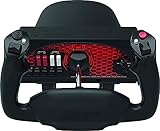
| Yoke Turn it to bank, pull and push it to climb and descend. Just like the real thing. | Honeycomb Alpha Flight Controls Turns a full 180°. Built-in switch panel with a five-position ignition key. | Check price |
| Throttle quadrant Power levers, plus flaps, landing gear, trim and autopilot buttons. | Honeycomb Bravo Throttle Quadrant Comes with airliner and small-plane lever handles. Swap them in seconds. | Check price |
| Rudder pedals Steer on the ground, balance turns, brake each wheel separately. | Honeycomb Charlie Rudder Pedals Toe brakes on both pedals and an adjustable pedal angle. | Check price |
| Screen A wide window on the world, with room to see out the side. | Samsung Odyssey G5 34-inch Ultrawide (1440p, curved) A good match for a mid-range PC. Pairs well with our Sweet Spot build. | Check price |
| Head tracking Turn your head a little and the view in the sim turns a lot. | TrackIR 5 with TrackClip Pro PC only. The Pro clip sits on a headset or cap. | Check price |
| Powered USB hub Gives every controller a port and steady power. | Sabrent 10-Port Powered USB 3.0 Hub (HB-BU10) Cures the random disconnects you get with lots of gear on one PC. | Check price |


Buy it if
You mostly fly props, business jets or Boeing-style airliners and want the setup most home cockpits are built around.
Skip it if
You fly on Xbox or PS5 (see the console picks), or you mainly fly Airbus jets, fighters or helicopters.
Links go to Amazon, where you'll see today's price. As an Amazon Associate we earn from qualifying purchases, at no cost to you.
Why we chose these
- Honeycomb Alpha + Bravo: one of the most popular pairings in home cockpits. The Alpha turns a full 180° and has a proper switch panel with an ignition key. The Bravo covers small planes and airliners with swappable handles, and adds gear, flaps, trim and autopilot.
- Charlie pedals: they match the Alpha and Bravo and add toe brakes. On a tighter budget, the TFRP pedals from the Desk Starter work fine with this setup on PC.
- 34-inch ultrawide: more side view than a regular monitor, at 1440p so a mid-range graphics card can keep up. It pairs well with our Sweet Spot PC.
- TrackIR 5: precise, proven, and supported by every major sim on PC.
- The powered hub: a yoke, a quadrant, pedals and a head tracker is a lot of USB. A powered hub keeps them all connected.
- On Xbox? Honeycomb makes an Xbox version of the Alpha (the Alpha XPC) and a hub that lets the Bravo and Charlie connect through it. The XPC is out of stock on Amazon as we write, so see the Xbox picks for alternatives.
The Full Cockpit: A Dedicated Sim Rig
For a corner that can be a cockpit for good. It's the Desk Cockpit moved into a proper rig, with VR, a button panel and a headset. If you already own the Desk Cockpit, you only need the rig and the extras.
The Full Cockpit: parts list
- A spare corner
- $2,500 to $2,800
- Climb in, strap in, fly
| Part | Our pick | Price |
|---|---|---|
| Cockpit frame + seat A steel frame and seat with mounts for the yoke, throttle and pedals. | Next Level Racing Flight Simulator Cockpit (Boeing Commercial Edition) Everything stays exactly where you left it. No desk needed. | Check price |
| Yoke Turn it to bank, pull and push it to climb and descend. Just like the real thing. | Honeycomb Alpha Flight Controls Already own the Desk Cockpit? Move it straight into the rig. | Check price |
| Throttle quadrant Power levers, plus flaps, landing gear, trim and autopilot buttons. | Honeycomb Bravo Throttle Quadrant Comes with airliner and small-plane lever handles. | Check price |
| Rudder pedals Steer on the ground, balance turns, brake each wheel separately. | Honeycomb Charlie Rudder Pedals Toe brakes on both pedals and an adjustable pedal angle. | Check price |
| VR headset Puts you inside the cockpit. Look anywhere, judge height like a pilot. | Meta Quest 3 (512GB) Connects to a PC by cable or Wi-Fi. Pair it with our Heavy PC build. | Check price |
| Button panel 15 little screens that become buttons for lights, autopilot, views, anything. | Elgato Stream Deck MK.2 Community plug-ins turn it into a cockpit panel for MSFS and X-Plane. | Check price |
| Headset with mic Hear the engine and the tower. Talk to air traffic control. | Razer BlackShark V2 X Light enough for a long-haul flight. Any headset with a mic will do. | Check price |
| Powered USB hub Gives every controller a port and steady power. | Sabrent 10-Port Powered USB 3.0 Hub (HB-BU10) Mount it on the rig and run one cable to the PC. | Check price |


Buy it if
You have a corner that can be a cockpit for good, a strong PC, and you want to sit in the aircraft rather than at a desk.
Skip it if
Your PC is mid-range (VR will struggle) or the space has to go back to being a room after each flight.
Links go to Amazon, where you'll see today's price. As an Amazon Associate we earn from qualifying purchases, at no cost to you.
Why we chose these
- Next Level Racing Flight Simulator Cockpit: a ready-made frame and seat with mounting plates, so the yoke, quadrant and pedals sit at the right height and never move. It comes with a harness, keyboard and mouse pads, and even a mount for a ButtKicker bass shaker. No desk needed.
- Meta Quest 3: one of the most common ways into PC VR, and it connects by cable or Wi-Fi. It needs a strong PC: see our Heavy build.
- Prefer screens to VR? Swap the headset for three 27-inch monitors on a floor stand (both in the extras above). You'll see your controls, at the cost of a wider footprint.
- Stream Deck: in a rig, a mouse is awkward. Buttons for lights, autopilot and views fix that.
- The headset: for engine sound, air traffic control, and flying online.
Picks for Xbox and PS5
Every control here is officially supported by MSFS 2024 on its console. Remember: on consoles, rudder pedals plug into your stick or yoke, and the TFRP pedals from the Desk Starter work with every Thrustmaster pick below, on Xbox and PS5.
Picks for Xbox and PS5: parts list
| Part | Our pick | Price |
|---|---|---|
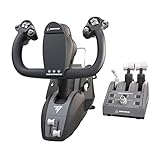
| Yoke (Xbox + PC) Yoke, throttle, trim and rudder controls in one box. | Thrustmaster TCA Sky Yoke (Xbox version) Pre-order: ships October 28, 2026. TFRP pedals plug into it. | Check price |
| Yoke (PS5 + PC) Yoke, throttle, trim and rudder controls in one box. | Thrustmaster TCA Sky Yoke (PS5 version) The first yoke that works on PS5. Pre-order: ships October 28, 2026. | Check price |
| Stick + throttle (PS5 + PC) The stick steers, the throttle sets power. Twist for rudder. | Thrustmaster T.Flight Hotas 5 (Microsoft Flight Simulator Edition) One of the few sticks MSFS supports on PS5. Stock comes and goes. | Check price |
| Boeing yoke + throttle (Xbox + PC) A Boeing-style yoke and an airliner throttle quadrant. | Thrustmaster TCA Yoke Pack Boeing Edition Officially licensed by Boeing. TFRP pedals plug into the yoke. | Check price |
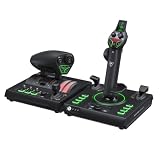
| Airbus sidestick + thrust levers (Xbox + PC) Replicas of the A320 sidestick and thrust levers. | Thrustmaster TCA Captain Pack X Airbus Edition On Xbox, TFRP pedals plug in through it. | Check price |
| Yoke + throttle (Xbox + PC) Yoke, throttle quadrant and trim wheel in one box. | Turtle Beach VelocityOne Flight Universal Control System Has a small built-in display and rudder controls of its own. | Check price |
| Fighter-style HOTAS (Xbox + PC) A stick plus a twin-lever throttle covered in buttons. | Turtle Beach VelocityOne H.O.T.A.S. (Flightstick II + Dual Throttle) Magnetic sensors that don't wear out. New for 2026. | Check price |




Links go to Amazon, where you'll see today's price. As an Amazon Associate we earn from qualifying purchases, at no cost to you.
- Xbox, small planes: the TCA Sky Yoke is the easy start, with throttle and rudder controls built in. The Turtle Beach VelocityOne Flight is a fuller all-in-one.
- Xbox, airliners: the TCA Boeing pack for 737 and 787 fans, the TCA Captain Pack X for Airbus.
- Xbox, jets and helicopters: the Hotas One or the Full Kit X from the Desk Starter, or the VelocityOne H.O.T.A.S. to go further.
- PS5: right now that means the T.Flight Hotas 5 (or the older Hotas 4) for jets and helicopters, the TCA Sky Yoke for planes, and TFRP pedals for both.
Already own a controller, or eyeing one? Our controller guide checks any stick, yoke or set of pedals against PC, Xbox and PS5 in seconds.
Picks for Every Kind of Aircraft
The setups above suit most people. These cover the rest: airliner specialists, fighter pilots, helicopter fans and tight budgets. Everything here is for PC unless it says otherwise.
Picks for every kind of aircraft: parts list
| Part | Our pick | Price |
|---|---|---|
| Budget yoke + throttle (PC) A yoke plus a three-lever throttle: power, propeller and mixture. | Logitech G Pro Flight Yoke System The classic first yoke. Plastic, but it does the job. | Check price |
| Compact yoke (PC, Mac) A smaller, simpler Honeycomb yoke. | Honeycomb Alpha LITE Full 180° turn, no switch panel or throttle. Pair it with a quadrant. | Check price |
| Boeing yoke + throttle (PC, Xbox) A Boeing-style yoke and an airliner throttle quadrant. | Thrustmaster TCA Yoke Pack Boeing Edition Officially licensed by Boeing. | Check price |
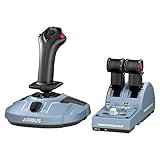
| Airbus sidestick + thrust levers (PC) Replicas of the A320 sidestick and thrust levers. | Thrustmaster TCA Officer Pack Airbus Edition The cheapest way into an Airbus-style cockpit. | Check price |
| Airbus pack + flaps and speed brake (PC) The Officer Pack plus the add-on with flaps and speed-brake levers. | Thrustmaster TCA Officer Pack + TCA Quadrant Add-On Airbus Edition Keeps your hands off the mouse on approach. | Check price |
| Fighter HOTAS (PC) A stick plus a twin throttle with dozens of switches. | Logitech G X56 H.O.T.A.S. Room for all the switches DCS jets want. | Check price |
| Force-feedback stick (PC) A motorized stick that pushes back as the air loads up. | MOZA AB6 Force Feedback Base + Flight Stick Holds your trim. Helicopters and warbirds feel alive. | Check price |
| Helicopter starter (PC, Xbox) Stick, throttle and pedals: everything a helicopter needs. | Thrustmaster T.Flight Full Kit X Helicopters need pedals more than any other aircraft. | Check price |




Links go to Amazon, where you'll see today's price. As an Amazon Associate we earn from qualifying purchases, at no cost to you.
- Small planes on a budget: the Logitech yoke system gives you a yoke and three levers for a lot less than the Honeycomb pair. The Alpha LITE is Honeycomb's cheaper yoke; pair it with a quadrant.
- Boeing fans: the TCA Boeing pack is a licensed replica of the Boeing yoke with an airliner quadrant.
- Airbus fans: the TCA Officer Pack is the cheapest way into a sidestick cockpit. The bundle with the add-on brings flaps and speed brake.
- Fighter pilots: the X56 has the buttons and twin throttles DCS jets want. Add pedals and head tracking or VR.
- Helicopter pilots: start with the Full Kit X (pedals included). Map one throttle lever as your collective. When you're ready, a force-feedback stick like the MOZA AB6 holds the cyclic exactly where you trim it.
Going DIY: Building Your Own Cockpit Shell
Some simmers want more than a rig. They want a replica: a cockpit shell with real-feeling panels, built around a specific aircraft. It's a long project and a deeply rewarding one. Here's how people do it:
- Pick one aircraft. A Cessna 172, a 737, an A320. Trying to make one cockpit fit everything makes it fit nothing.
- Get the real measurements. Look up the dimensions of the cockpit you're copying (seat position, panel height, distance to the controls). You don't need inch-perfect, but close makes it feel right.
- Measure your hardware first. Choose your yoke, quadrant, pedals and screens before you cut anything, and design around them.
- Sketch it. A hand-drawn sketch is fine; free 3D tools like SketchUp help if you want to see it in 3D.
- Build the frame. Aluminum profile is strong, adjustable and needs no welding. Plywood and MDF are cheaper and easy to paint.
- Wire up the panels. MobiFlight is free software that connects real switches, knobs and displays to MSFS and X-Plane through cheap Arduino boards. Glass cockpits are often a spare monitor behind a cut-out panel.
- Finish it. Tidy the cables, add a piece of carpet under the pedals, and fix the seat so it can't move. Small touches make a big difference.
Not into building? Small specialist makers sell laser-cut panel kits that sit on a desk and frame your screen like a real instrument panel. Check which yokes and screen sizes a kit supports before you order, because most only fit a few.
Be realistic: a DIY shell takes weeks to months, and the cost adds up. Many builders start with a Desk Cockpit and grow it piece by piece, which is exactly what we'd suggest.
Setting It Up: Your First Flight Checklist
Everything's arrived. Here's how to get from boxes to flying without frustration:
- Update first. Install the maker's latest drivers and firmware before plugging in to the sim.
- Plug in sensibly. Use a powered hub or direct ports, not an unpowered splitter.
- Stop Windows napping your USB. In Windows power settings, turn off "USB selective suspend". It's a common cause of controllers dropping out mid-flight.
- Check in Windows. Open the game controllers panel (type
joy.cplin the Start menu) and make sure every axis moves smoothly. - Set up the sim. MSFS 2024 recognizes most popular controllers and loads a ready-made profile. Check the key functions are mapped, and remove any that clash with your keyboard.
- Tune the feel. Add a small dead zone if an axis twitches at rest, and soften the sensitivity curve if the plane feels twitchy.
- Fly something simple. A Cessna 172 around your local airport is the perfect first flight. MSFS 2024's flight training and X-Plane 12's flight school teach the basics step by step.
- Go online later. When you're comfortable, VATSIM connects you with real people playing air traffic control, free, on PC. You'll complete a short new-member course first.
Beginner Mistakes to Avoid
- Buying controls for the wrong aircraft. A yoke won't fly an Airbus or a fighter properly. Decide what you love first (Step 1).
- Ignoring console compatibility. On Xbox and PS5, only licensed controllers work, and pedals must plug into a matching stick or yoke.
- Putting off pedals forever. They transform taxiing, landing and helicopters. Budget for them early.
- Spending everything on the PC. A monster PC with a gamepad is a worse cockpit than a sensible PC with a yoke and pedals.
- Buying discontinued gear. Windows Mixed Reality headsets like the HP Reverb G2 no longer work on up-to-date Windows 11, however cheap they are.
- A wobbly desk and a rolling chair. If the desk flexes or the chair slides back when you push the pedals, fix that before buying anything else.
- Too many controllers on a cheap USB splitter. Random disconnects are usually down to power or USB settings.
- Starting with the hardest aircraft. Learn in a small plane before you tackle a 787. You'll have far more fun.
Flight Sim Words, Explained
- ATC: air traffic control. In the sim it can be computer-run, or real people on networks like VATSIM.
- Avionics: the aircraft's electronics: radios, navigation, autopilot, screens.
- Axis: any control that moves smoothly rather than clicking, like a stick, a lever or a pedal.
- Collective: the helicopter lever that changes the rotor blades' pitch. Up to climb, down to descend.
- Cyclic: the helicopter's stick. It tilts the rotor to move the helicopter forward, back and sideways.
- Detent: a notch or bump that a lever clicks into at a set position.
- FOV: field of view, how much of the world you can see at once.
- GA: general aviation, meaning small private planes.
- Glass cockpit: instruments shown on screens instead of round dials.
- Hall effect sensor: a magnetic sensor that measures movement without touching anything, so it doesn't wear out.
- HOTAS: Hands On Throttle And Stick. A stick and throttle with all the important buttons on them.
- IFR and VFR: flying by instruments (instrument flight rules) or by looking outside (visual flight rules).
- Quadrant: short for throttle quadrant, the box of levers that sets power.
- Rudder: the control surface on the tail that swings the nose left and right, worked by your feet.
- Sidestick: the small stick at the side of an Airbus cockpit, in place of a yoke.
- Toe brakes: brakes on the top of each rudder pedal, one per wheel.
- Trim: a small adjustment that holds the plane's attitude so you don't have to keep pressure on the controls.
- VATSIM: a free online network where real people play air traffic control.
- Yoke: the steering-wheel-style control in most small planes and Boeing airliners.
Your Upgrade Path
Nobody buys it all at once. Here's the order most simmers would do it in, if they started again:
- Sim + a stick Fly everything. Find your favorite.
- Rudder pedals Taxiing, crosswinds, helicopters.
- A yoke or sidestick Match the aircraft you fly most.
- Throttle quadrant Real levers for power, flaps and gear.
- A better view Head tracking or an ultrawide.
- Seat or rig Everything stays where it should.
- VR or three screens When your PC is ready for it.
- Panels and buttons Keep your hands off the mouse.
Start with the sim and a stick, fly a lot, and let your favorite kind of flying tell you what to buy next. See you in the skies.