X-Plane 12
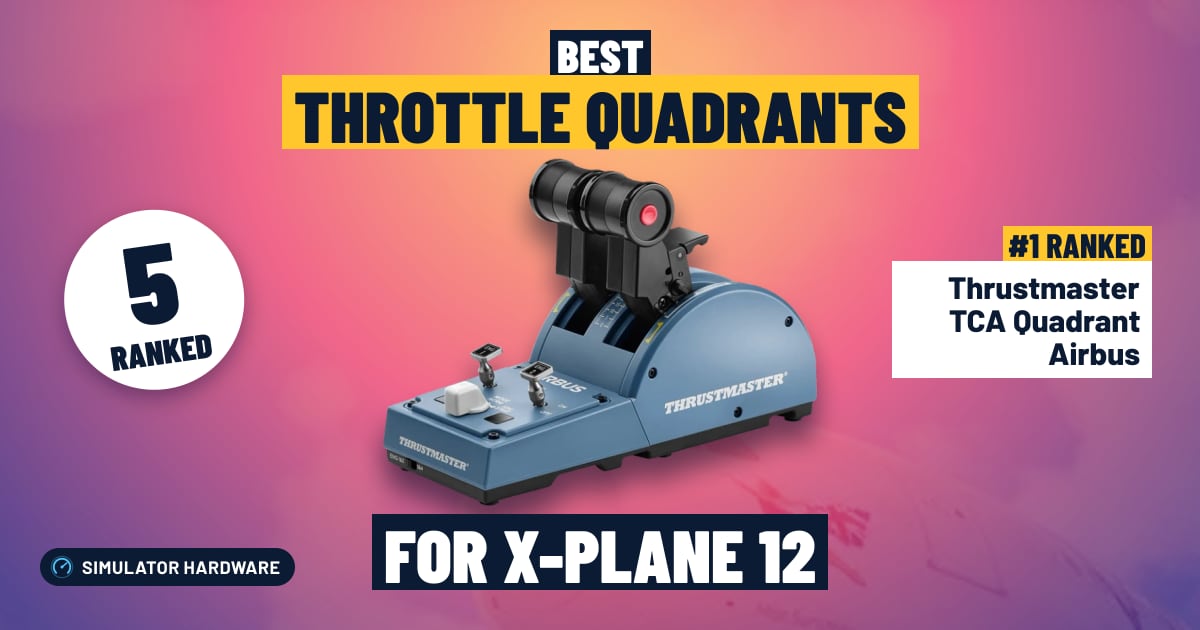
Best Throttle Quadrant for X-Plane 12
5 throttle quadrants ranked for X-Plane 12 by throttle and rudder, sensors, detent feel, platforms and build quality. Each score comes from the product's published specs.
This page contains affiliate links. As an Amazon Associate we earn from qualifying purchases.
5 throttle quadrants at a glance
| # | Throttle Quadrant | Score | Price |
|---|---|---|---|
| 1 | Thrustmaster TCA Quadrant Airbus Best overall · Budget · 2 levers · Detents | 76.8 /100 | Check price |
| 2 | Thrustmaster TCA Quadrant Boeing Mid-Range · 2 levers · PC and Xbox | 72.3 /100 | Check price |
| 3 | Honeycomb Bravo Mid-Range · 6 levers · PC and Xbox | 71.5 /100 | Check price |
| 4 | Honeycomb Sierra TPM Mid-Range · 3 levers · PC | 61.8 /100 | Check price |
| 5 | Logitech G Pro Flight Throttle Quadrant Best budget · Budget · 3 levers · Detents | 50.3 /100 | Check price |


All Throttle Quadrants Ranked for X-Plane 12
- #1 Best overall
Thrustmaster TCA Quadrant Airbus
- Budget
- 2 levers
- Detents
- PC and Xbox
76.8 /100 X-Plane 12 scoreThe Thrustmaster TCA Quadrant Airbus suits X-Plane 12 simmers flying Airbus jets: two thrust levers with detents, the notches you feel at climb power, replace a keyboard key. It's shaped for Airbus flying, and flaps, speed brake, gear and trim live on a separate add-on quadrant.
Strengths and trade-offs
Strengths
- Two thrust levers with detents — notches the levers settle into — let you push up to takeoff power and then pull straight back to the climb detent after rotation without dropping your eyes to the desk to hunt for a percentage.
- Thrust reversers sit on the levers and engine master switches sit on the quadrant, so you can lift the reverser latches on the landing roll and start or cut an engine from the same unit, with contactless magnetic Hall effect sensors reading lever position without parts rubbing together.
- Best fit is the simmer flying A320-style jets in X-Plane 12 beside a sidestick, but X-Plane lets you reassign each lever, so one can run throttle and the other mixture (the fuel-air control) in a Cessna with its own response curve.
Trade-offs
- Flaps, speed brake, gear and trim aren't on this unit — they live on a separate add-on quadrant from the same range, so in X-Plane 12 you'll still reach for the keyboard or mouse to drop the gear on approach unless you budget for that second piece.
- Two levers cover a twin jet and nothing more; the next step up in price buys quadrants with extra levers for prop twins and GA singles, or an autopilot panel for heading, altitude and speed, so here you'll still dial the flight plan in with the mouse.
- #2
Thrustmaster TCA Quadrant Boeing
- Mid-Range
- 2 levers
- PC and Xbox
72.3 /100 X-Plane 12 scoreThe Thrustmaster TCA Quadrant Boeing suits X-Plane 12 simmers flying twin-engine Boeing jets, swapping keyboard throttle taps for two real levers plus autopilot controls. The maker lists no detents, and on Xbox it plugs into the TCA Yoke Boeing rather than the console.
Strengths and trade-offs
Strengths
- Two thrust levers let you set takeoff power with your hand on the hardware instead of tapping a key, and you can split them to nudge one engine during a go-around or a crosswind taxi in X-Plane 12.
- Hall effect sensors — contactless magnets, so nothing rubs as the levers move — plus a speed brake lever, a flap lever and autopilot controls on the same unit mean you can arm the boards and run flaps down the approach without reaching for the keyboard.
- It fits the simmer who mostly flies airliners and already has a yoke on the desk: it's an officially licensed Boeing-style quadrant, so the lever layout matches what you're looking at in the cockpit rather than a generic set of sliders.
Trade-offs
- On Xbox it plugs into the TCA Yoke Boeing, not the console, so it isn't a standalone console buy; for X-Plane 12 that's moot, since the sim is PC and Mac only and the quadrant connects over USB there anyway.
- The maker doesn't mention detents, so don't count on a notch for climb power after takeoff, and with only two levers a piston single gets throttle and mixture — the fuel-air control you lean at altitude — while prop pitch stays on a keyboard key. The next step up in price buys more levers and gated detents.
- #3
Honeycomb Bravo
- Mid-Range
- 6 levers
- PC and Xbox
71.5 /100 X-Plane 12 scoreThe Honeycomb Bravo suits X-Plane 12 pilots who fly everything from a Cessna to a four-engine airliner, with six levers you can assign to throttle, prop or mixture. Honeycomb doesn't state the sensor type, so if the levers get jittery with age, a calibration or a small dead zone fixes it.
Strengths and trade-offs
Strengths
- Six levers, and X-Plane 12 lets you assign each one its own axis, so in a piston twin you push both throttles, set both props and lean both mixtures by hand instead of tapping a keyboard key or dragging a slider.
- The autopilot controls, trim wheel, gear lever and flap lever live under your hand, so you can dial a new altitude and arm a mode in the climb, drop the gear on downwind and run the flaps on final without reaching for the mouse — and the annunciator panel's warning lights sit in your eyeline when a caution fires.
- Swappable lever handles mean the same quadrant covers a single-engine trainer one evening and a four-engine airliner the next, and it pairs with a yoke or a stick to finish a desk where power is still set with a key.
Trade-offs
- Honeycomb doesn't say the levers use contactless (Hall-effect) sensors, the kind that read lever position without parts rubbing together, so after a lot of hours a lever can twitch and wander your cruise power; a re-calibration or a small dead zone in X-Plane 12 usually settles it.
- The maker doesn't mention detents — the notches you can feel at a set lever position — so don't count on a notch for climb power after takeoff; you set power by the gauge, and the next step up in price is where felt stops and contactless sensors show up.
- #4
Honeycomb Sierra TPM
- Mid-Range
- 3 levers
- PC
61.8 /100 X-Plane 12 scoreThe Honeycomb Sierra TPM suits X-Plane 12 pilots flying Cessnas and other singles: three push-pull knobs (verniers) let you twist in cruise power and lean the mixture like the real panel. It's PC only, built for props, so airliner thrust levers aren't part of the deal.
Strengths and trade-offs
Strengths
- Three push-pull verniers for throttle, prop and mixture — a vernier is a knob you twist for small, precise changes — so you can lean the mixture (the fuel-air knob) a hair at a time in the climb in a Cessna instead of nudging a keyboard key and watching the EGT jump.
- The trim wheel, landing gear lever, flap lever and parking brake mean the whole downwind checklist happens with your hands: gear down, flaps out, trim off the pressure, then set the brake once you're on the ramp.
- It fits the simmer who flies singles and light twins with a yoke, finishing a general aviation panel in X-Plane 12 rather than a jet cockpit.
Trade-offs
- Honeycomb Aeronautical doesn't say the levers use contactless (Hall-effect) sensors, which read position with a magnet and don't wear. Non-contact-free levers can drift or twitch with age, so expect to recalibrate or add a small dead zone in X-Plane 12 if the prop RPM starts wandering on its own.
- There are no airliner thrust levers or autopilot panel, and Honeycomb doesn't mention detents, so a jet departure still means reaching for the keyboard; the next step up in price buys more levers, detents and heading and altitude knobs.
- #5 Best budget
Logitech G Pro Flight Throttle Quadrant
- Budget
- 3 levers
- Detents
- PC
50.3 /100 X-Plane 12 scoreThe Logitech G Pro Flight Throttle Quadrant suits X-Plane 12 pilots still setting power with a keyboard key, with three levers for throttle, prop and mixture. Logitech doesn't state the sensor type, it's PC only, and there's nothing beyond the levers and a few switches.
Strengths and trade-offs
Strengths
- Three separate levers cover the three things a piston single actually needs: set power on the climb, set prop rpm, then lean the mixture in cruise without ever reaching for the keyboard, and X-Plane 12 lets you map each lever to its own axis with its own response curve.
- Logitech states the levers have detents — notches you can feel in the travel — so you can bring the power back to a repeatable position after takeoff while your eyes stay on the attitude indicator.
- The swappable lever handles mean you can configure it for what you fly: throttle, prop and mixture for a Cessna, or two throttles plus a third axis for a light twin so you can push both up together on a go-around. It's a sensible first quadrant to sit beside a yoke or a stick.
Trade-offs
- Logitech makes no contactless (Hall-effect) sensor claim for the levers, and levers without contactless sensors can get jittery as they age — you may see the throttle creep or twitch on a long cruise leg, which a recalibration or a small dead zone in X-Plane 12 usually settles.
- You get the levers and a few switches, nothing more: no autopilot panel for heading and altitude bugs, no extra lever for an airliner's second engine, which is what the next step up in price buys. It's an older design too, and Amazon's listing says it usually ships in 1 to 2 months, so order well ahead.



Frequently Asked Questions
What is the best throttle quadrant for X-Plane 12?
Thrustmaster TCA Quadrant Airbus Edition leads with a score of 77/100, making it the top pick for 2026.
How much should I spend on a throttle quadrant for X-Plane 12?
The lowest-priced pick we rank is the Logitech G Pro Flight Throttle Quadrant (50/100). From the Thrustmaster TCA Quadrant Boeing (72/100) upward you get a better balance of build quality and features. Prices change daily, so check the current price with each Amazon button.
Does X-Plane 12 support throttle quadrants?
Yes — X-Plane 12 natively supports throttle quadrants. Thrustmaster TCA Quadrant Airbus Edition is our top-rated option with a score of 77/100.
What should I look for in a throttle quadrant for X-Plane 12?
Prioritize Throttle and rudder (35% of scoring) and Sensors (20%) when choosing throttle quadrants for flight simulation. These factors have the greatest impact on feel and immersion in X-Plane 12.
Own any of these?
Rate it in one tap. We research the specs; owners know how the gear holds up.
Also Essential for X-Plane 12
Head-to-Head Comparisons
Further Reading
- How to Build a Home Flight Simulator Cockpit: The Complete 2026 GuideEverything a beginner needs to build a home flight simulator: the sim, PC or console, controls, screens, VR and seats, plus three complete setups to copy.
- Which Controllers Work With Microsoft Flight Simulator on PC, Xbox and PS5?Check any joystick, yoke or pedals for MSFS 2024 on PC, Xbox or PS5 in seconds. See what works, what needs a hub, and our best picks for each platform.
How We Score Throttle Quadrants for X-Plane 12
Score formula
throttle and rudder × 35% + sensors × 20% + detent feel × 15% + platforms × 15% + build quality × 15%. Ratings come from each product's published specs, and the same formula is applied to every product. Tiers (Budget, Mid-Range, High-End) describe price, not quality. Full methodology · How we research
Comments
Flying with one of these throttle quadrants, or still deciding? Ask a question, share your setup or leave a tip. It helps the next simmer choose.
That didn't send. Check your connection and try again.