Buyer's guide · Microsoft Flight Simulator 2024
Best PC for Microsoft Flight Simulator (2024 & 2020)
Short answer
For most simmers: the Skytech Blaze 5 (9800X3D + RTX 5070). Its big-cache Ryzen 7 9800X3D is the processor type MSFS runs best on, and 12 GB of graphics memory covers 1440p and Quest-class VR. For 4K, three screens or high-res VR: the ZOTAC MEK (9800X3D + RTX 5080). Tighter budget: the Skytech Shadow 5 (RTX 5060 Ti), for 1080p screens.
This page contains affiliate links. As an Amazon Associate we earn from qualifying purchases.
Our three picks
-
Best value · for most simmers
Skytech Blaze 5 · 9800X3D + RTX 5070
- $2,000–2,600
- Best for 1440p & VR
The best score for the money among PCs ready for 1440p and Quest-class VR: the big-cache Ryzen 7 9800X3D with 12 GB of graphics memory.
MSFS 2024 score: 78.6/100
-
Best overall
ZOTAC MEK · 9800X3D + RTX 5080
- Over $3,000
- Best for 4K & VR
The highest-scoring PC here (Ryzen 7 9800X3D + RTX 5080, 16 GB of graphics memory), ready for 4K, triple screens and any VR headset.
MSFS 2024 score: 88.2/100
-
Best budget
Skytech Shadow 5 · RTX 5060 Ti
- Under $1,500
- Best for 1080p
The least expensive PC here that meets our bar for 1080p screens. Read its trade-offs below before you buy.
MSFS 2024 score: 49.0/100


All 8 pre-built desktop PCs side by side
| PC | Processor | Graphics | RAM | Storage | Best for | Score | Price |
|---|---|---|---|---|---|---|---|
| 1 ZOTAC MEK · 9800X3D + RTX 5080 Best overall · Over $3,000 | Ryzen 7 9800X3D | RTX 508016 GB | 32 GB | 2 TB | 4K & VR | 88.2 | Check price |
| 2 Lenovo Legion Tower 5 · 9800X3D + RTX 5070 Ti $2,600–3,000 | Ryzen 7 9800X3D | RTX 5070 Ti16 GB | 32 GB | 1 TB | 4K & VR | 85.4 | Check price |
| 3 Skytech Blaze 5 · 9800X3D + RTX 5070 Best value · $2,000–2,600 | Ryzen 7 9800X3D | RTX 507012 GB | 32 GB | 2 TB | 1440p & VR | 78.6 | Check price |
| 4 Lenovo Legion Tower 5 · 7800X3D + RTX 5070 $2,000–2,600 | Ryzen 7 7800X3D | RTX 507012 GB | 32 GB | 1 TB | 1440p & VR | 73.7 | Check price |
| 5 iBUYPOWER Element · RTX 5070 $2,000–2,600 | Ryzen 9 7900X | RTX 507012 GB | 32 GB | 1 TB | 1440p & VR | 66.0 | Check price |
| 6 Skytech Azure 3 · RTX 5070 $1,500–2,000 | Core i5-14400F | RTX 507012 GB | 16 GB | 1 TB | 1440p | 59.8 | Check price |
| 7 Skytech Shadow 5 · RTX 5060 Ti Best budget · Under $1,500 | Core i5-14400F | RTX 5060 Ti8 GB | 16 GB | 1 TB | 1080p | 49.0 | Check price |
| 8 CyberPowerPC Gamer Xtreme · RTX 5060 Under $1,500 | Core i5-14400F | RTX 50608 GB | 16 GB | 1 TB | 1080p | 47.0 | Check price |
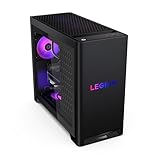


Find your PC in 3 questions
Question 1 of 3
The 8 best pre-built desktop PCs for MSFS 2024, ranked
- #1 Best overall
ZOTAC MEK · 9800X3D + RTX 5080
- Over $3,000
- 32 GB RAM
- 2 TB SSD
88.2 /100 MSFS 2024 scoreBest for: 4K, triple screens and any VR headset
Microsoft's MSFS 2024 spec
- CPUIdeal
- GPUIdeal
- VRAMIdeal
- RAMRecommended
The ZOTAC MEK (9800X3D + RTX 5080) suits simmers flying at 4K, on triple screens or in VR, with the Ryzen 7 9800X3D keeping busy airports steady. The trade-off is price: an RTX 5070 Ti machine comes close for less, and 32 GB of RAM is Microsoft's recommended amount, not its ideal 64 GB.
Strengths and trade-offs
Strengths
- An airliner arrival into a packed hub with full AI traffic and live weather leans hardest on the processor, and the Ryzen 7 9800X3D's large cache is built for that exact load — it meets Microsoft's Ideal processor level for MSFS 2024.
- The RTX 5080 with 16 GB of graphics memory also lands at Microsoft's Ideal level, so 4K Ultra scenery and triple-screen cockpits stay realistic goals, with no part of this build holding the other back.
- The 2 TB NVMe SSD holds the full MSFS 2024 install plus a growing library of add-on airports and a rolling photogrammetry cache without deleting things, and liquid cooling keeps the processor from backing off on long-haul legs.
Trade-offs
- 16 GB of graphics memory meets the Ideal level but is not a big cushion: 4K with maxed textures, or a high-resolution headset over a photogrammetry city, is where you may need to drop texture resolution a notch.
- You get 32 GB of RAM, Microsoft's recommended amount rather than its ideal 64 GB, which matters with heavy add-ons. And the RTX 5080's lead over an RTX 5070 Ti is modest for the extra money, so fly 4K or VR before paying for it.
- #2
Lenovo Legion Tower 5 · 9800X3D + RTX 5070 Ti
- $2,600–3,000
- 32 GB RAM
- 1 TB SSD
85.4 /100 MSFS 2024 scoreBest for: 4K, triple screens and any VR headset
Microsoft's MSFS 2024 spec
- CPUIdeal
- GPUIdeal
- VRAMIdeal
- RAMRecommended
The Lenovo Legion Tower 5 (9800X3D + RTX 5070 Ti) suits 4K, triple screens and any VR headset, with the Ryzen 7 9800X3D keeping busy airports steady. Spending more mainly buys a stronger graphics card; the 1 TB drive is the real catch here, so plan a second SSD.
Watch out for
- A 1 TB drive fills up: MSFS 2020 alone needs 150 GB, and add-ons and the rolling cache keep growing. Budget for a second SSD.
Strengths and trade-offs
Strengths
- The Ryzen 7 9800X3D has a large cache, and that is what keeps an airliner arrival into a packed hub smooth when live weather and AI traffic are both running — the part of MSFS that leans hardest on the processor.
- The RTX 5070 Ti brings 16 GB of graphics memory, enough to hold high-resolution textures over a photogrammetry city at 4K; plenty of machines around this money still ship a card with less, which is the first thing to bite in VR.
- 32 GB of DDR5 matches what Microsoft asks for at the recommended level, so you can keep charts, a flight planner and a browser open on a second screen during a long haul without the sim stuttering on the way into a new area.
Trade-offs
- In VR on a high-resolution headset, or at 4K over dense photogrammetry cities, the RTX 5070 Ti is the part that runs short first — expect to drop render scaling or cloud quality to keep approaches into big hubs clean.
- The 1 TB SSD is where the saving was made: MSFS 2024, a few payware aircraft and a growing rolling cache will fill it, and machines a step up in price usually include more storage or a faster graphics card. Budget for a second drive.
- #3 Best value
Skytech Blaze 5 · 9800X3D + RTX 5070
- $2,000–2,600
- 32 GB RAM
- 2 TB SSD
78.6 /100 MSFS 2024 scoreBest for: 1440p and Quest-class VR
Microsoft's MSFS 2024 spec
- CPUIdeal
- GPUBelow Ideal
- VRAMIdeal
- RAMRecommended
The Skytech Blaze 5 (9800X3D + RTX 5070) suits 1440p flying and Quest-class VR, with the Ryzen 7 9800X3D keeping busy airports steady. The RTX 5070 is the limiting part, so 4K or a high-resolution headset would ask more than its 12 GB of graphics memory.
Strengths and trade-offs
Strengths
- The Ryzen 7 9800X3D and its large cache hold up during an airliner arrival into a packed hub with live weather and AI traffic turned up — the moment that makes most processors stutter in MSFS 2024.
- 12 GB of graphics memory hits Microsoft's Ideal level, so high-resolution textures over a photogrammetry city stay loaded, where plenty of builds for similar money pair a decent card with less memory to work with.
- 2 TB of fast NVMe storage swallows the MSFS 2024 install plus a growing streamed scenery cache and a few add-on airports, and 32 GB of DDR5 covers the recommended level so charts and a browser can stay open on a long leg.
Trade-offs
- The RTX 5070 sits below Microsoft's Ideal graphics level, so 4K Ultra or a slow descent over a photogrammetry city will lean on DLSS and reduced cloud quality to stay smooth.
- Most builds around this money put the bigger share into the graphics card; this one does the opposite, so if you fly at 4K or in a high-resolution headset, the next step up in price buys the stronger card that the processor here is already ready for.
- #4
Lenovo Legion Tower 5 · 7800X3D + RTX 5070
- $2,000–2,600
- 32 GB RAM
- 1 TB SSD
73.7 /100 MSFS 2024 scoreBest for: 1440p and Quest-class VR
Microsoft's MSFS 2024 spec
- CPUIdeal
- GPUBelow Ideal
- VRAMIdeal
- RAMRecommended
The Lenovo Legion Tower 5 (7800X3D + RTX 5070) suits simmers flying at 1440p or in a Quest-class headset, with the Ryzen 7 7800X3D's big cache keeping busy airports smooth. The 12 GB of graphics memory is fine here, but 4K and high-resolution headsets want a stronger graphics card.
Watch out for
- A 1 TB drive fills up: MSFS 2020 alone needs 150 GB, and add-ons and the rolling cache keep growing. Budget for a second SSD.
Strengths and trade-offs
Strengths
- The Ryzen 7 7800X3D's extra cache is the part MSFS 2024 leans on hardest, so an airliner arrival into a crowded hub with live weather and full AI traffic stays steady instead of hitching on approach.
- 12 GB of graphics memory hits the level Microsoft calls ideal, so high-detail textures over a photogrammetry city hold up — many machines around this money still ship a graphics card with only 8 GB, which runs out first in exactly those scenes.
- 32 GB of DDR5 RAM matches what MSFS 2024 asks for, so a long-haul leg with a chart app and a flight planner open alongside the sim won't push the system onto the drive.
Trade-offs
- The RTX 5070 sits below Microsoft's ideal graphics level, so 4K flying and dense photogrammetry cities mean leaning on DLSS and trimming render scaling rather than running everything maxed.
- You get a 1 TB drive when plenty of alternatives for similar money now include 2 TB, and MSFS 2024 plus scenery add-ons and the rolling cache will fill it — budget for a second SSD, while the next step up in price would also bring a stronger graphics card for 4K and VR.
- #5
iBUYPOWER Element · RTX 5070
- $2,000–2,600
- 32 GB RAM
- 1 TB SSD
66.0 /100 MSFS 2024 scoreBest for: 1440p and Quest-class VR
Microsoft's MSFS 2024 spec
- CPUIdeal
- GPUBelow Ideal
- VRAMIdeal
- RAMRecommended
The iBUYPOWER Element (RTX 5070) suits 1440p flying and Quest 3-class VR, with the Ryzen 9 7900X keeping busy airports and AI traffic smooth. The RTX 5070 and its 12 GB of graphics memory set the ceiling, so 4K or a sharper headset would want a stronger card.
Watch out for
- A 1 TB drive fills up: MSFS 2020 alone needs 150 GB, and add-ons and the rolling cache keep growing. Budget for a second SSD.
Strengths and trade-offs
Strengths
- The Ryzen 9 7900X gives MSFS 2024 the processor speed it leans on hardest, so an airliner arrival into a dense hub with full AI traffic and live weather stays composed at 1440p instead of hitching on approach.
- 12 GB of graphics memory matches Microsoft's Ideal level, which matters when you fly low over a photogrammetry city and the sim is streaming high-resolution building textures — plenty of machines for this money still pair a similar processor with an 8 GB card that runs short there.
- 32 GB of DDR5 RAM meets the recommended figure for MSFS 2024, so you can keep a chart viewer and a flight planner open beside the sim on a long haul and still have room for scenery add-ons later.
Trade-offs
- The RTX 5070 sits below Microsoft's Ideal graphics card level, so 4K with high cloud quality over a photogrammetry city, or a high-resolution VR headset, will need DLSS and a few settings pulled back.
- The 1 TB drive fills quickly once MSFS 2024, add-on aircraft and the rolling scenery cache stack up, and the next step up in price typically pairs a roomier SSD with a stronger graphics card — plan on adding a second drive here.
- #6
Skytech Azure 3 · RTX 5070
- $1,500–2,000
- 16 GB RAM
- 1 TB SSD
59.8 /100 MSFS 2024 scoreBest for: 1440p screens
Microsoft's MSFS 2024 spec
- CPUBelow Ideal
- GPUBelow Ideal
- VRAMIdeal
- RAMMinimum
The Skytech Azure 3 (RTX 5070) suits 1440p flying, where the RTX 5070's 12 GB of graphics memory handles live weather and busy scenery well. The Core i5-14400F is the part that limits it at busy airports, and 16 GB of RAM means adding more sooner rather than later.
Watch out for
- The Core i5-14400F is below Microsoft's ideal processor. MSFS leans on the CPU at busy airports, so lower AI traffic first when it stutters.
- 16 GB of RAM is Microsoft's minimum for MSFS 2024; 32 GB is recommended. Plan to add more, and check the listing for free memory slots.
Strengths and trade-offs
Strengths
- The RTX 5070 with 12 GB of graphics memory is sized for 1440p screens, so an approach over a photogrammetry city with live weather and thick cloud layers stays clean with DLSS switched on.
- The 1 TB Gen4 NVMe SSD loads MSFS 2024 and streams scenery tiles quickly as you cross a dense coastline, and plenty of machines sold for similar money still ship a slower or smaller drive.
- Graphics memory lands at Microsoft's ideal level for MSFS 2024, so high texture settings stay on the table as you add heavier airliners and scenery packs.
Trade-offs
- The Core i5-14400F sits below Microsoft's ideal processor, so a heavy airliner arrival into a packed hub with full AI traffic is where stutter appears first — cut AI traffic density before touching anything else.
- 16 GB of RAM is only Microsoft's minimum for MSFS 2024, where the next step up in price usually brings 32 GB and a faster processor; check the listing for free memory slots, because you will want to add more.
- #7 Best budget
Skytech Shadow 5 · RTX 5060 Ti
- Under $1,500
- 16 GB RAM
- 1 TB SSD
49.0 /100 MSFS 2024 scoreBest for: 1080p screens
Microsoft's MSFS 2024 spec
- CPUBelow Ideal
- GPUBelow Ideal
- VRAMRecommended
- RAMMinimum
The Skytech Shadow 5 (RTX 5060 Ti) suits simmers flying on a 1080p screen, where the RTX 5060 Ti and the Core i5-14400F handle scenery and moderate AI traffic together. With 8 GB of graphics memory and 16 GB of RAM it isn't a 1440p machine; spending more buys headroom in both.
Watch out for
- 8 GB of graphics memory: fine at 1080p, but in published MSFS 2024 tests 8 GB cards fall behind from 1440p up. Treat it as a 1080p PC.
- The Core i5-14400F is below Microsoft's ideal processor. MSFS leans on the CPU at busy airports, so lower AI traffic first when it stutters.
Strengths and trade-offs
Strengths
- The Core i5-14400F has enough multi-core muscle to keep a busy airliner arrival into a mid-size hub moving at 1080p, provided you don't crank AI traffic to the top.
- The RTX 5060 Ti's 8 GB of graphics memory is enough for 1080p textures over a photogrammetry city, and unlike the older cards often fitted to machines at this money it supports the newest DLSS upscaling, which helps in thick cloud layers.
- The 1 TB NVMe SSD holds the MSFS 2024 install plus a growing streamed-scenery cache, and the tower leaves room to add a drive or move to 32 GB of RAM later, which is what the sim really wants.
Trade-offs
- 8 GB of graphics memory is the hard ceiling: push to 1440p with high texture settings over a dense photogrammetry city and the card runs short, so treat this as a 1080p PC and leave VR alone.
- The next step up in price typically brings a quicker processor and 32 GB of RAM, and that's exactly what packed airports with full AI traffic and live weather lean on — here you get the minimum RAM the sim asks for and a processor below Microsoft's ideal.
- #8
CyberPowerPC Gamer Xtreme · RTX 5060
- Under $1,500
- 16 GB RAM
- 1 TB SSD
47.0 /100 MSFS 2024 scoreBest for: 1080p screens
Microsoft's MSFS 2024 spec
- CPUBelow Ideal
- GPUBelow Ideal
- VRAMRecommended
- RAMMinimum
The CyberPowerPC Gamer Xtreme (RTX 5060) suits pilots flying Microsoft Flight Simulator 2024 on a 1080p screen, where the RTX 5060 and Core i5-14400F share the load of scenery, weather and AI traffic. Its 8 GB of graphics memory holds it back at 1440p, and 16 GB of RAM is the bare minimum.
Watch out for
- 8 GB of graphics memory: fine at 1080p, but in published MSFS 2024 tests 8 GB cards fall behind from 1440p up. Treat it as a 1080p PC.
- The Core i5-14400F is below Microsoft's ideal processor. MSFS leans on the CPU at busy airports, so lower AI traffic first when it stutters.
Strengths and trade-offs
Strengths
- At 1080p the RTX 5060 and the Core i5-14400F work as a pair, so a hand-flown airliner approach into a big hub stays readable with scenery and live weather running at High settings.
- The RTX 5060 supports DLSS, NVIDIA's image upscaling, which takes real load off the graphics card over a photogrammetry city — its 8 GB of graphics memory only meets Microsoft's Recommended level, but at 1080p that is enough, and plenty of machines at similar money still ship cards without the newest upscaling.
- The 1 TB NVMe SSD swallows the MSFS 2024 install and its streamed scenery cache without you deleting other games, and the tower layout means you can add memory later to reach the 32 GB MSFS actually prefers.
Trade-offs
- Push past 1080p and the 8 GB of graphics memory becomes the wall — a heavy arrival into a dense photogrammetry city at 1440p is where it starts to stutter, and with no VR-ready claim in the listing, headset flying is not what this machine is for.
- The Core i5-14400F sits below Microsoft's ideal processor, so full AI traffic at a packed airport is the first thing you will trim; the next step up in price typically brings a faster processor, 12 GB of graphics memory and 32 GB of RAM, which is what moves you to 1440p.


Complete your setup
A PC is half a flight sim. These rankings cover the controls and screens simmers add next; our cockpit guide shows how it all fits together.
What matters in a PC for Microsoft Flight Simulator
Four things decide how well MSFS runs, roughly in this order:
- A processor with a big cache. MSFS simulates the world around you: other aircraft, weather, and the scenery it streams in as you fly. That work lands on the processor first, which is why we weight the CPU most. AMD's X3D chips (like the 9800X3D and 7800X3D) carry extra cache and lead independent gaming tests.
- 12 to 16 GB of graphics memory. Microsoft's ideal spec asks for 12 GB. In published MSFS 2024 tests, 8 GB cards were fine at 1080p but fell behind from 1440p up. For 4K, triple screens or a high-resolution VR headset, get 16 GB.
- 32 GB of RAM. That's Microsoft's recommended amount; its ideal is 64 GB, which pays off with heavy add-ons. Memory costs far more than it did a year ago, so buy the RAM you need up front.
- A fast NVMe SSD, 2 TB if you can. The sim streams and caches scenery as you fly, and planes and airports pile up fast. Our storage guide works out how much space your setup needs.
Microsoft's official requirements are below, and the chart shows where each PC on this page lands.
| Part | Minimum | Recommended | Ideal |
|---|---|---|---|
| Processor | AMD Ryzen 5 2600X or Intel Core i7-6800K | AMD Ryzen 7 2700X or Intel Core i7-10700K | AMD Ryzen 9 7900X or Intel Core i7-14700K |
| Graphics card | AMD Radeon RX 5700 or NVIDIA GeForce GTX 970 | AMD Radeon RX 5700 XT or NVIDIA GeForce RTX 2080 | AMD Radeon RX 7900 XT or NVIDIA GeForce RTX 4080 |
| Graphics memory | 4 GB | 8 GB | 12 GB |
| RAM | 16 GB | 32 GB | 64 GB |
| Storage | 50 GB | 50 GB | 50 GB |
| Internet | 10 Mbps | 50 Mbps | 100 Mbps |
Microsoft's minimum pairs the GTX 970 with the much faster RX 5700, so treat the GTX 970 as the real floor. MSFS 2024 streams most of its world, which is why it installs small; plan for far more space once you add planes, airports and a bigger cache.
| Part | Minimum | Recommended | Ideal |
|---|---|---|---|
| Processor | AMD Ryzen 3 1200 or Intel Core i5-4460 | AMD Ryzen 5 1500X or Intel Core i5-8400 | AMD Ryzen 7 2700X or Intel Core i7-9800X |
| Graphics card | AMD Radeon RX 570 or NVIDIA GeForce GTX 770 | AMD Radeon RX 590 or NVIDIA GeForce GTX 970 | AMD Radeon VII or NVIDIA GeForce RTX 2080 |
| Graphics memory | 2 GB | 4 GB | 8 GB |
| RAM | 8 GB | 16 GB | 32 GB |
| Storage | 150 GB | 150 GB | 150 GB |
| Internet | 5 Mbps | 20 Mbps | 50 Mbps |
MSFS 2020 asks for less: its ideal spec is close to MSFS 2024's recommended one, so a PC that suits your screen in MSFS 2024 handles MSFS 2020 too.
Source: Microsoft's published system requirements for each sim, checked October 8, 2026.
- 1ZOTAC MEK · 9800X3D + RTX 5080
- 2Lenovo Legion Tower 5 · 9800X3D + RTX 5070 Ti
- 3Skytech Blaze 5 · 9800X3D + RTX 5070
- 4Lenovo Legion Tower 5 · 7800X3D + RTX 5070
- 5iBUYPOWER Element · RTX 5070
- 6Skytech Azure 3 · RTX 5070
- 7Skytech Shadow 5 · RTX 5060 Ti
- 8CyberPowerPC Gamer Xtreme · RTX 5060
Intel or AMD for flight simulators?
Right now, AMD. Its Ryzen X3D processors stack extra cache on the chip, and a flight sim's heaviest job, keeping traffic, weather and scenery in step, runs best with lots of cache. In independent gaming tests the Ryzen 7 9850X3D and 9800X3D are the two fastest processors you can buy, and the older 7800X3D still beats Intel's best.
Intel's Core i5-14400F, which powers the least expensive PCs here, rates well below Microsoft's ideal processor. It runs MSFS fine on a 1080p screen, but it's the part that holds those PCs back at busy airports with heavy traffic. If a PC you like has an Intel chip, look for Core i7-14700K level or better. Our processor rankings cover the chips on their own.
NVIDIA or AMD graphics for MSFS 2024?
For MSFS 2024 today, NVIDIA, and the reason is software. Sim Update 6 (August 2026) made DLSS 4.5 the sim's default upscaler on GeForce cards and added frame generation that adjusts to the scene, with RTX 50-series cards getting the most out of it. AMD's newer FSR 4 was pulled from that update before release, so Radeon cards stay on FSR 3 for now.
On raw speed, AMD is strong: independent MSFS 2024 tests found Radeon cards ahead of similarly priced GeForce cards. That makes a Radeon a smart choice if you build your own. All eight ready-made PCs on this page use NVIDIA cards.
Prebuilt or build your own PC in 2026?
This year, a prebuilt often wins below about $2,000. Demand from AI data centers has caused a memory shortage: a 32 GB RAM kit now costs two to three times what it did in early 2025, and SSDs and graphics cards have followed. Big PC makers bought memory in bulk before prices jumped, so their PCs can cost about the same as the parts alone. In one published comparison, the parts of a mid-range prebuilt cost more bought separately.
Above about $2,000, building yourself gets the edge back, and you choose every part. If that's you, our PC builds guide has three part lists for 1080p, 1440p and 4K/VR, each checked to fit together.
Should you wait for new hardware?
Probably not. NVIDIA's RTX 50 Super refresh has been put on hold because of the memory shortage, graphics card prices have kept climbing, and forecasts don't see memory prices easing soon. Waiting is more likely to cost you than save you.
The one date worth waiting for is a sale. Black Friday (November 27, 2026) and Cyber Monday are usually the year's biggest PC sales, and Amazon's deals show up on the same listings, so the Check price buttons will show them.
Coming from MSFS 2020, an Xbox or a PS5?
From MSFS 2020 on a PC: MSFS 2024 is harder on hardware. Microsoft's ideal spec went from 32 GB to 64 GB of RAM and from 8 GB to 12 GB of graphics memory. If your current PC has an 8 GB card and 16 GB of RAM, that's where MSFS 2024 will hurt first. Your MSFS 2020 add-ons mostly carry over, and MSFS 2020 asks for less, so a PC that suits your screen in MSFS 2024 handles MSFS 2020 too.
From an Xbox: if you bought MSFS 2024 on Xbox, Xbox Play Anywhere gives you the PC version at no extra cost, and it's included with PC Game Pass. Most Xbox flight controls work on a PC too; our controllers guide lists which.
From a PS5: the PS5 version is bought through PlayStation and isn't tied to an Xbox account, so it doesn't carry over; plan to buy MSFS 2024 again for your PC.
Choosing a PC for VR flight simming
VR is the hardest way to run MSFS: the PC draws two high-resolution views at once, and stutters you'd shrug off on a monitor feel bad in a headset.
- Quest 3, Quest 3S or PS VR2: an RTX 5070-class card with 12 GB, a processor at Microsoft's ideal level (an X3D chip is best) and 32 GB of RAM.
- High-resolution headsets (Pimax Crystal, Bigscreen Beyond and similar): an RTX 5070 Ti or RTX 5080 with 16 GB, an X3D processor and 32 GB of RAM.
Each PC's "Best for" line uses exactly these rules. Our VR headset guide helps you pick the headset.
Frequently asked questions
What is the best PC for Microsoft Flight Simulator 2024?
For most simmers: the Skytech Blaze 5 (9800X3D + RTX 5070). Its big-cache Ryzen 7 9800X3D is the processor type MSFS runs best on, and 12 GB of graphics memory covers 1440p and Quest-class VR. For 4K, three screens or high-res VR: the ZOTAC MEK (9800X3D + RTX 5080). Tighter budget: the Skytech Shadow 5 (RTX 5060 Ti), for 1080p screens.
How much should I spend on a PC for Microsoft Flight Simulator 2024?
The least expensive PC here that we'd fly MSFS 2024 on, the Skytech Shadow 5 (RTX 5060 Ti), usually costs under $1,500 and suits 1080p screens. For 1440p and Quest-class VR, the sweet spot is the Skytech Blaze 5 (9800X3D + RTX 5070), usually between $2,000 and $2,600. The least expensive PC here ready for 4K, triple screens and high-res VR usually costs between $2,600 and $3,000. Prices change daily, so check the current price with each Amazon button.
Which of these PCs meet Microsoft's ideal spec for MSFS 2024?
For both processor and graphics card: the ZOTAC MEK (9800X3D + RTX 5080) and Lenovo Legion Tower 5 (9800X3D + RTX 5070 Ti). The Skytech Blaze 5 (9800X3D + RTX 5070), Lenovo Legion Tower 5 (7800X3D + RTX 5070) and iBUYPOWER Element (RTX 5070) meet its ideal processor but not its ideal graphics card. Microsoft's ideal spec also asks for 12 GB of graphics memory, which 6 of the 8 PCs here have, and 64 GB of RAM, which none of them ships with; 32 GB is its recommended amount. Each PC's spec check shows where it lands.
How much RAM do I need for Microsoft Flight Simulator 2024?
Microsoft lists 16 GB as the minimum, 32 GB as recommended and 64 GB as ideal. 32 GB is the sensible target for most simmers; 64 GB helps with heavy add-ons and lots of apps running alongside the sim. Memory prices are high in 2026, so buy the amount you want up front rather than planning to add it later.
Is MSFS 2024 more CPU or GPU heavy?
Both, at different times. The processor carries traffic, weather and scenery streaming, so it limits you at busy airports, and in published tests even the fastest graphics cards hit a processor limit at 1080p. The graphics card takes over at higher resolutions, on triple screens and in VR. That's why we weight the CPU at 45% and the GPU at 40%, plus graphics memory and RAM.
Do I need an RTX 5090 for flight simulation?
No. An RTX 5090 is faster, but in 2026 the card alone costs about as much as a complete PC on this list. An RTX 5070 Ti or RTX 5080 with 16 GB already handles 4K with DLSS and high-resolution VR, and the processor matters as much as the graphics card in MSFS.
Will a mini PC run Microsoft Flight Simulator 2024?
Most mini PCs have no separate graphics card, and Microsoft's minimum spec asks for one (a GeForce GTX 970 or better). If your desk is small, look for a compact tower with a real graphics card instead.
Dell, HP and Lenovo, or Skytech, CyberPowerPC and iBUYPOWER?
The parts inside matter more than the badge. Big brands sometimes use their own motherboard and power supply designs, which can make later upgrades harder, while system builders like Skytech, CyberPowerPC and iBUYPOWER mostly use standard parts. Check the warranty on each listing: several PCs here come with one year of parts and labor.
Can I use a gaming laptop instead?
Yes, but a laptop costs more for the same speed and runs hotter over long flights. If you need to move it around, see our ranking of the best laptops for MSFS 2024.
Are these PCs good for X-Plane 12?
Yes. X-Plane 12 leans harder on the graphics card than MSFS does, so in its ranking the graphics card counts for 55% of the score. See the same PCs ranked for X-Plane 12.
Own any of these?
Rate it in one tap. We research the specs; owners know how the gear holds up.
More hardware rankings
Further reading
- The Best Flight Simulators in 2026, RankedThe 8 best flight simulators of 2026, ranked: MSFS 2024, X-Plane 12, DCS World and the best free sims, with what each costs, runs on and needs.
- The Best Graphics Card for VR in 2026 (Quest 3, PS VR2, Pimax)The best graphics card for VR in 2026, by headset: Quest 3, PS VR2 and Pimax. Five picks, how much memory VR needs, and which cards to skip.
- Best PC Builds for Microsoft Flight Simulator 2024 (October 2026)Three complete MSFS 2024 PC builds for 1080p, 1440p and 4K/VR. Every part is checked to fit together and explained for first-time builders.
- How Much Storage Does Microsoft Flight Simulator Need? (2024 and 2020)MSFS 2024 needs 50GB and MSFS 2020 needs 150GB. See what add-ons and the rolling cache add, which SSD to buy, and work out the space your setup needs.
- How to Build a Home Flight Simulator Cockpit: The Complete 2026 GuideEverything a beginner needs to build a home flight simulator: the sim, PC or console, controls, screens, VR and seats, plus three complete setups to copy.
- How to Use the Google Earth Flight Simulator (Web and Earth Pro)Google Earth's free flight simulator now runs in your browser, too. How to open it on the web or in Earth Pro, every control for PC and Mac, and how to land.
- History of Microsoft Flight Simulator: Every Version, 1982–2024Microsoft Flight Simulator came out in 1982, three years before Windows. Every version since, the 40th Anniversary Edition, and what each one needed to run.
- How We Research and Score Flight Simulator HardwareHow Simulator Hardware scores PCs, GPUs, CPUs and peripherals for MSFS 2024 and X-Plane 12: the formulas, weights and price bands, and what we don't do.
- Types of VR Headsets for Flight Sims: Which One Should You Buy?Standalone, PC-tethered or PS VR2? The types of VR headsets explained for MSFS 2024 and X-Plane 12, the PC you need, and the right headset for your budget.
- X-Plane 12 vs Microsoft Flight Simulator 2024: Which Should You Buy?X-Plane 12 vs Microsoft Flight Simulator 2024 (and 2020): flight model, scenery, VR, PC needs and price compared, with a quick quiz to pick yours.
How we rank
Score formula
CPU rating × 45% + GPU rating × 40% + VRAM × 10% + RAM × 5%. Processor and graphics ratings come from independent benchmark rankings, the rest from each listing's specs. Scores are calculated from that published data, so they compare PCs rather than predict an exact frame rate. Full methodology · How we research
Best for and the spec check
"Best for" follows our guideline bars for graphics, graphics memory, processor and RAM, set from published MSFS 2024 tests and Microsoft's spec (see the table). The spec check compares each PC with Microsoft's MSFS 2024 spec: its ideal processor and graphics card, and the memory each tier asks for.
What we list
Only PCs Amazon itself sold when we last checked, with both chips in the independent rankings. Price bands use each PC's regular price, so a short sale doesn't move a PC between bands; the Check price buttons show today's price.
What changed
- Rebuilt as a full buyer's guide: a PC finder, a check of every PC against Microsoft's MSFS 2024 spec, what each one is best for, and plain answers on Intel or AMD, NVIDIA or AMD, prebuilt or DIY and VR. Price bands now use each PC's regular price, not short sales, in narrower steps you can tell apart.
- Replaced every PC with current RTX 50-series models that Amazon sells itself. Processor and graphics ratings now come from independent benchmark rankings.
Comments
Flying with one of these pre-built desktop PCs, or still deciding? Ask a question, share your setup or leave a tip. It helps the next simmer choose.
That didn't send. Check your connection and try again.