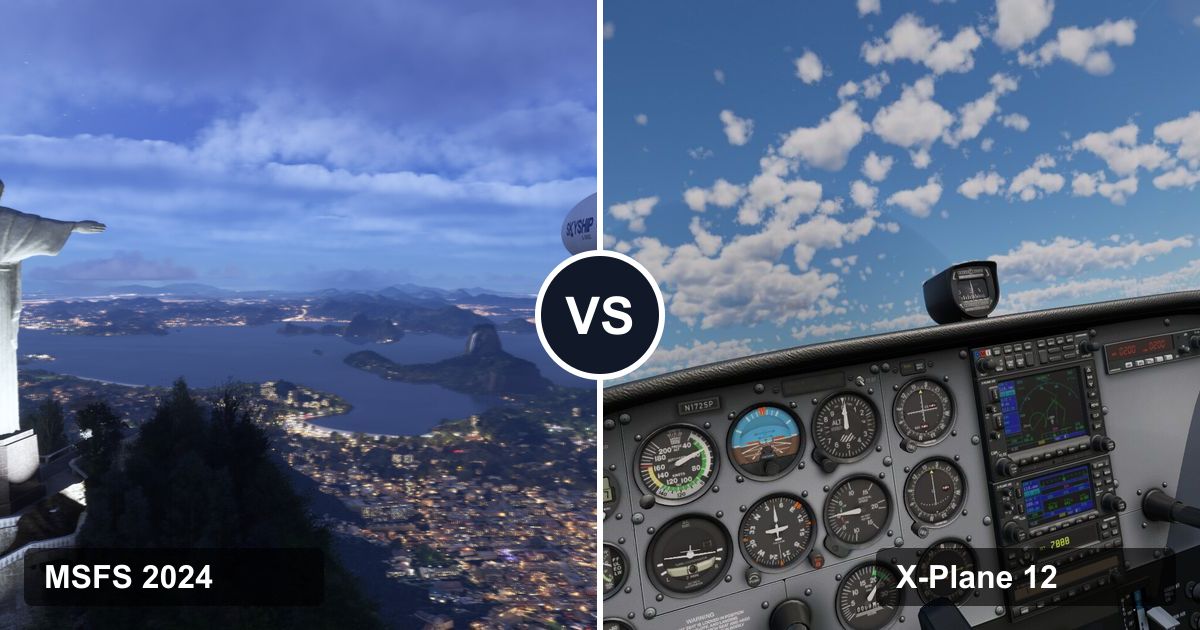
Get Microsoft Flight Simulator 2024 if you want to fly over the real world, like having missions to fly, or play on Xbox or PS5. Get X-Plane 12 if how the aircraft flies matters most, you're on a Mac or Linux, your PC is modest, or you want to fly offline. Both are excellent, and the same controls work in both on a PC.
 Microsoft / Asobo Studio
Best for the real world
Microsoft Flight Simulator 2024
The whole planet in photo detail, with a career to fly. PC, Xbox and PS5.
Get it if…
- You want to fly over real places, including your own street
- You like goals: careers, missions, challenges
- You play on Xbox or PS5, or have Game Pass
- You have a strong PC and fast internet
- Price
- $69.99, or Game Pass
- Runs on
- Windows PC, Xbox, PS5
 Laminar Research
Best for how it flies
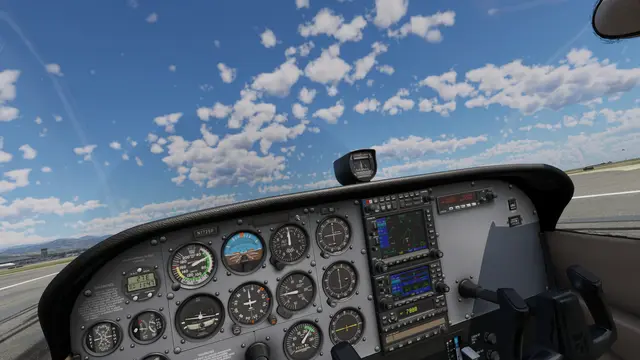
X-Plane 12
Physics first, runs on Mac and Linux, flies offline, and you can try it free.
Get it if…
- How the aircraft flies matters most to you
- You're a pilot, or training to be one
- You use a Mac or Linux, or an older PC
- You want to fly offline, and tinker
- Price
- $59.99, free demo
- Runs on
- Windows PC, Mac, Linux
Still torn? Answer up to five quick questions and we'll tell you which one fits, how clear the pick is, and what each does better for you.
X-Plane 12 or MSFS 2024?
Question 1 of 5
X-Plane 12 vs MSFS 2024 at a glance
Twelve things people compare, with our take on who leads each. Tap a topic to jump to the details.
MSFS 2024 leads 4X-Plane 12 leads 3Even on 5
- Flight modelX-Plane 12 leads
MSFS 2024Much improved in 2024; most aircraft feel right
X-Plane 12Its core strength, especially at the edges
- SceneryMSFS 2024 leads
MSFS 2024The real planet, streamed in photo detail
X-Plane 12Built from map data; photo scenery is an add-on
- WeatherEven
MSFS 2024Live weather, volumetric clouds
X-Plane 12Live weather, volumetric clouds, weather radar
- Aircraft in the boxMSFS 2024 leads
MSFS 2024More than 65 in the Standard Edition
X-Plane 12More than 15, airliners included
- Add-on airlinersEven
MSFS 2024PMDG, Fenix, iniBuilds
X-Plane 12ToLiss, plus the free Zibo 737
- Things to doMSFS 2024 leads
MSFS 2024Career, missions, challenges, lessons
X-Plane 12Free flight and lessons; little else built in
- Flying onlineMSFS 2024 leads
MSFS 2024Built-in multiplayer, plus VATSIM
X-Plane 12VATSIM and other networks
- VREven
MSFS 2024Windows PC, plus PS VR2 on PS5
X-Plane 12Windows PC; VR rebuilt in 2026
- Hardware it needsX-Plane 12 leads
MSFS 202432GB RAM and 50 Mbps internet recommended
X-Plane 12Runs on far less; no internet needed
- Where it runsEven
MSFS 2024Windows, Xbox, PS5
X-Plane 12Windows, Mac, Linux
- PriceEven
MSFS 2024$69.99 and up, or Game Pass
X-Plane 12$59.99, one edition, free demo
- Mods and offlineX-Plane 12 leads
MSFS 2024Huge add-on scene; always online
X-Plane 12Open files, plugins, flies offline
| Sim | PC | Mac | Xbox | PS5 | Steam Deck | VR | Internet to fly | Price |
|---|---|---|---|---|---|---|---|---|
| 1MSFS 2024 | Yes | — | Yes | Yes | Unsupported | PC, PS VR2 | Needed | $69.99, or Game Pass |
| 2X-Plane 12 | Yes | Yes | — | — | Unsupported | Windows PC | No | $59.99, free demo |
List prices as of October 2026. Both go on sale on Steam often.
Flight model: which one flies more like the real thing?
X-Plane 12, by a smaller margin than it used to be. This is X-Plane's reason to exist. For decades it has worked out the forces on every part of the aircraft (each section of wing, tail and body) as you fly, instead of reading behavior from tables. That's why unusual situations feel believable: stalls, spins, gusty crosswinds, a heavy landing. Many pilots use it to practice, and its professional version can be FAA-certified as the software inside approved training devices.
MSFS 2024 closed much of the gap. Microsoft rebuilt its physics for 2024: an aircraft can now be modeled with more than 10,000 surfaces, and ground and water handling improved. For normal flying, most of its aircraft feel right, and the best add-ons feel excellent.
What this means for you:
- Learning real technique, especially in small planes and helicopters: X-Plane 12 is the safer bet.
- Airliners: the add-on matters more than the sim. A study-level airliner (see aircraft and add-ons) is realistic in either.
- Just enjoying the flight: you won't feel let down by either.
X-Plane's next big update, 12.5, is due in late 2026 with more flight-model work, including helicopter rotors and ground handling.
Scenery: the whole planet vs an installed world
MSFS 2024, clearly. It streams the planet from Microsoft's servers: aerial photos of everywhere, more than 500 cities and 100,000 km² of countryside scanned in 3D, and 40,000 airports. Fly over your own town and you'll recognize it.
X-Plane 12 installs its world on your drive. Terrain, roads and rivers come from map data such as OpenStreetMap, with generic buildings and more than 20,000 3D airports made by its community. It looks convincing from the air, but it isn't your street. Photo scenery is an add-on: free community tools build it from satellite images, region by region, and paid packs exist too.
-
MSFS 2024Streamed from the cloud
- Aerial photos of the entire planet
- 3D-scanned places: more than 500 cities and 100,000 km² of countryside
- 40,000 airports, 150+ of them handcrafted
- Needs the internet as you fly (50 Mbps recommended). Recent areas stay in a cache on your drive.
-
X-Plane 12Installed on your drive
- Terrain, roads and rivers built from map data such as OpenStreetMap, with generic buildings
- 20,000+ 3D airports from the community scenery Gateway
- Photo scenery is optional: free community tools and paid packs add it, region by region
- Flies with no internet. A new streaming-ready scenery engine is due as a free update in late 2026.
Laminar announced a new tile-based scenery engine at FlightSimExpo 2026. It's designed to stream scenery and is due as a free X-Plane 12 update in late 2026. It's a big change under the hood, but don't expect MSFS-style photo cities out of the box.
Bottom line: if sightseeing is half the fun, MSFS 2024 wins this one by a mile.
Weather
Even. Both download real-world weather as you fly, and both draw 3D volumetric clouds that build and move. MSFS 2024 makes weather look spectacular. X-Plane 12 added a working weather radar to several default aircraft in 2025, including its 737 and A330, so you can see storms ahead in the cockpit, the way real pilots do.
Aircraft and add-ons
Out of the box, MSFS 2024 wins: the Standard Edition has more than 65 aircraft, from gliders and bush planes to airliners and helicopters. X-Plane 12 includes more than 15, from a Cessna 172 and a Robinson R22 helicopter to a Boeing 737-800 and an Airbus A330, plus an F-14.
With add-ons, it's even. Both have "study-level" airliners, modeled switch by switch by specialist developers:
| MSFS 2024 | X-Plane 12 | |
|---|---|---|
| Boeing 737 | PMDG 737 (rebuilt for 2024) | Zibo 737-800 (free community mod) |
| Airbus A320 family | Fenix A320 | ToLiss A319, A320, A321 |
| Where you buy | In-sim Marketplace, maker stores | X-Plane.org store, maker stores |
MSFS has the bigger add-on market overall, and Microsoft says virtually all MSFS 2020 add-ons work in 2024. X-Plane's free Zibo 737 is one of the best deals in flight simming.
Things to do: careers, lessons and free flight
MSFS 2024, easily. Its career mode lets you earn certifications and fly real jobs: medevac, cargo to remote strips, aerial firefighting, search and rescue, all the way to airline pilot. There are also challenges and races, a photography mode, and bush trips (all 59 from MSFS 2020 came back free in August 2026). Lessons start from zero, and you can turn off assists one at a time as you improve.
X-Plane 12 is a sandbox: pick an aircraft, an airport and the weather, and fly. Its flight school covers the basics, and there's a lot of depth once you know what you want to practice, but it gives you few goals. Some people love exactly that.
Flying online: ATC, multiplayer and VATSIM
Both have built-in AI air traffic control. MSFS 2024 also has built-in multiplayer that works across platforms: you see other real players flying around you. X-Plane 12's own multiplayer connects computers you set up yourself, not a public world.
For the real thing, both work with VATSIM, the free network where volunteers play air traffic controllers, through its pilot clients for each sim. If online flying with real controllers is your goal, either sim gets you there.
VR: which is better in a headset?
Even, and it depends on your platform. MSFS 2024 supports VR on PC and, since April 2026, PS VR2 on the PS5. Its scenery is breathtaking in a headset, but it's very demanding.
X-Plane 12 supports VR on Windows only, through SteamVR or Meta's PC app. Version 12.4.3 (June 2026) rebuilt its VR from scratch, with mixed reality, hand tracking on headsets that support it, and Apple Vision Pro through a free App Store app. No VR on Mac or Linux.
Either way, VR asks a lot of your graphics card. Our guide to VR headsets for flight sims covers which headset to buy and the PC it needs, and we rank VR headsets for MSFS and for X-Plane 12.
PC requirements: what each sim needs
X-Plane 12 asks for less. Here's each maker's own minimum and recommended spec:
- Minimum
- Recommended
Graphics memory (VRAM)
- MSFS 2024 4 → 8GB
- X-Plane 12 2 → 8GB
Memory (RAM)
- MSFS 2024 16 → 32GB
- X-Plane 12 8 → 16–24GB
Storage to install Add-ons grow both.
- MSFS 2024 50GB
- X-Plane 12 25GB
Internet while you fly
- MSFS 2024 10 → 50 Mbps
- X-Plane 12 Not needed
| MSFS 2024 | X-Plane 12 | |
|---|---|---|
| Graphics card (min) | GTX 970 or RX 5700, 4GB | Any Vulkan 1.3 card with 2GB |
| Graphics card (rec) | RTX 2080 or RX 5700 XT, 8GB | RTX 3070 or similar, Intel Arc B580, 8GB |
| Processor (rec) | Ryzen 7 2700X or Core i7-10700K | Core i5-12600K, Ryzen 5 3500, or Apple Silicon |
| Memory (min → rec) | 16GB → 32GB | 8GB → 16–24GB |
| Storage | 50GB | 25GB |
| Internet | 10 Mbps min, 50 Mbps rec, always | Not needed to fly |
Two things the table doesn't show:
- Both lean hard on the processor, not just the graphics card, especially with detailed airliners and busy airports. Don't pair a new graphics card with an old CPU.
- Running both? Buy for MSFS 2024. A PC that runs it well runs X-Plane 12 comfortably.
Not sure what's in your PC? On Windows, press Ctrl + Shift + Esc to open Task Manager, then the Performance tab: it shows your processor, memory and graphics card (with its dedicated memory).
Shopping for a new one? See the prebuilt PCs ranked for MSFS and for X-Plane 12, our graphics cards for MSFS and for X-Plane 12, or three PC builds that run both.
Mac, Linux, Xbox and PS5
This decides it for many people:
- Mac: X-Plane 12 only. It runs natively on Apple Silicon (macOS 12 or newer). MSFS 2024 doesn't run on a Mac.
- Linux: X-Plane 12 only (Ubuntu 24.04 is officially supported).
- Xbox Series X|S: MSFS 2024 only. Game Pass Ultimate includes it.
- PS5 and PS5 Pro: MSFS 2024 only, since December 2025.
On a console, controllers have to be licensed for it. Our controller guide lists which ones connect to Xbox and PS5.
Controls that work in both sims
On a Windows PC, any joystick, yoke, throttle or pedals work in both sims. Buy once, set up the buttons in each sim, and you're done. These are good starting points:
Windows PC: works in both sims: our picks
| Part | Our pick | Price |
|---|---|---|
| Stick + throttle (PC, Xbox) The stick steers the plane. The throttle sets the power. Twist the stick for rudder. | Thrustmaster T.Flight Hotas One (MSFS 2024 Edition) The safe first controller for either sim: it flies everything from a Cessna to a helicopter. | Check price |
| Yoke + throttle (PC) A yoke plus a three-lever throttle: power, propeller and mixture. | Logitech G Pro Flight Yoke System The classic first yoke for small planes, which is where X-Plane's flight model shines. | Check price |
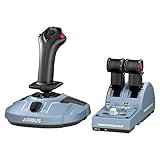
| Airbus sidestick + thrust levers (PC) Replicas of the A320 sidestick and thrust levers. | Thrustmaster TCA Officer Pack Airbus Edition Made for the Airbus add-ons both sims are known for: Fenix in MSFS, ToLiss in X-Plane. | Check price |
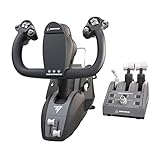
| Boeing yoke + throttle (PC, Xbox) A Boeing-style yoke and an airliner throttle quadrant. | Thrustmaster TCA Yoke Pack Boeing Edition For 737 flyers: the PMDG 737 in MSFS, or the free Zibo 737 in X-Plane. | Check price |
| Rudder pedals (PC, Xbox, PS5) Steer on the runway, keep turns balanced, land in a crosswind. | Thrustmaster TFRP T.Flight Rudder Pedals On PC they plug in by USB on their own. Pedals are where X-Plane's crosswind handling comes alive. | Check price |



Links go to Amazon, where you'll see today's price. As an Amazon Associate we earn from qualifying purchases, at no cost to you.
Mac: X-Plane 12: our picks
| Part | Our pick | Price |
|---|---|---|
| Compact yoke (Mac, PC) A smaller, simpler Honeycomb yoke. | Honeycomb Alpha LITE Honeycomb officially supports its yokes and throttle in X-Plane on Mac. | Check price |
| Throttle quadrant (Mac, PC) Power levers, plus flaps, landing gear, trim and autopilot buttons. | Honeycomb Bravo Throttle Quadrant Comes with airliner and small-plane lever handles. Swap them in seconds. | Check price |


Links go to Amazon, where you'll see today's price. As an Amazon Associate we earn from qualifying purchases, at no cost to you.
Xbox and PS5: MSFS 2024: our picks
| Part | Our pick | Price |
|---|---|---|
| Stick + throttle (Xbox, PC) The stick steers the plane. The throttle sets the power. Twist the stick for rudder. | Thrustmaster T.Flight Hotas One (MSFS 2024 Edition) Designed for Xbox, so it connects. It works on PC too, in both sims. | Check price |
| Stick + throttle (PS5, PC) The stick steers, the throttle sets power. Twist for rudder. | Thrustmaster T.Flight Hotas 5 (Microsoft Flight Simulator Edition) One of the few sticks MSFS supports on PS5. Stock comes and goes. | Check price |
| Rudder pedals (PS5, Xbox, PC) Steer on the runway, keep turns balanced, land in a crosswind. | Thrustmaster TFRP T.Flight Rudder Pedals On consoles they plug into the Hotas One or Hotas 5. | Check price |

Links go to Amazon, where you'll see today's price. As an Amazon Associate we earn from qualifying purchases, at no cost to you.
Want more choice? See our ranked flight sticks, yokes and rudder pedals, or the X-Plane 12 yokes and flight sticks.
Price: what each one really costs
| MSFS 2024 | X-Plane 12 | |
|---|---|---|
| Base game | $69.99 (Standard) | $59.99 |
| Bigger editions | $99.99, $129.99, $199.99 (more aircraft and airports) | None |
| Try first | PC Game Pass or Game Pass Ultimate include Standard | Free demo: the full sim, about 15 minutes of flying at a time |
| Updates | Free | Free through X-Plane 12 |
Our take: X-Plane 12 is the cheaper one to own outright, and the demo lets you check how it runs on your PC first. MSFS 2024 is the cheaper one to try: a month of Game Pass costs far less than the game. The bigger editions add aircraft and handcrafted airports, not better graphics, so Standard is all most people need. The real cost of either is the computer and controls (see above), and later the add-ons.
Mods, tinkering and flying offline
X-Plane 12 leads. Everything sits in plain folders on your drive. It has a plugin system that developers have used for decades, so there are tools for nearly anything: custom cockpit displays, home-cockpit hardware, scripting. And it flies with no internet at all; you only need a connection for real weather.
MSFS 2024 has a huge add-on scene of its own, with thousands of free community mods and a big paid market. But it's built around online services: it needs the internet to fly, and much of the world lives on Microsoft's servers, not your drive.
Already own MSFS 2020?
Then you're probably deciding between moving to MSFS 2024 and trying X-Plane 12:
- Moving to MSFS 2024 keeps your add-ons (Microsoft says virtually all of them work) and adds the career mode, the new physics and a much smaller install: 50GB instead of the 150GB MSFS 2020 needs (see our storage guide). It does recommend more memory: 32GB of RAM instead of 16GB.
- Trying X-Plane 12 makes sense if what bugs you about MSFS is how the aircraft fly. Download the free demo and fly the same aircraft type you know in MSFS. You'll feel the difference in a few landings.
MSFS 2020 still works and is still sold, so there's no rush. Your controls carry over to any of the three.
What's coming next
- X-Plane 12.5 (late 2026, free): flight-model work, including helicopter rotors, engines and ground handling.
- A new X-Plane scenery engine (late 2026, free for X-Plane 12): tile-based and built to stream.
- X-Plane 13: not announced. Laminar has said nothing official about it as of October 2026.
- MSFS 2024 keeps getting free sim updates. Sim Update 6 (August 2026) added the bush trips and DLSS 4.5. There's no "Microsoft Flight Simulator 2026"; apps with that name come from unrelated developers.
The bottom line
For most people, MSFS 2024 is the better first sim: it's easier to start, there's more to do, and nothing else shows you the real world like it. X-Plane 12 is the better sim for flying itself, and the only one of the two for Mac, Linux, older PCs and offline flying.
You don't have to choose forever. Plenty of simmers own both, and on a PC they share the same controls. Try the X-Plane 12 demo and a month of Game Pass, and keep the one you keep reaching for. Weighing other sims too, like DCS World or Aerofly FS 4? See the best flight simulators of 2026.
Where this comes from
We don't run lab tests, and this isn't a review of every aircraft. Prices, platforms, system requirements, features and Steam review scores come from Laminar Research, Microsoft and the Steam store, checked October 7, 2026. Who leads each topic is our judgment, and it's labeled that way. Images come from each sim's maker. Product links go to Amazon, and we earn a commission on purchases at no cost to you; we earn nothing from either sim, so commissions don't shape the verdict. Spotted something out of date? Tell us.