X-Plane 12
Best Gaming Laptop for X-Plane 12
X-Plane 12 leans on the graphics chip more than MSFS does, so a laptop's graphics chip and its graphics memory decide most of the score. A laptop chip runs at lower power than the desktop card with the same name. Every laptop below was sold by Amazon itself when we last checked the picks.
This page contains affiliate links. As an Amazon Associate we earn from qualifying purchases.
9 gaming laptops at a glance
| # | Gaming Laptop | Score | Price |
|---|---|---|---|
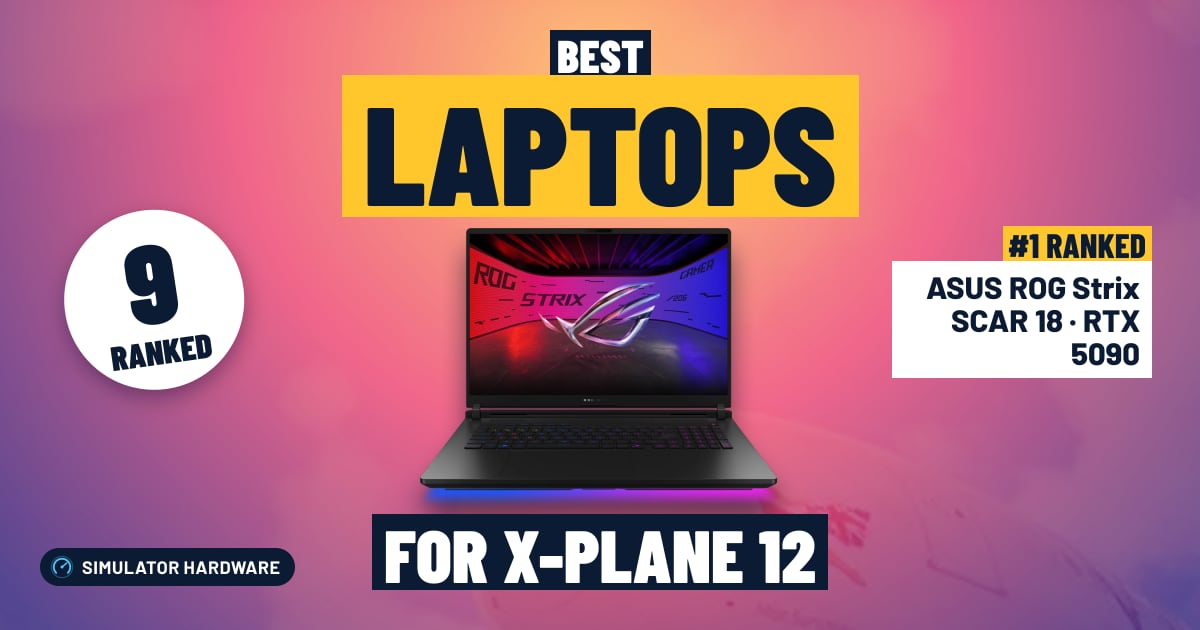
| 1 | ASUS ROG Strix SCAR 18 · RTX 5090 Best overall · Overkill · RTX 5090 Laptop · Core Ultra 9 275HX | 95.0 /100 | Check price |
| 2 | Gigabyte AORUS Master 16 · RTX 5080 High-End · RTX 5080 Laptop · Ryzen 9 9955HX3D | 89.3 /100 | Check price |
| 3 | ASUS ROG Strix G16 · RTX 5070 Ti High-End · RTX 5070 Ti Laptop · Core Ultra 9 275HX | 72.4 /100 | Check price |
| 4 | Acer Predator Helios Neo 16 · RTX 5070 Ti High-End · RTX 5070 Ti Laptop · Core Ultra 9 275HX | 69.9 /100 | Check price |
| 5 | Acer Nitro 16S AI · RTX 5070 Ti High-End · RTX 5070 Ti Laptop · Ryzen AI 7 350 | 67.9 /100 | Check price |
| 6 | Acer Predator Helios Neo 14 · RTX 5070 High-End · RTX 5070 Laptop · Core Ultra 9 285H | 54.0 /100 | Check price |
| 7 | ASUS ROG Strix G16 · RTX 5070 High-End · RTX 5070 Laptop · Ryzen 9 9955HX | 53.5 /100 | Check price |
| 8 | Acer Nitro V 16S · RTX 5060 Best budget · Mid-Range · RTX 5060 Laptop · Ryzen 7 260 | 50.4 /100 | Check price |
| 9 | ASUS TUF F16 · RTX 5050 Mid-Range · RTX 5050 Laptop · Core i5-13450HX | 42.7 /100 | Check price |






All Gaming Laptops Ranked for X-Plane 12
- #1 Best overall
ASUS ROG Strix SCAR 18 · RTX 5090
- Overkill
- RTX 5090 Laptop
- Core Ultra 9 275HX
- 32 GB RAM
95.0 /100 X-Plane 12 scoreThe ASUS ROG Strix SCAR 18 (RTX 5090) suits flyers who want the most graphics a laptop offers in X-Plane 12: 4K screens, three-screen cockpits and any VR headset, with 24 GB of graphics memory. At 6.28 lb it is a desk laptop.
Strengths and trade-offs
Strengths
- 24 GB of graphics memory holds X-Plane 12's physically-based clouds and scenery textures with room to spare, so a stormy approach into a big hub stays detailed on a 4K monitor or in a high-resolution headset.
- X-Plane 12 leans on the graphics chip more than MSFS does, and the RTX 5090 is the largest laptop chip here, with the listing stating 175 W of graphics power, the highest the laptops here list.
- 2 TB of storage, the only drive that big on this page, holds the sim, add-on aircraft and several scenery regions before you have to manage space.
Trade-offs
- At 6.28 lb before the power brick, this is a laptop for a desk, not a bag; the 18-inch body needs the room.
- 32 GB of RAM covers the sim and add-ons, but the listing doesn't say whether the memory can be upgraded, so check before you buy if you plan on heavy scenery libraries.
- #2
Gigabyte AORUS Master 16 · RTX 5080
- High-End
- RTX 5080 Laptop
- Ryzen 9 9955HX3D
- 32 GB RAM
89.3 /100 X-Plane 12 scoreThe Gigabyte AORUS Master 16 (RTX 5080) suits X-Plane 12 on 4K screens, three-screen cockpits and high-resolution VR headsets, with 16 GB of graphics memory for its weather and lighting. The 1 TB drive is the first thing you will outgrow.
Strengths and trade-offs
Strengths
- The laptop RTX 5080's 16 GB of graphics memory holds X-Plane 12's physically-based clouds and high-resolution scenery textures, so a stormy approach into a big hub keeps its detail on a 4K monitor or in a high-resolution headset.
- X-Plane 12 leans on the graphics chip more than MSFS does, and the RTX 5080 is the second-largest laptop chip here, which is where the sim rewards the money; the HX3D-class Ryzen 9 9955HX3D adds a large stacked cache for flight physics and AI traffic.
- A 16-inch 2560 × 1600 OLED screen at 240 Hz in a 19 mm body at 5.07 lb makes it the lighter of the two laptops here that meet our 4K and high-resolution VR bars, so it can fly from a desk and still go in a bag.
Trade-offs
- 1 TB of storage fills quickly once the sim shares the drive with add-on aircraft and scenery regions, and the listing doesn't say whether the memory can be upgraded, so check before you buy if you plan on 64 GB.
- The step up in price buys the RTX 5090's 24 GB of graphics memory, which matters only for the most demanding headsets and triple-screen cockpits; for most X-Plane 12 setups 16 GB is plenty.
- #3
ASUS ROG Strix G16 · RTX 5070 Ti
- High-End
- RTX 5070 Ti Laptop
- Core Ultra 9 275HX
- 32 GB RAM
72.4 /100 X-Plane 12 scoreThe ASUS ROG Strix G16 (RTX 5070 Ti) suits simmers flying X-Plane 12 at 1440p and in Quest 3-class VR, with 12 GB of graphics memory for its weather and lighting. 4K screens and high-resolution headsets ask for 16 GB.
Strengths and trade-offs
Strengths
- The laptop RTX 5070 Ti's 12 GB of graphics memory holds X-Plane 12's physically-based clouds and scenery textures, so a rainy approach into a big hub stays steady on the 16-inch 2560 × 1600 screen.
- 32 GB of RAM leaves room for the sim, add-on aircraft and scenery regions together, and it meets our memory bar for a Quest 3-class headset in X-Plane 12's native VR mode.
- The Core Ultra 9 275HX is an HX-class (desktop-class power) chip, so flight physics and AI traffic have processor room while the graphics chip does the heavy lifting; plenty of laptops at this money pair a similar graphics chip with a mainstream H-class part.
Trade-offs
- 12 GB of graphics memory is the ceiling for X-Plane 12 at 4K, on three screens or in a high-resolution headset, where 16 GB is what you want; only the RTX 5080 and RTX 5090 laptops here have it.
- The 1 TB drive fills quickly once the sim shares it with add-on aircraft and scenery regions, and at 5.84 lb this is a laptop for a desk more than a bag; the next step up in price adds graphics memory, not storage.
- #4
Acer Predator Helios Neo 16 · RTX 5070 Ti
- High-End
- RTX 5070 Ti Laptop
- Core Ultra 9 275HX
- 16 GB RAM
69.9 /100 X-Plane 12 scoreThe Acer Predator Helios Neo 16 (RTX 5070 Ti) suits simmers flying at 1440p, where the laptop RTX 5070 Ti and its 12 GB of graphics memory carry X-Plane 12's weather and lighting. The trade-off is 16 GB of RAM, so check whether more can be added.
Strengths and trade-offs
Strengths
- The laptop RTX 5070 Ti's 12 GB of graphics memory holds X-Plane 12's physically-based clouds and scenery textures, so a rainy approach into a big hub stays steady on the 16-inch 2560 x 1600 screen.
- That 2560 x 1600 240 Hz panel is sharper than the 1080p screens many laptops at this price still ship with, so runway markings and small cockpit labels stay readable without leaning into the display.
- 12 GB of graphics memory clears the bar for VR, so a Quest 3-class headset is realistic in X-Plane 12's native VR mode and the laptop still has room as you add detailed aircraft and regional scenery later.
Trade-offs
- 16 GB of RAM is only the recommended amount for X-Plane 12 and Microsoft's bare minimum for MSFS 2024, so a long flight over dense third-party scenery can run tight — and the listing doesn't say whether the memory can be upgraded, so confirm that before you buy.
- 1 TB of storage disappears fast once the sim shares the drive with add-on aircraft and scenery regions; a step up in price usually brings 32 GB of RAM, while a bigger drive only appears at the very top of the range.
- #5
Acer Nitro 16S AI · RTX 5070 Ti
- High-End
- RTX 5070 Ti Laptop
- Ryzen AI 7 350
- 16 GB RAM
67.9 /100 X-Plane 12 scoreThe Acer Nitro 16S AI (RTX 5070 Ti) suits 1440p flying, and its 12 GB of graphics memory also opens the door to Quest 3-class VR in X-Plane 12. The trade-off is 16 GB of RAM and a mainstream H-class chip, so busy airports with heavy AI traffic need a lighter touch.
Strengths and trade-offs
Strengths
- The laptop RTX 5070 Ti with 12 GB of graphics memory carries X-Plane 12's weather and lighting on a rainy approach into a big hub, which is exactly where this sim leans hardest on the graphics chip.
- The 16-inch 2560 × 1600 180 Hz screen is sharper than the 1080p panels many laptops around this money still ship with, so runway markings and small cockpit text stay readable without leaning in.
- Having 12 GB of graphics memory means you can raise texture quality and add scenery over the next few years, or plug in a Quest 3-class headset, instead of hitting a wall the first time you load a detailed airliner.
Trade-offs
- 16 GB of RAM is only the minimum Microsoft lists for MSFS 2024, and loading a study-level airliner into a dense photogrammetry city will feel tight — the listing doesn't say whether the memory can be upgraded, so check before you buy.
- A step up in price usually adds 32 GB of RAM and an HX-class (desktop-class power) processor; here you get a mainstream H-class chip, so lower AI traffic density first when a busy hub stutters.
- #6
Acer Predator Helios Neo 14 · RTX 5070
- High-End
- RTX 5070 Laptop
- Core Ultra 9 285H
- 32 GB RAM
54.0 /100 X-Plane 12 scoreThe Acer Predator Helios Neo 14 (RTX 5070) suits simmers flying X-Plane 12 on a 1080p screen, where the laptop RTX 5070 handles scenery and weather well. Its 8 GB of graphics memory is the limit, so the 14.5-inch 2560 × 1600 panel needs DLSS or a lower render scale.
Strengths and trade-offs
Strengths
- At 1080p the laptop RTX 5070 and its 8 GB of graphics memory cope with X-Plane 12's physically-based lighting and live weather, so a rainy ILS approach into a detailed airport with cloud layers overhead stays smooth.
- A 14.5-inch 2560 × 1600 165 Hz screen in a 4.19 lb body is lighter than most machines carrying this class of graphics chip, so you can fly a full short-haul leg from a hotel desk instead of being tied to a monitor.
- 32 GB of RAM is more than many machines in this bracket include, so X-Plane 12 can hold a large ortho scenery region and a study-level airliner in memory while your charts and flight planner sit open behind the sim.
Trade-offs
- 8 GB of graphics memory is the ceiling here: run X-Plane 12 at the panel's native 2560 × 1600 with high textures over a dense photogrammetry-style city and it will run short, and it falls under the 12 GB we treat as the bar for comfortable VR flying.
- The 32 GB of RAM is soldered and can't be increased later, and a step up in price usually brings 12 GB or more of graphics memory — the spec that lets you fly at the screen's full resolution without leaning on an upscaler.
- #7
ASUS ROG Strix G16 · RTX 5070
- High-End
- RTX 5070 Laptop
- Ryzen 9 9955HX
- 16 GB RAM
53.5 /100 X-Plane 12 scoreThe ASUS ROG Strix G16 (RTX 5070) suits simmers flying X-Plane 12 on a 1080p screen, where the laptop RTX 5070 handles scenery and weather smoothly. Its 8 GB of graphics memory is the ceiling — 12 GB is what a step up in price adds for 1440p or VR.
Strengths and trade-offs
Strengths
- On its own 16-inch 1920 × 1200 screen, the laptop RTX 5070 and its 8 GB of graphics memory cope with a rainy approach into a dense airport, which is where X-Plane 12's weather and lighting lean hardest on the graphics chip.
- The Ryzen 9 9955HX is an HX-class chip (desktop-class power), where plenty of machines at this price settle for H-class parts — useful because X-Plane 12's flight physics keep the processor working while you hand-fly an ILS.
- The 1 TB SSD holds X-Plane 12 plus a handful of payware airports and a region of scenery without shuffling drives, and the 165 Hz panel keeps the view steady as you pan around the cockpit on a visual circuit.
Trade-offs
- 8 GB of graphics memory makes this a 1080p machine: hook up a bigger 1440p screen or a headset, or load a dense photogrammetry city at high texture settings, and X-Plane 12 will run short of memory before the graphics chip runs out of steam.
- 16 GB of RAM sits at the recommended line rather than above it, and the listing doesn't say whether it can be upgraded, so check first — a step up in price usually brings 32 GB of RAM and 12 GB of graphics memory, which is what opens up 1440p and VR.
- #8 Best budget
Acer Nitro V 16S · RTX 5060
- Mid-Range
- RTX 5060 Laptop
- Ryzen 7 260
- 32 GB RAM
50.4 /100 X-Plane 12 scoreThe Acer Nitro V 16S (RTX 5060) suits pilots flying X-Plane 12 on a 1080p screen, with the laptop RTX 5060 doing most of the work on scenery and weather. Its 8 GB of graphics memory is the ceiling, so a sharper external monitor or a headset needs a step up in price.
Strengths and trade-offs
Strengths
- The laptop RTX 5060 and its 8 GB of graphics memory are a sensible match for the built-in 16-inch 1920 × 1200 panel, so a rainy approach with layered cloud into a mid-size airport can stay on High without you babysitting sliders.
- 32 GB of RAM is double what X-Plane 12's recommended spec asks for, and more than many machines at this price include — you can leave a weather briefing, charts and a flight planner open behind the sim on a long airliner leg.
- X-Plane 12 scales mainly with the graphics chip, so keeping it on its own 1920 × 1200 screen gives this one a long, useful life — and the 180 Hz IPS panel means low, fast VFR circuits round the pattern look fluid rather than smeared.
Trade-offs
- 8 GB of graphics memory is the hard limit here: hook it to a 1440p or 4K monitor, or fly dense photogrammetry-style city scenery with textures turned up, and you will be lowering texture resolution. Treat it as a 1080p machine.
- It is not a VR laptop — X-Plane's headset support is excellent, but that really wants 12 GB of graphics memory, which is what a step up in price buys; the 1 TB SSD also fills fast once a few detailed airports and a study-level airliner are installed.
- #9
ASUS TUF F16 · RTX 5050
- Mid-Range
- RTX 5050 Laptop
- Core i5-13450HX
- 16 GB RAM
42.7 /100 X-Plane 12 scoreThe ASUS TUF F16 (RTX 5050) suits 1080p flying, where the RTX 5050 Laptop GPU and its 115 W graphics power handle X-Plane 12's lighting and weather. The 8 GB of graphics memory is the ceiling, so a 1440p screen or VR calls for a step up in price.
Strengths and trade-offs
Strengths
- The RTX 5050 Laptop GPU, running up to 115 W, carries X-Plane 12's physically-based lighting and its GPU-hungry weather at the laptop's own 1920 × 1200 screen, so a rainy approach into a detailed airport is well within what it was built for at 1080p High.
- The 16-inch 1920 × 1200 panel at 165 Hz gives more vertical space than the 16:9 screens most machines at this price pair with an RTX 5050 — useful when you want the instrument panel and the runway visible together on a visual circuit.
- X-Plane 12 leans harder on the graphics chip than on the processor, so pairing the RTX 5050 Laptop GPU with an HX-class Core i5-13450HX puts the spend where this sim uses it, and at 4.85 lb you can carry the whole setup to a hotel room and still fly a full airliner leg.
Trade-offs
- 8 GB of graphics memory is the limit here: it holds up at 1080p, but plug in a larger 1440p display or try a headset and dense airport scenery with high texture resolution will force you to dial settings back — treat this as a 1080p laptop, not a VR one.
- 16 GB of RAM only meets X-Plane 12's recommended level and the 512 GB SSD fills quickly once the sim, global scenery and payware airports are installed; a step up in price typically brings 32 GB of RAM and a 1 TB drive, with 12 GB of graphics memory further up, and this listing doesn't say whether the memory can be upgraded, so check before you buy.



Frequently Asked Questions
What is the best gaming laptop for X-Plane 12?
ASUS ROG Strix SCAR 18 (2025) Gaming Laptop, 18" 2.5K 240Hz, NVIDIA GeForce RTX 5090, Intel Core Ultra 9 275HX, 32GB DDR5, 2TB SSD leads with a score of 95/100, making it the top pick for 2026.
How much should I spend on a gaming laptop for X-Plane 12?
The lowest-priced pick we rank is the ASUS TUF F16 · RTX 5050 (43/100). For smooth performance at 1080p–1440p, look from the ASUS ROG Strix G16 · RTX 5070 (54/100) upward. Prices change daily, so check the current price with each Amazon button.
What specs matter most for a gaming laptop in X-Plane 12?
X-Plane 12 weights GPU at 55% and CPU at 45%. X-Plane 12 uses physically-based rendering and a heavily GPU-dependent weather system.
Is X-Plane 12 CPU or GPU dependent?
X-Plane 12 is GPU-leaning at 45%/55% CPU/GPU weighting. Compared with MSFS, it scales more directly with GPU performance at high resolutions.
Own any of these?
Rate it in one tap. We research the specs; owners know how the gear holds up.
Also Essential for X-Plane 12
Further Reading
- The Best Flight Simulators in 2026, RankedThe 8 best flight simulators of 2026, ranked: MSFS 2024, X-Plane 12, DCS World and the best free sims, with what each costs, runs on and needs.
- How Much Storage Does Microsoft Flight Simulator Need? (2024 and 2020)MSFS 2024 needs 50GB and MSFS 2020 needs 150GB. See what add-ons and the rolling cache add, which SSD to buy, and work out the space your setup needs.
How We Score Gaming Laptops for X-Plane 12
Score formula
GPU rating × 60% + VRAM × 20% + CPU class × 10% + RAM × 10%. Ratings come from each product's published specs, and the same formula is applied to every product. Tiers (Budget, Mid-Range, High-End, Overkill) describe price, not quality. Full methodology · How we research
Comments
Flying with one of these gaming laptops, or still deciding? Ask a question, share your setup or leave a tip. It helps the next simmer choose.
That didn't send. Check your connection and try again.