Buyer's guide · Microsoft Flight Simulator 2024
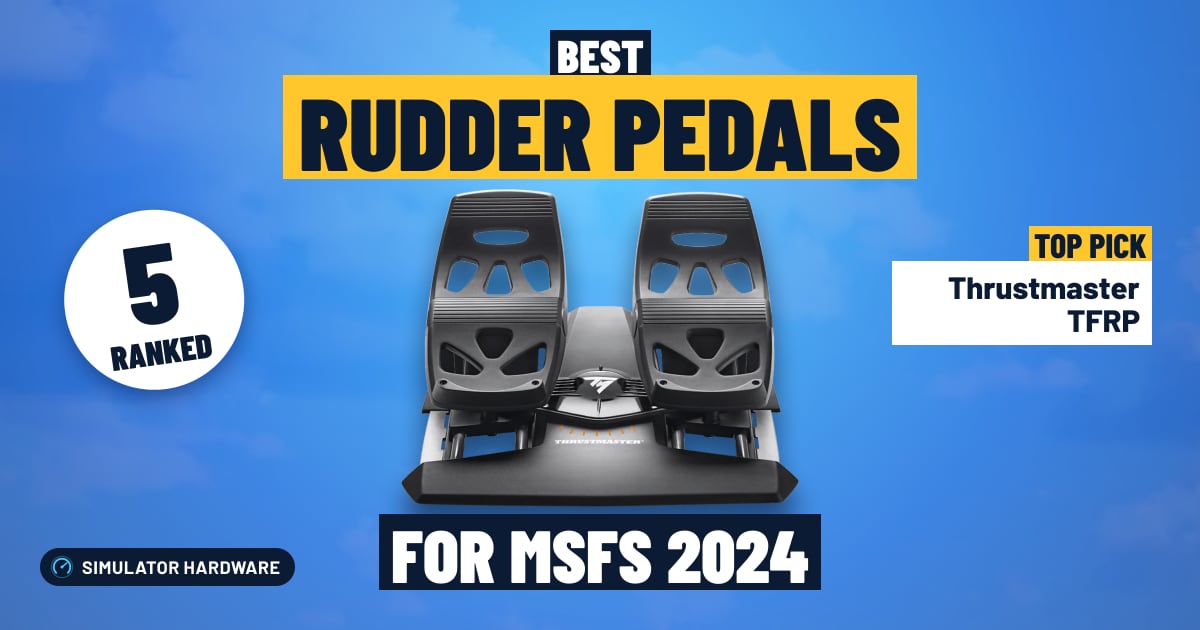
Best Rudder Pedals for Microsoft Flight Simulator 2024
Short answer
For most simmers: the Thrustmaster TFRP, with toe brakes, smooth slide rails and support for Xbox and PS5 through a Thrustmaster stick or yoke. The best we rank: the Honeycomb Charlie Rudder Pedals. On Xbox or PS5, pedals plug into your stick or yoke: the Thrustmaster TFRP with any Thrustmaster console stick or yoke, the Turtle Beach VelocityOne Rudder with the VelocityOne Flight on Xbox.
This page contains affiliate links. As an Amazon Associate we earn from qualifying purchases.
Our two picks
-
Best value · for most simmers
Thrustmaster TFRP
- Under $150
- Best for Consoles
The most pedal for the money: toe brakes, smooth slide rails and support for Xbox and PS5 through a Thrustmaster stick or yoke.
MSFS 2024 score: 64.0/100
-
Best overall
Honeycomb Charlie Rudder Pedals
- $150–350
- Best for Honeycomb setups
The highest-scoring pedals here: Hall-effect sensors, toe brakes, adjustable tension and pedal angle, a metal frame and support for Xbox through Honeycomb's Xbox Hub.
MSFS 2024 score: 98.0/100


Pick by what you fly with
On a console, pedals plug into your stick or yoke, so start with what you own.
-
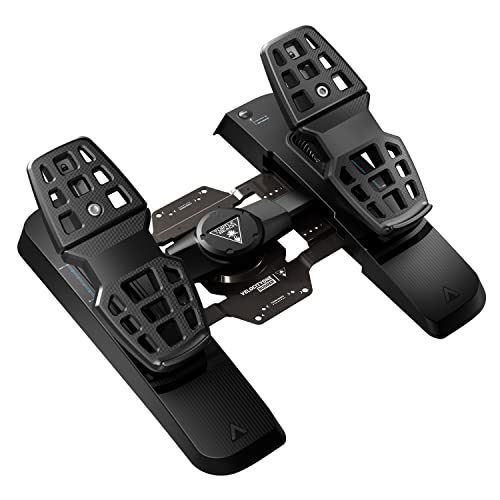
With a VelocityOne Flight
Turtle Beach's own pedals, the ones that work with the VelocityOne Flight on Xbox: Hall-effect sensors, toe brakes, adjustable tension and pedal angle and support for Xbox through the VelocityOne Flight.
Amazon isn't shipping it right now; the button shows when it will.
-
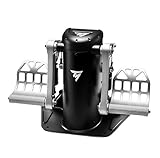
Best pendular pedals
Hinged from above like airliner pedals, on an all-metal frame, with Hall-effect sensors, toe brakes and adjustable tension and pedal angle. PC only.

All 5 rudder pedals side by side
| Rudder pedals | Works on | Sensors | Adjusts | Mechanism | Best for | Score | Price |
|---|---|---|---|---|---|---|---|
| 1 Honeycomb Charlie Rudder Pedals Best overall · $150–350 | PC · Xbox consoles via Honeycomb's Xbox Hub | Hall effect contactless, no drift | Tension and pedal angle toe brakes | Belt drive metal frame | Honeycomb setups | 98.0 | Check price |
| 2 Thrustmaster TPR Over $350 | PC only | Hall effect contactless, no drift | Tension and pedal angle toe brakes | Pendular (hinged) metal frame | Serious PC cockpits | 90.5 | Check price |
| 3 Turtle Beach VelocityOne Rudder $150–350 | PC · Xbox consoles via the VelocityOne Flight | Hall effect contactless, no drift | Tension and pedal angle toe brakes | Not stated | VelocityOne Flight | 90.0 | Check stock |
| 4 Logitech G Pro Flight Rudder Pedals $150–350 | PC only | Sensors not stated no Hall-effect claim | Tension and pedal angle toe brakes | Not stated | PC setups | 67.5 | Check price |
| 5 Thrustmaster TFRP Best value · Under $150 | PC · Xbox · PS5 consoles via a Thrustmaster stick or yoke | Sensors not stated no Hall-effect claim | Fixed toe brakes | Slide rails | Consoles | 64.0 | Check price |

Find your rudder pedals
Question 1 of 3
The 5 best rudder pedals for MSFS 2024, ranked
- #1 Best overall
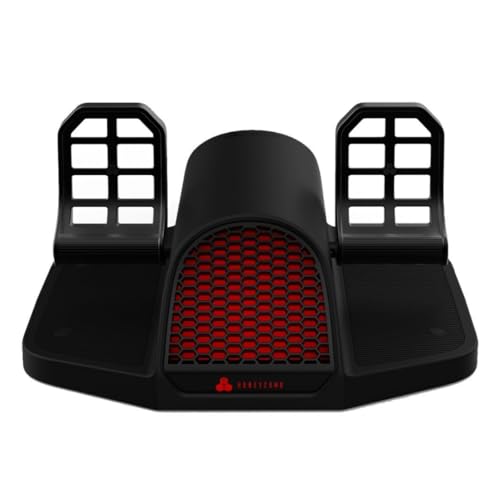
Honeycomb Charlie Rudder Pedals
- $150–350
- PC · Xbox
- Hall-effect sensors
98.0 /100 MSFS 2024 scoreBest for: a Honeycomb Alpha or Bravo on PC, or the Alpha XPC on Xbox with Honeycomb's Xbox Hub
The Honeycomb Charlie Rudder Pedals suit MSFS pilots who want metal pedals with Hall-effect sensors — magnets, not rubbing contacts — so small rudder inputs stay steady while you hold the centerline. The trade-off is size: 7.3 kg, about 50 cm wide, and Xbox needs Honeycomb's Xbox Hub.
Watch out for
- On a console they plug into Honeycomb's Xbox Hub, not the console itself, so check that's what you fly with.
- Heavy and wide: 7.3 kg (16 lb) and about 50 cm (19.6 in) across. Carpet spikes come in the box so it stays put.
Strengths and trade-offs
Strengths
- The Hall-effect sensors read your feet with magnets instead of wiping contacts, so the tiny nudges that keep the nose straight in a gusty crosswind land exactly where you put them, session after session.
- Separate left and right toe brakes let you brake one wheel on its own, which is how you swing a taildragger around on a tight ramp, and the belt linking the two pedals keeps them working as one so right rudder always sends the left pedal back.
- They finish a Honeycomb setup — an Alpha yoke or Bravo throttle on PC, or the Alpha XPC on Xbox — and the adjustable spring tension plus adjustable pedals let you firm things up for an airliner approach or lighten them for pottering around in a Cub.
Trade-offs
- They are heavy and wide at 7.3 kg (16 lb) and about 50 cm (19.6 in) across, so you need real floor room under the desk; carpet spikes come in the box to stop them creeping forward when you stand on the brakes, but a hard floor wants a mat or a rig.
- On Xbox they never plug into the console itself — they run through Honeycomb's Alpha XPC yoke and Honeycomb's Xbox Hub, and there's no PS5 route — and the step down in price means giving up things like contactless sensors, a metal frame or adjustable tension, which is exactly what you're paying for here.
- #2
Thrustmaster TPR
- Over $350
- PC
- Hall-effect sensors
90.5 /100 MSFS 2024 scoreBest for: a PC cockpit with airliner-style hinged pedals and an all-metal frame
The Thrustmaster TPR suits PC simmers who want airliner-style pedals that hang from a pivot above them, with contactless magnetic (Hall effect) sensors for steady rudder on the takeoff roll. They're PC only, big and heavy, and the all-metal frame is what you're paying for.
Watch out for
- Big and heavy: over 7 kg (15 lb) and 53 cm (21 in) wide. Some owners report rudder trouble after calibrating in Windows; calibrate in the sim instead.
- PC only: they won't work on Xbox or PS5.
Strengths and trade-offs
Strengths
- The Hall effect sensors read your feet with magnets instead of rubbing contacts, so the tiny rudder nudges that hold the centerline in a gusty crosswind land in the same place every time, with no scratchy spot creeping into the middle of the travel.
- Separate left and right toe brakes (differential braking) let you brake one wheel at a time, so you can swing a taildragger around on the ramp or tighten a turn onto a narrow taxiway without riding the nosewheel steering.
- They fit a seated PC cockpit built around a stick or a yoke and a throttle: the pedals hang from a pivot above, like the pedals in an airliner flight deck, the frame is metal, the spring tension adjusts, and the pedals adjust to your feet so long legs and short legs both get a natural push.
Trade-offs
- They're big and heavy, over 7 kg (15 lb) and 53 cm (21 in) wide, so you need real floor space under the desk; also, some owners report rudder trouble after calibrating in Windows, so do your calibration inside MSFS instead and leave the Windows tool alone.
- PC only: they won't work on Xbox or PS5, where pedals have to connect through a licensed stick or yoke from the same brand rather than the console itself. You're also paying for the metal frame, contactless sensors and adjustable spring tension that simpler plastic pedals skip, so if you only ever fly light aircraft with gentle rudder work, a lot of that goes unused.
- #3
Turtle Beach VelocityOne Rudder
- $150–350
- PC · Xbox
- Hall-effect sensors
90.0 /100 MSFS 2024 scoreBest for: the VelocityOne Flight on Xbox, and any PC setup
The Turtle Beach VelocityOne Rudder suits anyone flying MSFS who still steers with a twist grip, adding contactless Hall-effect sensors that read your rudder input without parts touching. On Xbox they connect through the VelocityOne Flight, not the console itself.
Watch out for
- On a console they plug into the VelocityOne Flight, not the console itself, so check that's what you fly with.
Amazon isn't shipping this one right now; the button shows when it will.
Strengths and trade-offs
Strengths
- The Hall-effect sensors read pedal position with magnets instead of rubbing contacts, so the small, repeated pushes that hold the centerline during a gusty crosswind takeoff roll land in the same place every time instead of drifting or stepping.
- Left and right toe brakes work separately (differential braking, meaning you can brake one wheel at a time), so you can pivot a taildragger around on the ramp, hold the nose straight after touchdown, or ease into a tight turn while taxiing to the gate.
- Adjustable spring tension and adjustable pedals mean you can set them light for the constant small corrections of a helicopter hover and firmer for an airliner, and on Xbox they finish a VelocityOne Flight setup while on PC they sit under any stick or yoke.
Trade-offs
- On a console they don't plug into the console at all — they connect through the Turtle Beach VelocityOne Flight, so if that isn't what you fly with on Xbox, these pedals give you nothing, and there's no PS5 or Xbox Cloud Gaming route for pedals either.
- Turtle Beach doesn't state what the frame is built from, so if you want a stated metal chassis that won't flex when you stand on the brakes in a short-field landing, that's what the next step up in price buys you.
- #4
Logitech G Pro Flight Rudder Pedals
- $150–350
- PC
67.5 /100 MSFS 2024 scoreBest for: a first set of pedals on PC, next to any stick or yoke
The Logitech G Pro Flight Rudder Pedals suit a first set on PC, moving nose-steering off a twist grip and onto your feet, with separate left and right toe brakes for swinging a taildragger around the ramp. Logitech doesn't state the sensor type, and they're PC-only.
Watch out for
- Logitech doesn't say these pedals use contactless (Hall-effect) sensors. Pedals without them can get jittery with age; a calibration or a small dead zone usually fixes it.
- Logitech lists a 9-bit rudder axis and 7-bit toe brakes, coarser than the 16-bit sensors on pricier pedals.
Strengths and trade-offs
Strengths
- Spring tension is adjustable, so you can firm the rudder up for the steady pressure that holds the centerline on a gusty takeoff roll, or soften it for the small, constant nudges of a crosswind landing.
- Separate left and right toe brakes (differential braking means you press one pedal to brake just that wheel) let you pivot a taildragger in a tight parking spot or hold the wheels still for a run-up.
- The pedals adjust to your feet, which matters if you fly long legs or hover a helicopter, where your feet hold the nose steady for minutes at a time next to any PC stick or yoke.
Trade-offs
- Logitech doesn't claim contactless (Hall-effect, magnet-based) sensors, and sensors without them can drift or get jittery as they age, so the nose may twitch on short final until you recalibrate or add a small dead zone.
- Logitech lists a 9-bit rudder axis and 7-bit toe brakes, coarser steps than the 16-bit sensors on pricier pedals, so very fine inputs — a feather-light brake tap, a tiny tail-rotor correction in a hover — arrive in bigger jumps.
- #5 Best value
Thrustmaster TFRP
- Under $150
- PC · Xbox · PS5
64.0 /100 MSFS 2024 scoreBest for: Xbox or PS5 through a Thrustmaster stick or yoke, and any PC setup
The Thrustmaster TFRP suits MSFS pilots stepping off a twist grip, with separate left and right toe brakes so you can brake one wheel and swing a taildragger around on a tight ramp. The trade-off is unstated sensors and fixed spring tension.
Watch out for
- On a console they plug into a Thrustmaster stick or yoke, not the console itself, so check that's what you fly with.
- Thrustmaster doesn't say these pedals use contactless (Hall-effect) sensors. Pedals without them can get jittery with age; a calibration or a small dead zone usually fixes it.
Strengths and trade-offs
Strengths
- The left and right toe brakes work independently, so you can stand on one brake to pivot a taildragger into its parking spot, or brake straight and even on a short runway instead of slewing off the centerline.
- The pedals slide back and forth on rails with the footplates fixed in place, so the small, steady rudder pushes that hold the centerline in a gusty crosswind landing go in as one straight movement rather than a stretch; the hybrid build mixes metal and plastic in the chassis.
- They fit any PC setup over USB, and on Xbox or PS5 they complete a Thrustmaster stick or yoke you already fly with — either way, holding a slip in a crosswind or keeping the ball centered in a climbing turn stops being a keyboard tap.
Trade-offs
- On Xbox and PS5 they don't plug into the console at all: they run through a Thrustmaster console stick or yoke (T.Flight Hotas One or 4/5, or a TCA stick or yoke), so if you fly with anything else on console there's no way to connect them.
- Thrustmaster doesn't claim contactless (Hall-effect) sensors — the kind where nothing rubs as the pedals move — so a well-used set can get jittery and wander the rudder on a long final, and the fixed spring tension means you can't lighten it for the tiny pedal inputs that hold a helicopter steady in a hover.



What to add next
Pedals finish the basic setup: a stick or yoke for your hands, a throttle for power, pedals for your feet. Our cockpit guide shows how it all fits together, and the controller guide checks Xbox and PS5 support.
What makes good rudder pedals for MSFS 2024?
Rudder pedals steer the plane on the ground and keep it straight in the air. Five things decide whether a set is worth it:
- It works with your setup. On PC any USB pedals work. On Xbox and PS5, pedals plug into your stick or yoke, so they have to match its brand (what works where).
- Contactless sensors. Hall-effect sensors read a magnet instead of rubbing a track, so the rudder doesn't get jittery as the pedals wear. Your feet push hard; this matters more than on a stick.
- Toe brakes. Every set here has them: press the top of one pedal to brake that wheel (why they matter).
- Adjustments. Spring tension you can change, and pedal angle or width that fits your feet and chair.
- A frame that stays put. Heavier, metal pedals slide less on carpet and flex less under a hard push.
Do you need rudder pedals for Microsoft Flight Simulator 2024?
No. MSFS 2024 has an auto-rudder assist, and a twist stick or a yoke with rudder buttons gets you started. But pedals are the biggest upgrade after your first stick or yoke.
With your feet on the rudder, you can hold the centerline on the takeoff roll, kick out the drift on a crosswind landing and keep the ball centered in a climbing turn, all while your hands stay on the yoke and throttle. Taxiing gets easier too: steer with your feet, brake with your toes.
If you fly taildraggers, helicopters or gliders, pedals stop being optional. Those aircraft need constant rudder.
Rudder pedals on Xbox and PS5: they plug into your stick or yoke
On a Windows PC, every set here plugs in over USB and works with any stick or yoke. Consoles are different: pedals never plug into an Xbox or PS5. They connect through a licensed stick or yoke from the same brand.
| Pedals | On Xbox Series X|S | On PS5 |
|---|---|---|
| Thrustmaster TFRP | Through a Thrustmaster Xbox stick or yoke (T.Flight Hotas One, TCA X sticks, TCA Yoke Boeing, TCA Sky Yoke) | Through a T.Flight Hotas 4 or 5, or the TCA Sky Yoke (PS5 version) |
| VelocityOne Rudder | Through the VelocityOne Flight | No |
| Honeycomb Charlie | Through the Alpha XPC and Honeycomb's Xbox Hub | No |
| Logitech G Pro, Thrustmaster TPR | No (PC only) | No |
So pick your stick or yoke first, then the pedals that pair with it. On PS5 that means a Thrustmaster stick or yoke and the TFRP. Xbox One, phones and browsers run MSFS through Xbox Cloud Gaming, which doesn't support pedals at all. Our controller guide checks any device for you.
What toe brakes do (and why they matter)
Real planes brake with the top of the rudder pedals: push with your toes and that wheel brakes. Brake one side harder and the plane turns, which is how you pivot a Cessna into a tight parking spot or keep a taildragger straight after landing.
Every set of pedals here has toe brakes, left and right separately ("differential" brakes). In MSFS you map each one to the left and right brake axes, and you can stop using the brake key.
TFRP, Logitech, VelocityOne, Charlie or TPR?
The question people ask most, in short:
- TFRP vs Logitech: the TFRP works on Xbox and PS5 (through a Thrustmaster stick or yoke) and slides on rails; the Logitech has adjustable tension and foot rests but is PC only. Console player: TFRP. PC with a Logitech yoke: the Logitech fits in.
- Charlie vs TPR: both have Hall-effect sensors, toe brakes and metal frames. The Charlie is lighter on your wallet and works with Honeycomb's Xbox setup; the TPR hangs from above like airliner pedals and is PC only.
- VelocityOne Rudder: the pedals to get if your yoke is the VelocityOne Flight on Xbox. On PC it's a solid Hall-effect set with adjustable width.
Not sure? Use the pedal finder: it starts with what you fly with.
More questions simmers ask
Stop your pedals sliding on carpet
Pushing a pedal pushes the whole set away from you, so pedals creep across carpet and hard floors. Fixes, cheapest first:
- Carpet spikes or grip strips. The Honeycomb Charlie has deployable spikes in the box.
- A rubber mat or a strip of wood wedged between the pedals and a wall or your desk leg.
- A pedal mount or a cockpit rig, which holds the pedals at the right distance from your seat (cockpit guide).
A chair on wheels makes it worse: it rolls back every time you push. A chair that doesn't roll, or a sim seat, fixes that too.
Rudder pedals for helicopters
In a helicopter the pedals control the tail rotor, and you're on them the whole flight: every power change swings the nose. Smooth, steady pedals make hovering far easier.
Look for Hall-effect sensors and adjustable tension, then turn the tension down so the pedals stay where you leave them. The Honeycomb Charlie and the VelocityOne Rudder both fit; owners often praise the Charlie for helicopters and taildraggers.
How to set up rudder pedals in MSFS 2024
- Plug the pedals in before you start the sim (on a console, into your stick or yoke).
- Open Settings → Controls, pick the pedals and check that the rudder axis is assigned. Map the left and right toe brakes to the left and right brake axes.
- Turn off auto-rudder in the assistance settings, or the sim fights your feet.
- Push the right pedal: the nose should go right. If it goes left, reverse the axis.
- If the nose twitches with your feet still, add a small dead zone; if it feels too sharp, soften the sensitivity curve.
Calibrate in the sim rather than in Windows' game controller tool, which some pedals don't like.
What about MFG, VIRPIL and other enthusiast pedals?
MFG, VIRPIL, Slaw and WINWING make excellent metal pedals, often with dampers and swappable cams. They sell them from their own stores, not through Amazon in the US, so we can't link to them and don't rank them. If you're shopping at that level, the Thrustmaster TPR and the Honeycomb Charlie are the closest you can buy on Amazon.
Frequently asked questions
What are the best rudder pedals for Microsoft Flight Simulator 2024?
For most simmers: the Thrustmaster TFRP, with toe brakes, smooth slide rails and support for Xbox and PS5 through a Thrustmaster stick or yoke. The best we rank: the Honeycomb Charlie Rudder Pedals. On Xbox or PS5, pedals plug into your stick or yoke: the Thrustmaster TFRP with any Thrustmaster console stick or yoke, the Turtle Beach VelocityOne Rudder with the VelocityOne Flight on Xbox.
Which rudder pedals work on Xbox and PS5?
On a console, pedals plug into your stick or yoke, not the console. From the pedals we rank: on Xbox Series X|S, the Honeycomb Charlie Rudder Pedals (through Honeycomb's Xbox Hub), Turtle Beach VelocityOne Rudder (through the VelocityOne Flight) and Thrustmaster TFRP (through a Thrustmaster stick or yoke); on PS5, the Thrustmaster TFRP (through a Thrustmaster stick or yoke). Everything else here is PC only. Our controller guide checks any stick or yoke for you.
Are rudder pedals worth it for flight simulator?
Yes, once you have a stick or yoke. They make taxiing, takeoffs, crosswind landings and coordinated turns far easier, and for helicopters and taildraggers they're close to essential.
Do rudder pedals work on Xbox?
Yes, but they plug into your stick or yoke, not the Xbox. Thrustmaster TFRP pedals work through a Thrustmaster Xbox stick or yoke, VelocityOne Rudder pedals through the VelocityOne Flight, and Honeycomb's Charlie through the Alpha XPC and Honeycomb's Xbox Hub.
Can you use rudder pedals on PS5?
Yes, with a Thrustmaster stick or yoke: the TFRP pedals plug into the T.Flight Hotas 4, the Hotas 5 or the TCA Sky Yoke (PS5 version). No other pedals work on PS5.
Do Logitech rudder pedals work on Xbox or PS5?
No. The Logitech G Pro Flight Rudder Pedals are PC only. On a console, look at the Thrustmaster TFRP (Xbox and PS5, through a Thrustmaster stick or yoke).
What are toe brakes on rudder pedals?
Brakes on the top of each pedal: push with your toes to brake that wheel, the way real planes do. Braking one side harder turns the plane on the ground. Every set we rank has them.
Do I need rudder pedals if my stick has a twist rudder?
Not at first. A twist grip handles taxiing and gentle crosswinds. Pedals free your stick hand and make crosswind landings, taxiing and helicopters much smoother. When you add them, lock the stick's twist.
How do I stop rudder pedals sliding on the floor?
Use carpet spikes or grip strips, brace the pedals against a wall or desk leg, or put them on a mount or cockpit rig. A chair that doesn't roll helps as much as anything.
Should I turn off auto-rudder when I get pedals?
Yes. Auto-rudder is an assist for players without pedals; with pedals it fights your feet. Turn it off in MSFS's assistance settings.
Thrustmaster TPR or Honeycomb Charlie?
Both have Hall-effect sensors, toe brakes and metal frames. The TPR's pendular (hanging) design feels like airliner pedals but it's PC only and costs more; the Charlie also works on Xbox with Honeycomb's Alpha XPC and Xbox Hub.
Will these rudder pedals work in X-Plane 12?
Yes, on a PC or Mac: X-Plane 12 works with any USB pedals, including every set here. X-Plane isn't on Xbox or PS5. See our X-Plane 12 rudder pedal rankings.
Own any of these?
Rate it in one tap. We research the specs; owners know how the gear holds up.
More hardware rankings
Further reading
- How to Build a Home Flight Simulator Cockpit: The Complete 2026 GuideEverything a beginner needs to build a home flight simulator: the sim, PC or console, controls, screens, VR and seats, plus three complete setups to copy.
- Which Controllers Work With Microsoft Flight Simulator on PC, Xbox and PS5?Check any joystick, yoke or pedals for MSFS 2024 on PC, Xbox or PS5 in seconds. See what works, what needs a hub, and our best picks for each platform.
How we rank
Score formula
sensors × 25% + adjustability × 25% + build quality × 20% + platforms × 15% + toe brakes × 15%. Every factor comes from the maker's specs and the Amazon listing: sensor type, adjustable tension and pedal angle, materials, the platforms it works on (consoles through a partner stick or yoke) and toe brakes. We don't test hardware ourselves; scores compare products rather than predict a frame rate. Full methodology · How we research
Works on and Best for
"Works on" follows the makers and Microsoft's lists of controllers supported on Xbox Series X|S and PS5: on a console, pedals plug into a partner stick or yoke, and we name it. A Hall-effect claim has to come from the maker; when a maker doesn't state the sensor type, we say "Not stated".
What we list
Only rudder pedals sold on Amazon when we last checked: by Amazon itself, or by the store that sells it there (for Honeycomb a camera or pilot-supply store, for VelocityOne Turtle Beach itself; Amazon names the seller under the price). Price bands use each one's regular price, so a short sale doesn't move it between bands; the Check price buttons show today's price.
What changed
- Rebuilt as a full buyer's guide: 5 sets of pedals you can buy on Amazon, from the Thrustmaster TFRP to the pendular TPR, with what each one plugs into on Xbox and PS5. New: a pedal finder, picks by what you fly with, and plain answers on toe brakes, helicopters, carpet and setup. The score now rates sensors, adjustments, build, platforms and toe brakes. MFG and VIRPIL pedals left the ranking because Amazon doesn't sell them in the US, and the Honeycomb entry is now correctly the Charlie.
Comments
Flying with one of these rudder pedals, or still deciding? Ask a question, share your setup or leave a tip. It helps the next simmer choose.
That didn't send. Check your connection and try again.