Rudder Pedals · Microsoft Flight Simulator 2024
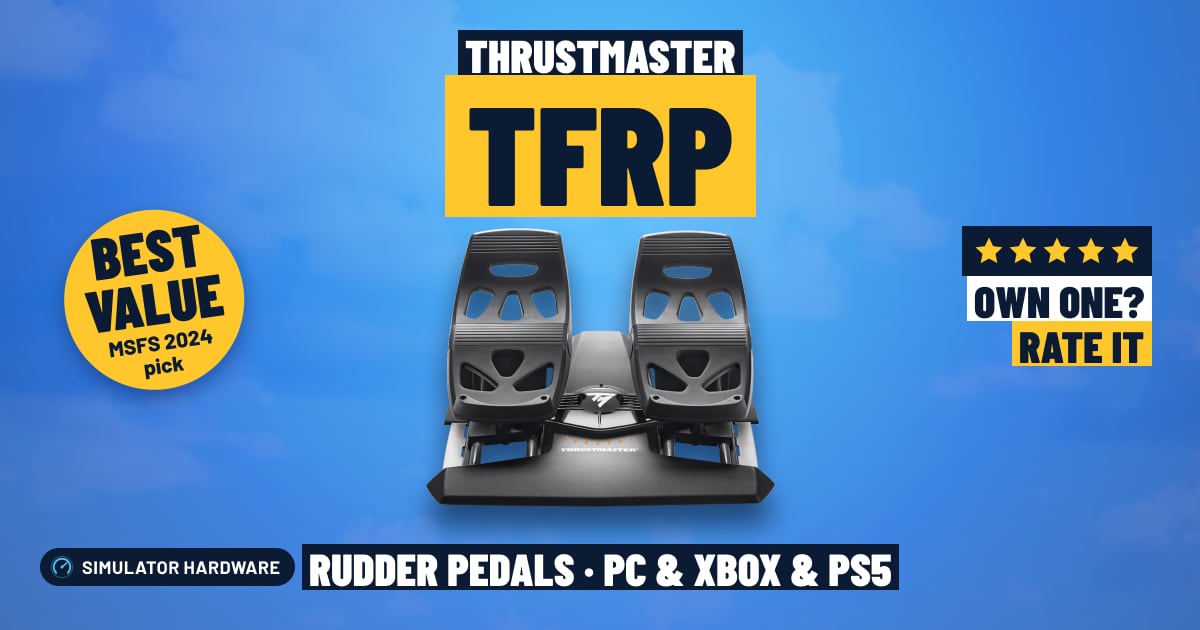
Thrustmaster TFRP

- Budget
- Toe brakes
- PC and Xbox and PS5
MSFS Performance Score
- Sensors25% 40
- Adjustability25% 40
- Build Quality20% 70
- Platforms15% 100
- Toe Brakes15% 100
Biggest contributor: platforms (15% of the score), rated 100/100. How we score
Verdict for MSFS
The Thrustmaster TFRP suits MSFS pilots stepping off a twist grip, with separate left and right toe brakes so you can brake one wheel and swing a taildragger around on a tight ramp. The trade-off is unstated sensors and fixed spring tension.
Updated October 2026
Pros & Cons for MSFS
Strengths
- The left and right toe brakes work independently, so you can stand on one brake to pivot a taildragger into its parking spot, or brake straight and even on a short runway instead of slewing off the centerline.
- The pedals slide back and forth on rails with the footplates fixed in place, so the small, steady rudder pushes that hold the centerline in a gusty crosswind landing go in as one straight movement rather than a stretch; the hybrid build mixes metal and plastic in the chassis.
- They fit any PC setup over USB, and on Xbox or PS5 they complete a Thrustmaster stick or yoke you already fly with — either way, holding a slip in a crosswind or keeping the ball centered in a climbing turn stops being a keyboard tap.
Trade-offs
- On Xbox and PS5 they don't plug into the console at all: they run through a Thrustmaster console stick or yoke (T.Flight Hotas One or 4/5, or a TCA stick or yoke), so if you fly with anything else on console there's no way to connect them.
- Thrustmaster doesn't claim contactless (Hall-effect) sensors — the kind where nothing rubs as the pedals move — so a well-used set can get jittery and wander the rudder on a long final, and the fixed spring tension means you can't lighten it for the tiny pedal inputs that hold a helicopter steady in a hover.
Full Specifications
- Sensors
- Not stated by the maker
- Toe brakes
- Yes, left and right
- Adjustable tension
- No
- Adjustable pedals
- No
- Mechanism
- Slide rails
- Build
- Hybrid
- Works on
- PC, Xbox, PS5
- On a console
- Plugs into a Thrustmaster stick or yoke
- Released
- 2016
Frequently Asked Questions
Is this a good Rudder Pedals for MSFS?
Yes for most MSFS pilots, especially a first set of pedals, and they score 64.0/100 for this sim. They shine on the everyday stuff: holding the centerline on the takeoff roll, feeding in rudder for a crosswind landing, and dabbing one wheel brake while taxiing to the gate. They show their limits over time and at the edges — the sensor type isn't stated, so an older set may need a recalibration, and the fixed tension gives you one feel whether you're flying a light single or hovering a helicopter.
Is it worth the price for MSFS?
For the money you get separate left and right toe brakes, which simpler pedals can leave out, and that's the feature that changes how you handle the ramp and the landing roll. The next step up in price buys contactless sensors that don't wear, adjustable spring tension and more metal in the frame, so weigh that against how many hours a week you actually fly.
Does it work on Xbox or PS5?
On PC they connect over USB and MSFS reads them as a normal controller, with a ready-made control profile for popular pedals. On Xbox and PS5 they never plug into the console itself — they connect through a Thrustmaster stick or yoke for that console, such as a T.Flight Hotas One or 4/5 or a TCA stick or yoke, so check that's what you fly with before you buy.
What else do I need with it?
Pair them with a stick or yoke and a throttle; on console that same stick or yoke is what the pedals plug into, so it isn't optional there. Put a mat or grip tape under them, or brace them against a wall or a rig, so they don't creep forward when you push hard on the rudder, and set your chair so your heels sit on the floor with your toes reaching the brake plates.
How should I configure this in MSFS?
In the MSFS control settings, assign the rudder axis plus the left and right toe brakes as three separate axes, then turn off the auto-rudder assist so the sim stops steering for you. If the nose twitches on the takeoff roll, add a small dead zone or soften the sensitivity curve; the spring tension is fixed, so get your seat distance right instead — the pedals slide on rails, and you want travel left in both directions with your legs relaxed.