Buyer's guide · Microsoft Flight Simulator 2024
Best Monitor for Microsoft Flight Simulator (2024 & 2020)
Short answer
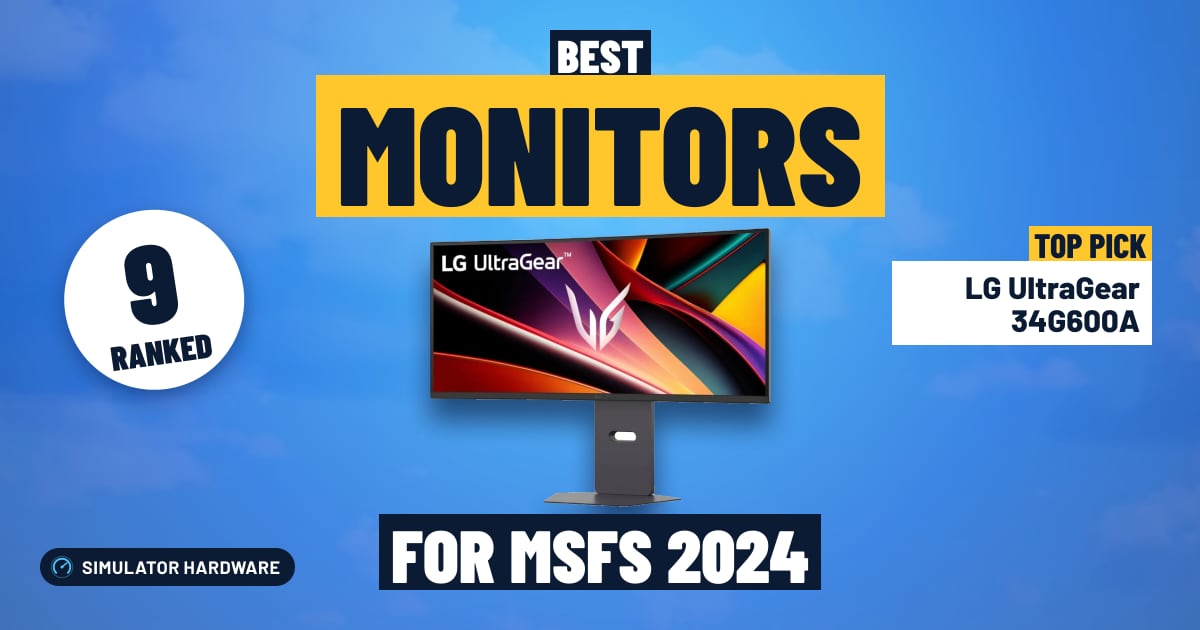
For most simmers: the LG UltraGear 34G600A, a 34-inch ultrawide for a wider view out of the cockpit on one screen; an RTX 5070 or faster drives it. Mostly airliners and glass cockpits: the Samsung Odyssey OLED G7 (32-inch 4K) for crisp 4K instruments. The most immersive picture: the LG UltraGear 45GX900A. Tighter budget: the Samsung Odyssey G5 (27-inch), 27-inch 1440p.
This page contains affiliate links. As an Amazon Associate we earn from qualifying purchases.
Our three picks
-
Best value · for most simmers
LG UltraGear 34G600A
- $200–400
- Best for Ultrawide
The best score for the money among the top monitors: a 34-inch ultrawide for a wider view out of the cockpit on one screen.
MSFS 2024 score: 71.8/100
-
Best overall
LG UltraGear 45GX900A
- Over $800
- Best for Ultrawide
The highest-scoring monitor here: a 45-inch ultrawide OLED panel for the biggest wraparound view, if you sit back a little.
MSFS 2024 score: 89.3/100
-
Best budget
Samsung Odyssey G5 (27-inch)
- Under $200
- Best for 1440p
The least expensive 1440p monitor here: a 27-inch 1440p that mid-range graphics cards drive comfortably.
MSFS 2024 score: 59.9/100



All 9 monitors side by side
| Monitor | Size and shape | Panel | Sharpness | Pairs with | Best for | Score | Price |
|---|---|---|---|---|---|---|---|
| 1 LG UltraGear 45GX900A Best overall · Over $800 | 45-inch ultrawide 3440 × 1440 · curved 800R | OLED 240 Hz | Soft 83 pixels per inch | RTX 5070 or faster | Ultrawide | 89.3 | Check price |
| 2 Samsung Odyssey G9 (49-inch) $400–800 | 49-inch super ultrawide 5120 × 1440 · curved 1000R | VA 144 Hz | Sharp 109 pixels per inch | RX 9070 XT or faster | Super ultrawide | 83.8 | Check stock |
| 3 Alienware AW3425DW $400–800 | 34-inch ultrawide 3440 × 1440 · curved 1800R | OLED 240 Hz | Sharp 110 pixels per inch | RTX 5070 or faster | Ultrawide | 80.5 | Check price |
| 4 Samsung Odyssey OLED G7 (32-inch 4K) $400–800 | 32-inch 4K 3840 × 2160 | OLED 165 Hz | Very sharp 138 pixels per inch | RX 9070 XT or faster | 4K | 76.4 | Check price |
| 5 LG UltraGear 34G600A Best value · $200–400 | 34-inch ultrawide 3440 × 1440 · curved 1800R | VA 160 Hz | Sharp 110 pixels per inch | RTX 5070 or faster | Ultrawide | 71.8 | Check price |
| 6 Dell S3225QS $200–400 | 32-inch 4K 3840 × 2160 | VA 120 Hz | Very sharp 140 pixels per inch | RX 9070 XT or faster | 4K | 67.3 | Check price |
| 7 Samsung Odyssey G5 (27-inch) Best budget · Under $200 | 27-inch 1440p 2560 × 1440 | IPS 180 Hz | Sharp 109 pixels per inch | RTX 5070 or faster | 1440p | 59.9 | Check price |
| 8 LG UltraGear 32GS60QC Under $200 | 32-inch 1440p 2560 × 1440 · curved 1000R | VA 180 Hz | Fair 93 pixels per inch | RTX 5070 or faster | 1440p | 59.8 | Check price |
| 9 Dell SE2426HG Under $200 | 24-inch 1080p 1920 × 1080 | IPS 240 Hz | Fair 93 pixels per inch | RX 9060 XT 16GB or faster | 1080p | 50.0 | Check price |


Match a monitor to your graphics card
Question 1 of 3
The 9 best monitors for MSFS 2024, ranked
- #1 Best overall
LG UltraGear 45GX900A
- Over $800
- 45-inch
- 3440 × 1440
- OLED
- 240 Hz
89.3 /100 MSFS 2024 scoreBest for: the biggest wraparound view, if you sit back a little
The LG UltraGear 45GX900A suits simmers who want the cockpit to fill their vision — the 45-inch 21:9 OLED with its 800R curve wraps the side windows around you. You need at least 12 GB of graphics memory to drive it, and it looks soft if you sit close.
Watch out for
- A flight sim shows the same cockpit for hours, the hardest case for OLED burn-in. This one comes with a 2-year limited warranty that covers the OLED panel. Leave the panel's care features on.
- Big pixels: 3440 × 1440 on 45 inches looks soft up close, so sit further back than you would at a 34-inch screen.
Strengths and trade-offs
Strengths
- OLED pixels switch off completely, so a night approach into a lit-up city gives you a genuinely black sky with runway lights and street grids standing out — not the grey glow an LCD leaves around them.
- The 800R curve on a 45-inch 21:9 shape bends the edges toward you so the side windows sit in your peripheral vision on a VFR circuit, and 240 Hz with variable refresh keeps a low pass over city scenery smooth and tear-free. Its 2-year limited warranty covers the OLED panel too.
- At 3440 × 1440 it asks for 5 million pixels, well short of a 4K panel, so an RTX 5070 or faster with 12 GB of graphics memory can hold detailed settings into a busy airport instead of forcing you to strip scenery back.
Trade-offs
- At 83 pixels per inch the dots are large, so radio frequencies and small FMC text look soft if you sit close — push the chair back and give the desk real depth, or pop the instrument panels out bigger.
- You don't get the pixel density of the next step up in price: a wide screen with more pixels across the same width would sharpen approach plate text and distant runway markings in a way no setting here can fix.
- #2
Samsung Odyssey G9 (49-inch)
- $400–800
- 49-inch
- 5120 × 1440
- VA
- 144 Hz
83.8 /100 MSFS 2024 scoreBest for: a wraparound view on one screen, without a triple-monitor setup
The Samsung Odyssey G9 (49-inch) suits simmers who want the whole horizon in front of them, with 5120 × 1440 on a 32:9 curved panel filling the side windows on a VFR circuit. The trade-off is the graphics card: 7.4 million pixels per frame wants 16 GB of graphics memory and an RX 9070 XT or faster.
Watch out for
- 7.4 million pixels per frame is close to 4K: plan on 16 GB of graphics memory and an RX 9070 XT or faster.
Amazon isn't shipping this one right now; the button shows when it will.
Strengths and trade-offs
Strengths
- The 32:9 shape at 5120 × 1440 keeps the runway visible out of the left window as you turn base, so you stop panning the view around with a hat switch — and MSFS 2024 supports 32:9 natively, so the scenery is not stretched to fit.
- The VA panel holds dark scenes dark, so a night approach into a lit-up city shows the approach lights and street grid against real black rather than a grey haze; at this price most wide screens ask you to choose between width and night contrast, and this one does both on a single panel.
- 144 Hz with variable refresh smooths out the stutter when frame delivery dips over dense photogrammetry, which pairs well with a build running an RX 9070 XT or faster and 16 GB of graphics memory.
Trade-offs
- At 7.4 million pixels per frame this is close to 4K in workload, so anything under 16 GB of graphics memory will have you cutting render scaling before you even reach the clouds over a big city — and the 49-inch width needs a genuinely deep, wide desk with the yoke in front of it.
- Spending more buys an OLED panel with deeper night contrast and a higher refresh rate; here you get 144 Hz and 1440 pixels of height, so a tall airliner panel fits less on screen than on a 4K display, and popping instruments out to a second screen helps.
- #3
Alienware AW3425DW
- $400–800
- 34-inch
- 3440 × 1440
- OLED
- 240 Hz
80.5 /100 MSFS 2024 scoreBest for: a wider view out of the cockpit on one screen
The Alienware AW3425DW suits simmers who fly from the cockpit: 3440 × 1440 on a curved 34-inch OLED puts more of the view out of the side windows in front of you. You need a graphics card with at least 12 GB of memory, and the panel's burn-in care features need to stay on.
Watch out for
- A flight sim shows the same cockpit for hours, the hardest case for OLED burn-in. This one comes with a 3-year warranty that covers burn-in. Leave the panel's care features on.
Strengths and trade-offs
Strengths
- OLED gives true blacks, so a night approach into a lit-up city shows runway lights and street grids against real darkness instead of a grey wash, and the 3440 × 1440 ultrawide shape means you can see the airport slide past your side window as you turn base.
- 240 Hz with variable refresh keeps the world smooth and tear-free when you swing the view around the cockpit on short final; the panel is also backed by a 3-year warranty that covers burn-in.
- Pairs neatly with an RTX 5070 or faster and at least 12 GB of graphics memory, which is a sensible match for a VFR leg over photoreal scenery with live weather turned on.
Trade-offs
- Five million pixels is real work for the graphics card, so a heavy airliner descending into a dense city at 3440 × 1440 will need DLSS or FSR switched on if your card sits under the 12 GB guideline.
- The next step up in price buys more pixels packed into the same width; at 110 pixels per inch the small labels on an airliner's overhead panel are readable but not razor-crisp when you lean in, and 21:9 also means black bars if you ever fly this on a console.
- #4
Samsung Odyssey OLED G7 (32-inch 4K)
- $400–800
- 32-inch
- 3840 × 2160
- OLED
- 165 Hz
76.4 /100 MSFS 2024 scoreBest for: sharp airliner screens and small cockpit labels
The Samsung Odyssey OLED G7 (32-inch 4K) suits simmers who want crisp cockpit text and true blacks at night, from its 3840 × 2160 OLED panel. The catch: 8.3 million pixels need a serious graphics card, and OLED needs burn-in care on long flights.
Watch out for
- A flight sim shows the same cockpit for hours, the hardest case for OLED burn-in. Check the burn-in terms in the listing's warranty before you buy. Leave the panel's care features on.
- 4K is 8.3 million pixels per frame: plan on 16 GB of graphics memory and an RX 9070 XT or faster.
Strengths and trade-offs
Strengths
- The OLED panel shows true black, so a night approach into a lit-up city gives you runway lights and apron glow against a sky that is actually dark instead of washed-out grey.
- 165 Hz with variable refresh (G-Sync Compatible or FreeSync) keeps the view steady and tear-free when you swing the camera around the airframe on a go-around, and OLED pixels switch faster than the LCD panels most of this money buys.
- At 138 pixels per inch across 32 inches, the altitude and heading numbers on a glass cockpit stay readable from normal seating distance, and it pairs naturally with a 16 GB graphics card such as the RX 9070 XT or faster.
Trade-offs
- 4K is 8.3 million pixels every frame, so flying a heavy airliner into a dense city with live weather and AI traffic leans hard on the graphics card — below the 16 GB and RX 9070 XT guideline you will be turning on upscaling to cope.
- It is a flat 16:9 screen, so you miss the wrapped side-window view that MSFS 2024 renders natively at 21:9 and 32:9; the next step up in price buys that peripheral coverage on a VFR sightseeing leg.
- #5 Best value
LG UltraGear 34G600A
- $200–400
- 34-inch
- 3440 × 1440
- VA
- 160 Hz
71.8 /100 MSFS 2024 scoreBest for: a wider view out of the cockpit on one screen
The LG UltraGear 34G600A suits simmers who want more of the view out of the side windows, with 3440 × 1440 on a curved 34-inch panel. It needs at least 12 GB of graphics memory to drive, and fine text can look a bit soft if you sit very close.
Strengths and trade-offs
Strengths
- The VA panel holds deep blacks, so a night approach into a lit-up city shows the runway lights and the dark fields around them instead of a grey wash across the windscreen.
- 160 Hz with variable refresh keeps the horizon steady when you bank hard in a circuit or swing the view across the panel.
- 3440 × 1440 at 110 pixels per inch is sharp enough to read a glass cockpit's altitude tape at a normal desk distance, and it pairs neatly with an RTX 5070 or faster card with 12 GB of memory.
Trade-offs
- Five million pixels is real work for a graphics card over dense photoreal city scenery, so a weaker card will have you dropping render scaling before you fly into a busy airport at dusk.
- You don't get the extra pixels of a 4K-class panel, which is what the next step up in price buys: crisper distant runway markings and sharper small text on popped-out instrument windows.
- #6
Dell S3225QS
- $200–400
- 32-inch
- 3840 × 2160
- VA
- 120 Hz
67.3 /100 MSFS 2024 scoreBest for: sharp airliner screens and small cockpit labels
The Dell S3225QS suits simmers who want one sharp screen: 4K on a 32-inch flat panel keeps approach plates and glass-cockpit text crisp. The trade-off is the graphics card, since 8.3 million pixels per frame asks for 16 GB of memory and an RX 9070 XT or faster.
Watch out for
- 4K is 8.3 million pixels per frame: plan on 16 GB of graphics memory and an RX 9070 XT or faster.
Strengths and trade-offs
Strengths
- 3840 × 2160 spread over 32 inches works out to 140 pixels per inch, so the tiny numbers on an FMS page or a GPS approach chart stay legible without leaning into the desk.
- The VA panel handles dark scenes well, which matters on a night arrival when you want runway lights and a lit-up city to stand out against black terrain rather than wash into grey, and 120 Hz with variable refresh keeps a slow pan across the cockpit smooth and tear-free — a lot of 4K screens at this money still stop at 60 Hz.
- It pairs naturally with a 16 GB card like the RX 9070 XT or faster, so a modern single-card build can hand-fly an ILS into a dense city at full native resolution without you dropping to a lower output resolution.
Trade-offs
- 4K is a heavy load for any sim rig — over a photoreal city with live weather and AI traffic, a weaker graphics card will have you pulling render scaling down or turning on DLSS/FSR before you get a smooth approach.
- It is a flat 16:9 screen, so you miss the wider view out of the side windows that a 21:9 or 32:9 ultrawide gives you on a VFR leg, and MSFS 2024 supports those shapes natively — that extra peripheral view is what the next step up in price buys.
- #7 Best budget
Samsung Odyssey G5 (27-inch)
- Under $200
- 27-inch
- 2560 × 1440
- IPS
- 180 Hz
59.9 /100 MSFS 2024 scoreBest for: most desks and mid-range graphics cards
The Samsung Odyssey G5 (27-inch) suits simmers who want one sharp desk screen, with 2560 × 1440 across a 27-inch IPS panel keeping cockpit text crisp. You'll still want a card with at least 12 GB of graphics memory, and a wider screen would show more out of the side windows.
Strengths and trade-offs
Strengths
- At 109 pixels per inch, 2560 × 1440 on a 27-inch panel keeps glass-cockpit text small but legible, so you can read a radio frequency or an approach minimum without zooming the panel in.
- The IPS panel holds its colour when you lean across the desk to glance at a side window on a VFR circuit, and 180 Hz with variable refresh keeps the picture from tearing as you pan across a dense city.
- Its 3.7 million pixels are a sensible match for an RTX 5070 or faster with 12 GB of graphics memory, so you can fly native 1440p with live weather and AI traffic switched on instead of leaning on upscaling from the start.
Trade-offs
- It is flat and 16:9, so the view stops at the windscreen — on a low VFR leg down a valley you'll be using the hat switch to look out the side windows rather than just turning your head.
- The next step up in price buys either a 3440 × 1440 ultrawide that shows the side windows natively, or a panel with deeper blacks for a night approach into a lit-up city; this IPS screen gives you neither the extra width nor that inky dark sky.
- #8
LG UltraGear 32GS60QC
- Under $200
- 32-inch
- 2560 × 1440
- VA
- 180 Hz
59.8 /100 MSFS 2024 scoreBest for: a bigger 1440p picture on a mid-range graphics card
The LG UltraGear 32GS60QC suits simmers who want a big, immersive 32-inch screen on one desk, with a 1000R curve that wraps the cockpit view around you. Text on small instrument labels looks a little soft up close, and you'll want at least 12 GB of graphics memory to drive it.
Watch out for
- 1440p on 32 inches is a little soft for small labels; a 27-inch 1440p or a 32-inch 4K screen is sharper.
Strengths and trade-offs
Strengths
- The VA panel holds deep blacks, so a night approach into a lit-up city shows runway and taxiway lights against real darkness instead of a grey wash, and the 2560 × 1440 resolution keeps the primary flight display readable from a normal seating distance.
- You get a 1000R curve and 180 Hz with variable refresh, so swinging the external view around the airframe on a low pass stays smooth and free of tearing.
- At 3.7 million pixels it asks far less of your graphics card than a 4K panel, so a 12 GB card like the RTX 5070 or faster can sit at higher scenery settings on a busy arrival into a hand-crafted airport.
Trade-offs
- Sharpness is only fair at 93 pixels per inch, so FMC scratchpad entries and small switch labels in a study-level airliner look a touch soft unless you sit close to the glass.
- The next step up in price buys a 32-inch 4K panel that makes chart text and waypoint names crisp, or a 21:9 ultrawide that MSFS 2024 renders natively for a wider view out of the side windows — this 16:9 shape gives you neither.
- #9
Dell SE2426HG
- Under $200
- 24-inch
- 1920 × 1080
- IPS
- 240 Hz
50.0 /100 MSFS 2024 scoreBest for: small desks and entry-level graphics cards
The Dell SE2426HG is a 23.8-inch 1080p IPS screen for simmers on a modest graphics card who want smooth, tear-free scenery on a short VFR hop. The trade-off is sharpness: small cockpit text and airliner displays look soft, so you will zoom in more than you would like.
Watch out for
- 1080p makes small cockpit text and airliner screens hard to read; you will zoom in more. Pick 1440p if your graphics card allows it.
Strengths and trade-offs
Strengths
- The IPS panel holds its colour evenly right across the 23.8-inch screen, so the sky gradient and terrain haze on a dusk approach look consistent corner to corner instead of washing out at the edges.
- 240 Hz with variable refresh (G-Sync Compatible or FreeSync) keeps the view clean when you swing the camera around the cockpit on final, with no tearing across the runway edge.
- At 1920 × 1080, or 2.1 million pixels, it asks far less of your graphics card than a wider screen, so an RX 9060 XT 16GB or faster with at least 8 GB of graphics memory has headroom left for live weather and AI traffic over a dense city.
Trade-offs
- Sharpness is only fair at 93 pixels per inch, so the small text on an airliner's flight display and the approach plate on your EFB are hard to read from normal desk distance — expect to zoom in every time you set up an arrival.
- The next step up in price gets you 1440p for crisper instrument text, or a 21:9 ultrawide that MSFS 2024 runs natively so the side windows come into view on a VFR circuit; this flat 16:9 panel gives you neither.





Complete your setup
A monitor is half the view. These rankings cover the card that drives it and the controls simmers add next; our cockpit guide shows how it all fits together.
What matters in a monitor for flight simulation
A flight sim is mostly a slow, wide view and a cockpit full of small labels, so the things that matter aren't the ones a shooter game cares about:
- Your graphics card, first. Every pixel on the monitor is one the card has to draw. A 4K screen or a 49-inch super ultrawide asks about twice as much of the card as 1440p, as the chart below shows. Pick the monitor your card can drive, or budget for both. Each monitor here lists the slowest card on our graphics card ranking that still meets our bar for it.
- Shape: how much you see. An ultrawide (21:9) shows more of the world out of the side windows, so you look around less. A 49-inch super ultrawide (32:9) is two 1440p screens in one curved panel.
- Sharpness: how readable the cockpit is. Airliner screens and small switch labels need pixels. We show each monitor's pixels per inch; a 32-inch 4K screen is the sharpest here, a 45-inch ultrawide the softest up close.
- Panel: contrast for night flying. OLED has true blacks and the best picture, VA has deep contrast for less money, IPS has the most even color and viewing angles.
Refresh rate matters less than you'd think: a flight sim moves slowly next to a shooter, so any gaming monitor here is fast enough. Variable refresh (G-Sync or FreeSync, which every monitor here has) matters more, because it keeps uneven frame rates smooth.
- 8 GB card is enough
- 12 GB
- 16 GB
One screen, ultrawide or three screens?
- 27-inch 1440p: the sensible start. Mid-range cards drive it, and it fits any desk.
- 32-inch 4K: the sharpest cockpit. Best if you fly airliners or glass cockpits and read a lot of screen text, but it needs a 16 GB card at the 4K level.
- 34-inch ultrawide (3440 × 1440): the best all-round choice for most simmers, and our value pick. More view out of the cockpit for not much more card than 1440p.
- 45-inch ultrawide: the same pixels as a 34-inch, stretched over a huge, deeply curved panel. Very immersive; sit back a little.
- 49-inch super ultrawide (5120 × 1440): a wraparound view without three monitors, bezels or setup work. It needs a card close to the 4K level.
- Three screens: the most complete view, for a dedicated cockpit. It's also the most work and the heaviest load: three 1440p screens are more pixels than 4K. See the next section for how MSFS 2024 handles it.
Thinking about VR instead? It's the most immersive of all, but it's harder on your PC and you can't see your desk. Our VR headset guide compares the options.
Does MSFS 2024 support ultrawide and triple monitors?
Ultrawide: yes. MSFS 2024 runs natively at 21:9 and 32:9, so a 34-inch, 45-inch or 49-inch ultrawide just works.
Three monitors: yes, two ways, each with a catch:
- The sim's own multi-window views (in the experimental settings) give each side screen its own angle, so the scenery looks right through the side windows. They cost more processor and graphics power than one screen, and simmers report the setup can be fiddly.
- NVIDIA Surround or AMD Eyefinity joins the three screens into one very wide display. It's simpler, but one wide camera stretches the scenery near the outer edges.
Use three identical monitors if you can, so size, color and refresh rate match. On Xbox and PS5 none of this applies: consoles output a single 16:9 picture, so an ultrawide shows black bars at the sides.
OLED and flight sims: what about burn-in?
OLED has the best picture here: true black night skies, bright runway lights and perfect contrast. But a flight sim is close to the worst case for burn-in, because the same cockpit panel sits in the same place on screen for hours.
Modern OLED monitors fight it with pixel-shifting and panel-care cycles; leave those on, and let the monitor sleep instead of leaving a paused sim on screen. The warranty matters too: the Alienware AW3425DW comes with a 3-year warranty that covers burn-in, and the LG 45GX900A's 2-year warranty covers its OLED panel. For other models, check the burn-in terms on the listing before you buy.
If you fly long sessions every day and want zero worry, a VA panel like the Samsung Odyssey G9 or the LG 34G600A gives deep contrast with no burn-in risk.
Curved or flat?
For ultrawides, curved. A curve keeps the edges of a wide screen at the same distance from your eyes, so the side windows don't look stretched or far away; every ultrawide here is curved. On a 27-inch 16:9 screen, a curve makes little difference. For three screens, most simmers use flat monitors and angle the outer two toward them.
Do you need a second screen?
Not to start, but it's a nice upgrade later. MSFS lets you pop many instrument screens, the map and other panels out into their own windows, which you can drag onto a small second monitor next to your main one. Simmers use it for charts, flight planning, checklists and ATC, which keeps the main screen clear for flying. Any inexpensive 22- to 24-inch monitor does the job.
Frequently asked questions
What is the best monitor for Microsoft Flight Simulator 2024?
For most simmers: the LG UltraGear 34G600A, a 34-inch ultrawide for a wider view out of the cockpit on one screen; an RTX 5070 or faster drives it. Mostly airliners and glass cockpits: the Samsung Odyssey OLED G7 (32-inch 4K) for crisp 4K instruments. The most immersive picture: the LG UltraGear 45GX900A. Tighter budget: the Samsung Odyssey G5 (27-inch), 27-inch 1440p.
What graphics card do I need for each kind of monitor?
From the cards we rank, the slowest that still meets our bar for each setup: 1080p: RX 9060 XT 16GB or faster; 1440p: RTX 5070 or faster; 34-inch ultrawide (3440 × 1440): RTX 5070 or faster; 49-inch super ultrawide (5120 × 1440): RX 9070 XT or faster; 4K screen: RX 9070 XT or faster; Three 1080p screens: RX 9070 XT or faster; Three 1440p screens: RTX 5080 or faster. More pixels need a faster graphics card, so budget for the card when you choose a big or sharp screen. Our graphics card ranking has the details.
What size monitor is best for flight simulation?
For one 16:9 screen, 27 inches at 1440p or 32 inches at 4K. For more view out of the cockpit, a 34-inch ultrawide is the sweet spot. Bigger screens (45 and 49 inches) are more immersive but need deeper desks, and a 45-inch ultrawide looks soft if you sit close.
Is 4K worth it for Microsoft Flight Simulator?
For airliners and glass cockpits, yes: small screen text is far easier to read at 4K. But it needs a 16 GB card at the 4K level, like an RTX 5070 Ti or RX 9070 XT. With a mid-range card, a 1440p screen or a 34-inch ultrawide is the better match.
Does refresh rate matter for flight sims?
Less than for shooters. A flight sim moves slowly and is hard on the graphics card, so a very high refresh rate mostly helps the desktop and other games. What matters more is variable refresh (G-Sync or FreeSync), which smooths out uneven frame rates; every monitor here has it.
Can I use a TV instead of a monitor?
Yes, many simmers do, especially for a big view on a budget. Look for a TV with a game mode and variable refresh over HDMI 2.1, and sit further back than you would with a monitor. A TV is still 16:9, so it won't give you the side view of an ultrawide.
Monitor or VR headset for flight sims?
VR puts you inside the cockpit and is the most immersive, but it's harder on your PC, more tiring for long flights, and you can't see your keyboard or notes. A monitor is easier to live with every day. Many simmers have both; our VR headset guide helps you choose.
Do these monitors work with an Xbox or PS5?
Yes, over HDMI, but consoles output a 16:9 picture, so an ultrawide or super ultrawide shows black bars at the sides. If you mostly fly on a console, a 27-inch 1440p or a 32-inch 4K screen makes the most of it.
Own any of these?
Rate it in one tap. We research the specs; owners know how the gear holds up.
More hardware rankings
Further reading
- How to Build a Home Flight Simulator Cockpit: The Complete 2026 GuideEverything a beginner needs to build a home flight simulator: the sim, PC or console, controls, screens, VR and seats, plus three complete setups to copy.
How we rank
Score formula
resolution × 30% + panel type × 25% + screen size × 20% + refresh rate × 15% + ultrawide support × 10%. Every factor comes from the listing's specs: native resolution, panel type, size, refresh rate and shape. We don't test hardware ourselves; scores compare products rather than predict a frame rate. Full methodology · How we research
Pairs with and sharpness
"Pairs with" is the slowest card on our graphics card ranking that still meets our bar for the monitor's resolution, using the same pixel-scaled bars (see the table). Sharpness is pixels per inch from the listed size and resolution.
What we list
Only monitors Amazon itself sold when we last checked. Price bands use each one's regular price, so a short sale doesn't move it between bands; the Check price buttons show today's price.
What changed
- Rebuilt as a full buyer's guide with nine current monitors that Amazon sells itself, from a 24-inch 1080p screen to a 49-inch super ultrawide and two OLEDs. New: a matcher that pairs a monitor with your graphics card, the card each monitor needs, how sharp each one looks, and plain answers on ultrawide or triple screens, OLED burn-in and size.
Comments
Flying with one of these monitors, or still deciding? Ask a question, share your setup or leave a tip. It helps the next simmer choose.
That didn't send. Check your connection and try again.