Buyer's guide · Microsoft Flight Simulator 2024
Best VR Headsets for Microsoft Flight Simulator 2024
Short answer
For most simmers on a PC: the Meta Quest 3, with 25 pixels per degree, pancake lenses and cable or Wi-Fi to the PC. Sharpest picture, if your PC can drive it: the Pimax Crystal Super. Tightest budget: the Meta Quest 3S. Much sharper for less, with a strong PC: the Pimax Crystal Light. On a PS5: the PlayStation VR2. Xbox has no VR.
This page contains affiliate links. As an Amazon Associate we earn from qualifying purchases.
Our three picks
-
Best value · for most simmers
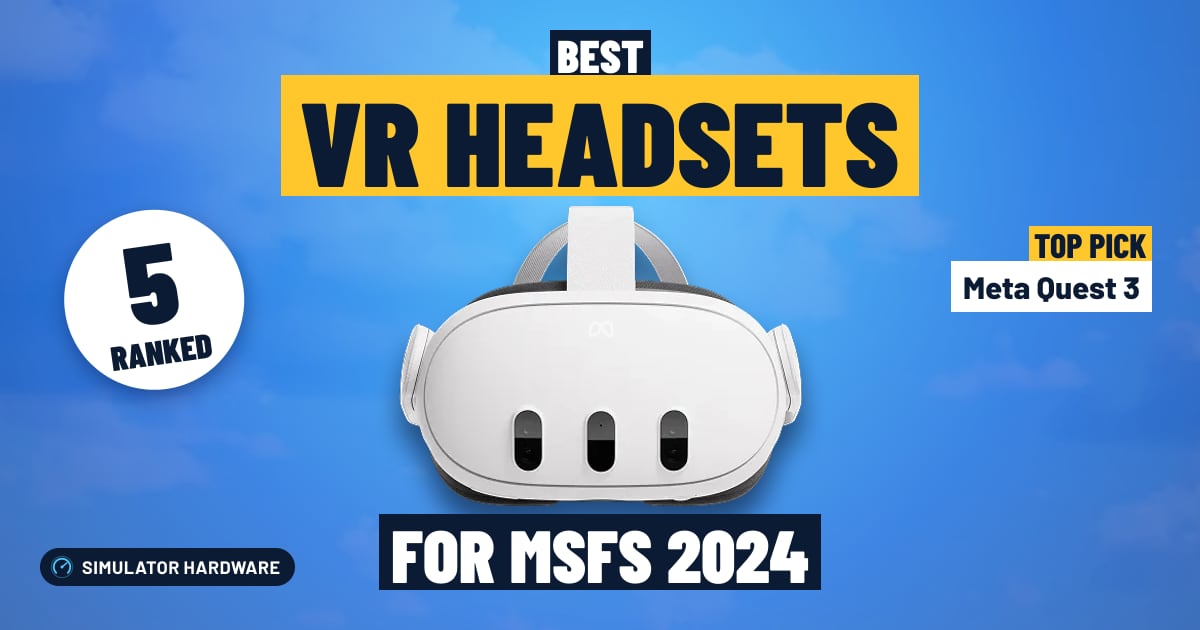
Meta Quest 3
- $500–1,000
- Best for Most PCs
The most VR for the money: 25 pixels per degree, pancake lenses and cable or Wi-Fi to the PC. Best for clear cockpit text edge to edge, by cable or Wi-Fi, with a mid-range or better graphics card.
MSFS 2024 score: 72.9/100
-
Best overall
Pimax Crystal Super
- Over $1,500
- Best for Top-end PCs
The highest-scoring headset here: 57 pixels per degree, glass aspheric lenses and a DisplayPort cable to the PC. Best for reading every gauge from the seat, with a top-end graphics card.
MSFS 2024 score: 82.0/100
-
Best budget
Meta Quest 3S
- Under $500
- Best for Trying VR
The least expensive way into VR flying here: 20 pixels per degree, Fresnel lenses and cable or Wi-Fi to the PC.
MSFS 2024 score: 59.8/100


More picks
For a PS5, and for sharper cockpit text on a strong PC.
-
Best for PS5
The only VR headset for a PS5, and MSFS 2024 has supported it since April 2026. It also works on a PC with Sony's adapter.
-
Sharp on a budget
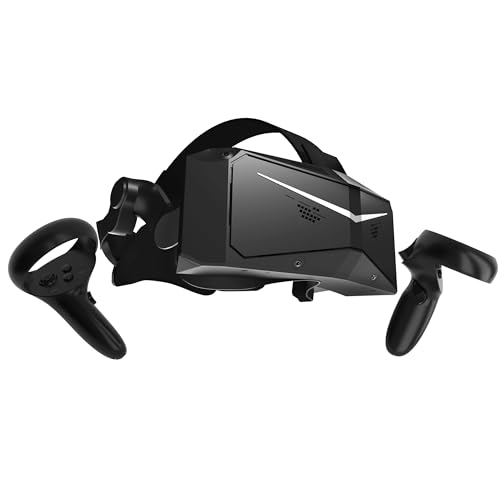
Far sharper cockpit text than a Quest for less than the sharpest headsets: 35 pixels per degree, glass aspheric lenses and a DisplayPort cable to the PC.


All 5 VR headsets side by side
| VR headset | Works on | Sharpness | Lenses | Connects | Best for | Score | Price |
|---|---|---|---|---|---|---|---|
| 1 Pimax Crystal Super Best overall · Over $1,500 | PC | 57 PPD pixels per degree | Glass aspheric sharp to the edge | DisplayPort cable up to 90 Hz | Top-end PCs | 82.0 | Check price |
| 2 Meta Quest 3 Best value · $500–1,000 | PC | 25 PPD pixels per degree | Pancake sharp to the edge | Cable or Wi-Fi up to 120 Hz | Most PCs | 72.9 | Check price |
| 3 Pimax Crystal Light $1,000–1,500 | PC | 35 PPD pixels per degree | Glass aspheric sharp to the edge | DisplayPort cable up to 120 Hz | Strong PCs | 71.4 | Check price |
| 4 PlayStation VR2 Under $500 | PC · PS5 PC needs Sony's adapter | Not stated by the maker | Fresnel sharp in the middle | One cable to the PS5 up to 120 Hz | PS5 | 61.5 | Check price |
| 5 Meta Quest 3S Best budget · Under $500 | PC | 20 PPD pixels per degree | Fresnel sharp in the middle | Cable or Wi-Fi up to 120 Hz | Trying VR | 59.8 | Check price |
Which VR headset fits you?
Up to 4 questions
Where you fly, your graphics card, what matters most and your budget: our VR guide's headset finder picks one of these headsets and the extras it needs.
Open the headset finderThe 5 best VR headsets for MSFS 2024, ranked
- #1 Best overall
Pimax Crystal Super
- Over $1,500
- Windows PC
- 57 PPD
82.0 /100 MSFS 2024 scoreBest for: reading every gauge from the seat, with a top-end graphics card
The Pimax Crystal Super suits simmers who want to read every gauge from the seat: at 57 pixels per degree the radio stack is legible without leaning in. The trade-off is a cable to the graphics card at all times, and it wants an RTX 4070 Ti class card or faster with 32GB of memory.
Watch out for
- Pimax asks for an RTX 4070 Ti class graphics card or faster and 32GB of memory to drive it.
- Always wired to the PC by DisplayPort and USB, so check for a free DisplayPort on your graphics card.
Strengths and trade-offs
Strengths
- 57 pixels per degree means the small print holds up from the seat: pixels per degree is just how much detail fits in your view, and at this count you can read the frequencies on the radio stack and the numbers around the altimeter on final without leaning forward.
- Glass aspheric lenses stay sharp almost to the edge of the view, so the runway and the airspeed tape stay clear when you look left on the turn to base instead of only in the center of the picture, and the screen runs at up to 90 Hz for smooth head panning around the cockpit.
- It fits the simmer who already has a fast gaming PC and flies study-level airliners or IFR legs, where picking out tiny annunciators and MCP numbers matters more than being free of a cable.
Trade-offs
- Pimax asks for an RTX 4070 Ti class graphics card or faster and 32GB of memory to drive it, so on a lighter PC a heavy airliner over a photoreal city will force you to cut scenery and traffic settings hard.
- There is no cable-free flying here: it is always tethered to the PC by DisplayPort, the cable that carries the picture from your graphics card uncompressed, plus USB, so you can't stand up and walk away between legs the way you can with a standalone headset, and there is no console option.
- #2 Best value
Meta Quest 3
- $500–1,000
- Windows PC
- 25 PPD
72.9 /100 MSFS 2024 scoreBest for: clear cockpit text edge to edge, by cable or Wi-Fi, with a mid-range or better graphics card
The Meta Quest 3 suits PC simmers who want clear cockpit text right out to the edge of the view, thanks to its pancake lenses. At 25 pixels per degree the smallest labels are softer than on a sharper headset, and PC VR needs either a USB-C cable or a Wi-Fi 6E router.
Watch out for
- For PC VR you need a good USB-C link cable or a Wi-Fi 6E router near your desk.
Strengths and trade-offs
Strengths
- Pancake lenses (the type that stays sharp almost to the rim of the view) mean the instrument panel reads clearly when you glance left to the side window on base leg, not just dead ahead; at 25 pixels per degree the altimeter and heading bug are easy to read in the flare.
- It reaches the PC two ways: a USB-C Link cable (a cable that carries the sim's picture from the PC to the headset) or Wi-Fi with a Wi-Fi 6E router in the same room, so a long scenic cruise can be flown with nothing tugging your head when you look over your shoulder; the screen runs up to 120 Hz, which keeps the view steady as you pan across the field on downwind.
- A good fit if you fly MSFS on a Windows PC with an RTX 3080, 4070 or 5070 class graphics card or better, and you want your first VR cockpit without a tethered-only setup.
Trade-offs
- For PC VR you must supply a good USB-C Link cable or a Wi-Fi 6E router near the desk; on a weak home network the picture can break up at the worst moment, like turning final into a busy airport.
- A sharper headset with more pixels per degree would let you read fine GPS labels and distant taxiway signs without leaning in, though that extra clarity asks more of your graphics card in dense city scenery.
- #3
Pimax Crystal Light
- $1,000–1,500
- Windows PC
- 35 PPD
71.4 /100 MSFS 2024 scoreBest for: much sharper cockpit text than a Quest, wired to a strong graphics card
The Pimax Crystal Light suits simmers who want cockpit text they can read at a glance: at 35 pixels per degree the radio stack stays legible on final. The trade-off is the DisplayPort cable to the PC and a graphics card strong enough to feed it.
Watch out for
- Always wired to the PC by DisplayPort, and it asks a lot of your graphics card.
Strengths and trade-offs
Strengths
- At 35 pixels per degree, as Pimax states, you can read the radio frequencies and the autopilot altitude without leaning toward the panel on an instrument approach.
- Glass aspheric lenses stay sharp almost to the edge of the view, so when you look over your shoulder on the turn to base the runway doesn't smear off to one side, and the screen runs at up to 120 Hz for steady motion as you pan across the panel.
- It fits the simmer who already has a strong gaming PC and flies at a desk: the picture travels down a DisplayPort cable (the same video cable a monitor uses) uncompressed, so distant scenery and thin runway markings arrive without compression fuzz.
Trade-offs
- It is always tethered: a DisplayPort video cable plus USB runs from your graphics card to your head, so you feel the cable every time you twist around to spot traffic on downwind, and that card has to work hard to fill 35 pixels per degree.
- There is no playing without the cable, so you can't sit back in an armchair or take it anywhere, and it is a Windows PC headset only, with nothing for PS5 or Xbox; the next step up in price buys you finer text again.
- #4
PlayStation VR2
- Under $500
- PS5
61.5 /100 MSFS 2024 scoreBest for: VR on a PS5 (MSFS 2024), and on a PC with Sony's adapter
The PlayStation VR2 suits simmers flying MSFS 2024 on a PS5, where one USB-C cable to the console and a screen running up to 120 Hz put you in the cockpit. The trade-off is Fresnel lenses: sharp in the middle, softer at the edges, so you turn your head to read side panels.
Watch out for
- Amazon itself wasn't selling it when we checked; a third-party seller was. Check the seller and the price before you buy.
- Fresnel lenses are sharp only in the middle, so you turn your head to read side panels.
Strengths and trade-offs
Strengths
- One USB-C cable to the PS5 is the entire setup, so you can sit down, fly MSFS 2024 in VR and look over your shoulder on the turn to base without a gaming PC in the room.
- The screen runs at up to 120 Hz, so the view holds together as you swing your head from the runway to the radio stack and back on final.
- It also works on a Windows PC with Sony's PC adapter, which suits a simmer who flies mostly on a PS5 but has a PC with an RTX 3080, 4070 or 5070 class graphics card for the odd session.
Trade-offs
- Fresnel lenses are sharp in the center and soften toward the edges, so overhead switches and side panels mean turning your head rather than just glancing across the cockpit.
- Sony does not publish a pixels-per-degree figure (pixels packed into each degree of your view, which decides how small text reads), and it will not play PC VR without a cable; the next step up in price buys pancake lenses, a flatter lens stack that stays sharp out to the edges, and a stated sharpness number you can compare.
- #5 Best budget
Meta Quest 3S
- Under $500
- Windows PC
- 20 PPD
59.8 /100 MSFS 2024 scoreBest for: trying VR flying for the least money, by cable or Wi-Fi
The Meta Quest 3S is the least expensive headset here for flying MSFS in VR on a PC, with real depth for judging the flare at 20 pixels per degree. The trade-off is Fresnel lenses that stay sharp only in the middle, so you turn your head to read side panels.
Watch out for
- Fresnel lenses are sharp only in the middle, so you turn your head to read side panels.
- For PC VR you need a good USB-C link cable or a Wi-Fi 6E router near your desk.
Strengths and trade-offs
Strengths
- At 20 pixels per degree — that is how many pixels fill each degree of your view, which sets how fine text and distant detail look — the panel is readable and, more importantly, the world gets real scale, so judging height in the flare stops being guesswork the way it is on a flat monitor.
- It reaches the PC two ways: a USB-C Link cable (the single cable that carries the sim's picture from your PC to the headset) or over Wi-Fi with no cable at all, so you can fly a circuit without a lead tugging at your head, and the screen refreshes up to 120 Hz so looking over your shoulder on the turn to base stays settled rather than steppy.
- It suits the monitor simmer who wants to find out whether VR flying is for them without rebuilding the PC: at 20 pixels per degree it asks less of your graphics card than a sharper headset does, so a machine in the RTX 2070 to 3070 or 4060 range is a sane starting point.
Trade-offs
- The Fresnel lenses (ringed lenses that are crisp in the center and soften toward the edges) mean the overhead panel and the side windows blur unless you physically turn your head to look straight at them, which is fine for scanning but tiring when you are hunting a switch in a busy cockpit.
- Spending more buys pancake lenses that stay sharp edge to edge and a higher pixels-per-degree figure; at 20 pixels per degree the small print on a GPS page or an approach plate pinned in the cockpit will have you leaning in.




Complete your setup
VR leans on your graphics card more than anything else, and a yoke or stick you can find by feel makes it easier. Our VR graphics card guide covers the card; these rankings cover the rest.
What makes a good VR headset for MSFS 2024?
In a flight sim you sit still and read small labels, so the order of what matters is different from action games:
- Sharpness. Pixels per degree (PPD) decides whether you can read a frequency or an altitude without leaning in. A Quest 3 is about 25 PPD; the sharpest headsets reach 57.
- Lenses. Pancake and glass aspheric lenses stay sharp almost to the edge. Older Fresnel lenses are sharp only in the middle, so you turn your head to read a side panel.
- Your graphics card. A headset asks several times the work of a monitor, and the sharper the headset, the more it asks (what PC you need).
- How it connects. A cable gives the steadiest picture. Wireless is freeing, but plan on a Wi-Fi 6E router in the same room.
- Your platform. On a Windows PC any headset here works. On a PS5, only the PS VR2. Xbox has no VR.
What PC you need for VR in MSFS 2024
Microsoft publishes no separate VR spec for MSFS 2024, so we use headset makers' recommendations. Pimax's are the most detailed:
| Graphics cards | Fits | |
|---|---|---|
| Starting point | RTX 2070 to 3070, 4060, 5060; RX 6700 XT | A Quest 3S or Quest 3, with lower settings |
| Comfortable | RTX 3080, 4070, 5070; RX 6800 XT, 9070 | A Quest 3 or a Crystal Light |
| Best | RTX 4070 Ti, 4080, 4090, 5070 Ti and up; RX 7900 XT, 9070 XT | Any headset here, including the Crystal Super |
Add 32GB of memory (Microsoft's recommendation for MSFS 2024) and a strong processor: MSFS leans on the CPU, in VR even more. Our VR graphics card guide, graphics card ranking and processor ranking cover the upgrades.
VR on PS5 and Xbox
PS5: yes. Since April 2026, MSFS 2024 supports the PlayStation VR2 on PS5 and PS5 Pro, and every aircraft works in VR. It plugs into the console with one USB-C cable.
Xbox Series X|S: no. There is no VR on Xbox, in MSFS or any other game. For a more immersive view on Xbox, a bigger screen or an ultrawide monitor is the way to go (monitor rankings).
More questions simmers ask
Is VR worth it in MSFS 2024?
For most simmers, yes, once you can fly the basics on a screen. You feel how big an airliner is, judge the flare with real depth, and look over your shoulder on a turn to final. Small planes, bush flying, helicopters and sightseeing are where it shines.
It isn't better at everything: small cockpit text is softer than on a good monitor, you can't see your keyboard, and a headset gets warm on long flights. Some simmers fly the busy parts on a screen and the scenic parts in VR. Our VR guide goes deeper.
How to turn on VR in MSFS 2024
- Quest on a PC: install the Meta Horizon Link app, connect by Link cable or Air Link, and set Meta Horizon Link as the active OpenXR runtime.
- Pimax: install the Pimax Play app, then plug the headset into the graphics card's DisplayPort and a USB port.
- Start MSFS on your monitor, load a flight, then press Ctrl + Tab (Toggle VR Mode). If nothing happens, check that control is assigned in the sim's controls settings.
- PS5: plug the PS VR2 into the console's USB-C port and run its setup in the PS5's settings before starting the sim.
What about the HP Reverb G2, Valve Index and Varjo Aero?
All three were simmer favorites, and none is a good buy now. The HP Reverb G2 needs Windows Mixed Reality, which Microsoft removed in Windows 11 version 24H2. Valve ended production of the Index in November 2025. Varjo stopped selling the Aero and ended its support at the start of 2026.
Frequently asked questions
What is the best VR headset for Microsoft Flight Simulator 2024?
For most simmers on a PC: the Meta Quest 3, with 25 pixels per degree, pancake lenses and cable or Wi-Fi to the PC. Sharpest picture, if your PC can drive it: the Pimax Crystal Super. Tightest budget: the Meta Quest 3S. Much sharper for less, with a strong PC: the Pimax Crystal Light. On a PS5: the PlayStation VR2. Xbox has no VR.
Does Microsoft Flight Simulator 2024 have VR on Xbox or PS5?
On PS5, yes: MSFS 2024 has supported PlayStation VR2 since April 2026, and every aircraft works in VR. On Xbox, no: there is no VR on Xbox in MSFS or any other game. On a Windows PC, any headset here works.
Is VR worth it for MSFS 2024?
For most simmers, yes, once you can fly the basics on a screen: nothing else gives you the sense of sitting in the aircraft. It's demanding on your graphics card, and small cockpit text is softer than on a good monitor.
What graphics card do I need for VR in MSFS 2024?
An RTX 3080, 4070 or 5070 class card (or an RX 6800 XT or 9070) for a comfortable experience with a Quest 3 or Crystal Light; an RTX 4070 Ti class card or faster for the sharpest headsets. See our VR graphics card guide.
Can I use a Meta Quest 3 for MSFS 2024?
Yes, on a Windows PC. The PC runs the sim and streams it to the headset over a USB-C Link cable or Wi-Fi. A cable gives the steadiest picture; for Wi-Fi, use a Wi-Fi 6E router in the same room.
Does the PS VR2 work with MSFS 2024?
Yes. MSFS 2024 has supported PS VR2 on PS5 and PS5 Pro since April 2026, and on a Windows PC it works with Sony's PC adapter.
Is the HP Reverb G2 still good for MSFS?
No longer. It needs Windows Mixed Reality, which Microsoft removed in Windows 11 version 24H2, and HP has discontinued it. A Quest 3 or a Pimax Crystal Light is the modern pick.
What does pixels per degree mean?
How many pixels cover each degree of your view. It's the best single measure of how sharp cockpit text looks: about 20 on a Quest 3S, 25 on a Quest 3, 35 on a Crystal Light and 57 on a Crystal Super.
Will my VR headset work in X-Plane 12?
Yes, any PC headset here works in X-Plane 12 on Windows. See our X-Plane 12 VR headset rankings.
Own any of these?
Rate it in one tap. We research the specs; owners know how the gear holds up.
More hardware rankings
Further reading
- The Best Graphics Card for VR in 2026 (Quest 3, PS VR2, Pimax)The best graphics card for VR in 2026, by headset: Quest 3, PS VR2 and Pimax. Five picks, how much memory VR needs, and which cards to skip.
- Best PC Builds for Microsoft Flight Simulator 2024 (October 2026)Three complete MSFS 2024 PC builds for 1080p, 1440p and 4K/VR. Every part is checked to fit together and explained for first-time builders.
- How to Build a Home Flight Simulator Cockpit: The Complete 2026 GuideEverything a beginner needs to build a home flight simulator: the sim, PC or console, controls, screens, VR and seats, plus three complete setups to copy.
- Which Controllers Work With Microsoft Flight Simulator on PC, Xbox and PS5?Check any joystick, yoke or pedals for MSFS 2024 on PC, Xbox or PS5 in seconds. See what works, what needs a hub, and our best picks for each platform.
- Types of VR Headsets for Flight Sims: Which One Should You Buy?Standalone, PC-tethered or PS VR2? The types of VR headsets explained for MSFS 2024 and X-Plane 12, the PC you need, and the right headset for your budget.
- X-Plane 12 vs Microsoft Flight Simulator 2024: Which Should You Buy?X-Plane 12 vs Microsoft Flight Simulator 2024 (and 2020): flight model, scenery, VR, PC needs and price compared, with a quick quiz to pick yours.
How we rank
Score formula
sharpness × 35% + lenses × 20% + refresh rate × 15% + no-cable freedom × 15% + platforms × 15%. Every factor comes from the maker's specs: pixels per degree (how sharp cockpit text looks; not stated scores lower), lens type, top refresh rate, whether it plays PC VR without a cable, and the platforms it works on. We don't test hardware ourselves; scores compare products rather than predict a frame rate. Full methodology · How we research
Works on and Best for
"Works on" follows the makers and Microsoft: MSFS 2024 plays in VR on a Windows PC and, with PlayStation VR2, on a PS5; Xbox has no VR. Pixels per degree come from the maker; Sony doesn't state one for the PS VR2, so we say "Not stated". "Best for" comes from what the headset is: a standalone Quest, a PC headset wired to the graphics card, or a PS5 headset.
What we list
Only VR headsets sold on Amazon when we last checked: by Amazon itself, by the maker's own store (Pimax), or for the PS VR2, which Amazon itself wasn't selling, by a third-party seller (Amazon names the seller under the price; check it before you buy). Price bands use each one's regular price, so a short sale doesn't move it between bands; the Check price buttons show today's price.
What changed
- Rebuilt as a full buyer's guide: 5 VR headsets you can buy on Amazon, from the Meta Quest 3S to the Pimax Crystal Super, plus the PlayStation VR2 for MSFS 2024 on PS5. The score now rates sharpness (pixels per degree), lenses, refresh rate, wireless play and platforms. The Valve Index and Varjo Aero left the ranking: both are no longer made.
Comments
Flying with one of these VR headsets, or still deciding? Ask a question, share your setup or leave a tip. It helps the next simmer choose.
That didn't send. Check your connection and try again.