Buyer's guide · X-Plane 12
Best PC for X-Plane 12
Short answer
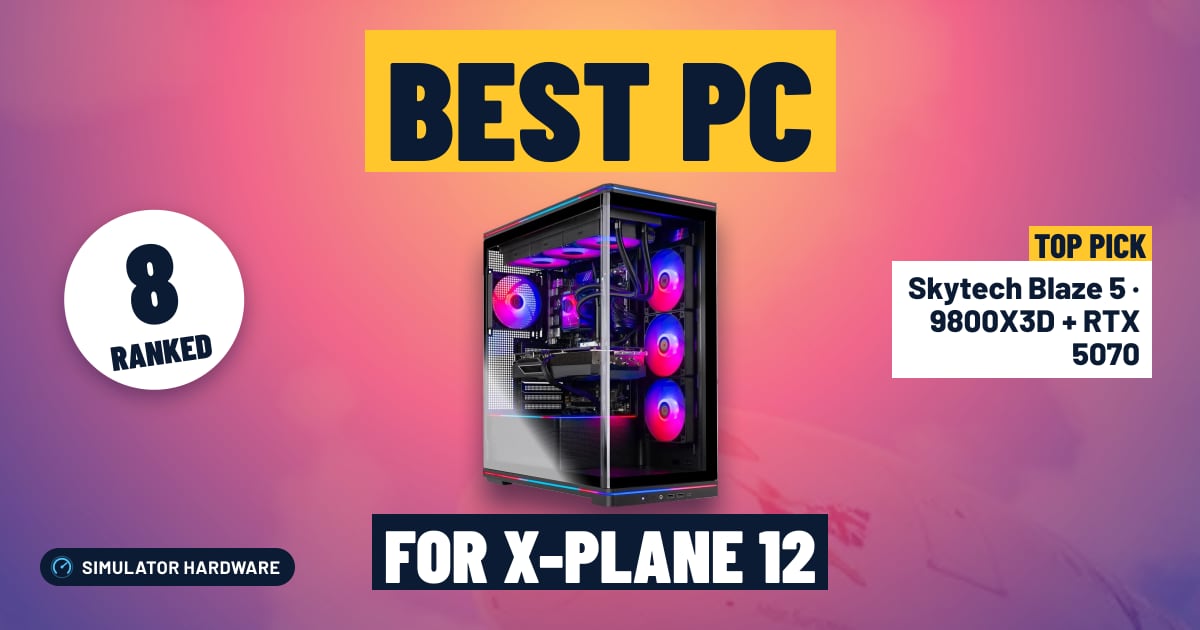
For most simmers: the Skytech Blaze 5 (9800X3D + RTX 5070). Its Ryzen 7 9800X3D is among the fastest gaming processors in independent tests, and 12 GB of graphics memory covers 1440p and Quest-class VR. For 4K, three screens or high-res VR: the Lenovo Legion Tower 5 (9800X3D + RTX 5070 Ti). Tighter budget: the Skytech Archangel 5 (RTX 5060), for 1080p screens.
This page contains affiliate links. As an Amazon Associate we earn from qualifying purchases.
Our three picks
-
Best value · for most simmers
Skytech Blaze 5 · 9800X3D + RTX 5070
- $2,000–2,600
- Best for 1440p & VR
The best score for the money among PCs ready for 1440p and Quest-class VR: the Ryzen 7 9800X3D with 12 GB of graphics memory and 32 GB of RAM.
X-Plane 12 score: 75.6/100
-
Best overall
Lenovo Legion Tower 5 · 9800X3D + RTX 5070 Ti
- $2,600–3,000
- Best for 4K & VR
The highest-scoring PC here that Amazon can ship now (Ryzen 7 9800X3D + RTX 5070 Ti, 16 GB of graphics memory), ready for 4K, triple screens and any VR headset.
X-Plane 12 score: 82.2/100
-
Best budget
Skytech Archangel 5 · RTX 5060
- Under $1,500
- Best for 1080p
The least expensive PC here that meets our bar for 1080p screens. Read its trade-offs below before you buy.
X-Plane 12 score: 45.9/100


All 8 pre-built desktop PCs side by side
| PC | Processor | Graphics | RAM | Storage | Best for | Score | Price |
|---|---|---|---|---|---|---|---|
| 1 ZOTAC MEK · 9800X3D + RTX 5080 Over $3,000 | Ryzen 7 9800X3D | RTX 508016 GB | 32 GB | 2 TB | 4K & VR | 86.0 | Check stock |
| 2 Lenovo Legion Tower 5 · 9800X3D + RTX 5070 Ti Best overall · $2,600–3,000 | Ryzen 7 9800X3D | RTX 5070 Ti16 GB | 32 GB | 1 TB | 4K & VR | 82.2 | Check price |
| 3 Skytech Blaze 5 · 9800X3D + RTX 5070 Best value · $2,000–2,600 | Ryzen 7 9800X3D | RTX 507012 GB | 32 GB | 2 TB | 1440p & VR | 75.6 | Check price |
| 4 Lenovo Legion Tower 5 · 7800X3D + RTX 5070 $2,000–2,600 | Ryzen 7 7800X3D | RTX 507012 GB | 32 GB | 1 TB | 1440p & VR | 70.6 | Check price |
| 5 iBUYPOWER Element · RTX 5070 $2,000–2,600 | Ryzen 9 7900X | RTX 507012 GB | 32 GB | 1 TB | 1440p & VR | 63.0 | Check price |
| 6 Skytech Azure 3 · RTX 5070 $1,500–2,000 | Core i5-14400F | RTX 507012 GB | 16 GB | 1 TB | 1440p | 58.0 | Check price |
| 7 Skytech Shadow 5 · RTX 5060 Ti Under $1,500 | Core i5-14400F | RTX 5060 Ti8 GB | 16 GB | 1 TB | 1080p | 48.7 | Check price |
| 8 Skytech Archangel 5 · RTX 5060 Best budget · Under $1,500 | Core i5-14400F | RTX 50608 GB | 16 GB | 1 TB | 1080p | 45.9 | Check price |


Find your PC in 3 questions
Question 1 of 3
The 8 best pre-built desktop PCs for X-Plane 12, ranked
- #1
ZOTAC MEK · 9800X3D + RTX 5080
- Over $3,000
- 32 GB RAM
- 2 TB SSD
86.0 /100 X-Plane 12 scoreBest for: 4K, triple screens and any VR headset
Laminar's X-Plane 12 spec
- CPURecommended
- GPURecommended
- VRAMRecommended
- RAMRecommended
The ZOTAC MEK (9800X3D + RTX 5080) suits simmers flying X-Plane 12 at 4K, on three screens or in a high-resolution VR headset, with 16 GB of graphics memory and the fastest graphics card on our list. Spending less mainly costs you that 4K and VR headroom.
Amazon isn't shipping this one right now; the button shows when it will.
Strengths and trade-offs
Strengths
- The RTX 5080 is the fastest graphics card on our list, and it's the part that sets the ceiling when you push X-Plane 12 to 4K with high cloud and anti-aliasing settings, spread it across three screens or fly in a high-resolution headset.
- The Ryzen 7 9800X3D is among the fastest gaming processors in independent tests, so a heavy add-on airliner with its plugins at a busy airport has processor headroom to spare.
- The 2 TB NVMe SSD and 32 GB of RAM leave room for add-on airports, aircraft and photo scenery, so you can build up a scenery library without buying a second drive straight away.
Trade-offs
- 16 GB of graphics memory meets every bar we set, but a high-resolution headset with add-on photo scenery is still where you would lower texture quality first.
- It costs the most of the PCs we rank. If you fly on a single 1440p screen, a PC with the same processor and a smaller graphics card handles that for noticeably less.
- #2 Best overall
Lenovo Legion Tower 5 · 9800X3D + RTX 5070 Ti
- $2,600–3,000
- 32 GB RAM
- 1 TB SSD
82.2 /100 X-Plane 12 scoreBest for: 4K, triple screens and any VR headset
Laminar's X-Plane 12 spec
- CPURecommended
- GPURecommended
- VRAMRecommended
- RAMRecommended
The Lenovo Legion Tower 5 (9800X3D + RTX 5070 Ti) suits simmers flying X-Plane 12 at 4K or in VR, with 16 GB of graphics memory and a top gaming processor. Its 1 TB drive is the weak spot once add-on scenery piles up.
Watch out for
- A 1 TB drive fills up: Laminar asks for 25 GB, but add-on airports, aircraft and photo scenery grow far past it. Budget for a second SSD.
Strengths and trade-offs
Strengths
- The RTX 5070 Ti with 16 GB of graphics memory meets our bar for 4K, triple screens and high-resolution VR headsets, the setups where X-Plane 12 asks the most of the graphics card.
- The Ryzen 7 9800X3D is among the fastest gaming processors in independent tests, so busy airports, AI traffic and a study-level airliner's plugins have headroom.
- 16 GB of graphics memory and 32 GB of RAM both sit above Laminar's recommended spec, which leaves room for add-on photo scenery and future updates.
Trade-offs
- The 1 TB SSD fills quickly once you add airports, aircraft and photo scenery, so plan on a second drive.
- The step up to an RTX 5080 buys more graphics card speed for 4K and high-resolution headsets; on one 1440p screen this PC already has more than you need.
- #3 Best value
Skytech Blaze 5 · 9800X3D + RTX 5070
- $2,000–2,600
- 32 GB RAM
- 2 TB SSD
75.6 /100 X-Plane 12 scoreBest for: 1440p and Quest-class VR
Laminar's X-Plane 12 spec
- CPURecommended
- GPURecommended
- VRAMRecommended
- RAMRecommended
The Skytech Blaze 5 (9800X3D + RTX 5070) suits simmers flying X-Plane 12 at 1440p and in Quest-class VR, with a top gaming processor and a 2 TB drive. Its 12 GB of graphics memory is the limit: 4K and high-resolution headsets want a 16 GB card.
Strengths and trade-offs
Strengths
- The Ryzen 7 9800X3D is among the fastest gaming processors in independent tests, so a heavy add-on airliner at a busy airport, with AI traffic and plugins running, has processor headroom.
- The RTX 5070 with 12 GB of graphics memory meets our bar for 1440p screens and Quest 3-class headsets, and 12 GB is above the 8 GB Laminar recommends.
- A 2 TB NVMe SSD and 32 GB of RAM leave room to build a library of add-on airports, aircraft and photo scenery without buying a second drive straight away.
Trade-offs
- At 4K, on three screens or in a high-resolution headset, the RTX 5070 is the part that runs short, so you'll lower anti-aliasing and render scale.
- The processor rates far higher in its rankings than the graphics card does in its own. The step up in price buys a 16 GB card, which is what 4K and high-resolution VR need.
- #4
Lenovo Legion Tower 5 · 7800X3D + RTX 5070
- $2,000–2,600
- 32 GB RAM
- 1 TB SSD
70.6 /100 X-Plane 12 scoreBest for: 1440p and Quest-class VR
Laminar's X-Plane 12 spec
- CPURecommended
- GPURecommended
- VRAMRecommended
- RAMRecommended
The Lenovo Legion Tower 5 (7800X3D + RTX 5070) suits simmers flying X-Plane 12 at 1440p and in Quest-class VR, with a fast X3D processor and 32 GB of RAM. Its 12 GB of graphics memory and 1 TB drive are the limits.
Watch out for
- A 1 TB drive fills up: Laminar asks for 25 GB, but add-on airports, aircraft and photo scenery grow far past it. Budget for a second SSD.
Strengths and trade-offs
Strengths
- The Ryzen 7 7800X3D rates high in independent gaming tests, so busy airports, AI traffic and an add-on airliner's plugins have processor headroom.
- The RTX 5070 with 12 GB of graphics memory meets our bar for 1440p screens and Quest 3-class headsets, above the 8 GB Laminar recommends.
- 32 GB of RAM is double the low end of Laminar's recommended range, so add-on scenery, a moving map and charts can run alongside the sim.
Trade-offs
- At 4K or in a high-resolution headset, the RTX 5070 runs short, so you'll lower anti-aliasing and render scale.
- The 1 TB SSD fills quickly with add-on airports, aircraft and photo scenery. PCs a step up in price on our list bring a 2 TB drive or a 16 GB graphics card.
- #5
iBUYPOWER Element · RTX 5070
- $2,000–2,600
- 32 GB RAM
- 1 TB SSD
63.0 /100 X-Plane 12 scoreBest for: 1440p and Quest-class VR
Laminar's X-Plane 12 spec
- CPURecommended
- GPURecommended
- VRAMRecommended
- RAMRecommended
The iBUYPOWER Element (RTX 5070) suits simmers flying X-Plane 12 at 1440p and in Quest-class VR, with a Ryzen 9 7900X and 32 GB of RAM. Its 12 GB of graphics memory is the ceiling: 4K and high-resolution headsets want a 16 GB card.
Watch out for
- A 1 TB drive fills up: Laminar asks for 25 GB, but add-on airports, aircraft and photo scenery grow far past it. Budget for a second SSD.
Strengths and trade-offs
Strengths
- The Ryzen 9 7900X has more cores than the X3D chips on our list, and since version 12.4 X-Plane spreads scenery work across more processor cores.
- The RTX 5070 with 12 GB of graphics memory meets our bar for 1440p screens and Quest 3-class headsets, above the 8 GB Laminar recommends.
- 32 GB of RAM leaves room for add-on aircraft, scenery and a moving map on a second screen.
Trade-offs
- At 4K or in a high-resolution headset, the RTX 5070 runs short, so you'll lower anti-aliasing and render scale.
- The Ryzen 9 7900X rates below the X3D processors in independent gaming tests, and the 1 TB drive fills fast; PCs a step up in price on our list bring an X3D chip or a 2 TB drive.
- #6
Skytech Azure 3 · RTX 5070
- $1,500–2,000
- 16 GB RAM
- 1 TB SSD
58.0 /100 X-Plane 12 scoreBest for: 1440p screens
Laminar's X-Plane 12 spec
- CPUBelow Recommended
- GPURecommended
- VRAMRecommended
- RAMRecommended
The Skytech Azure 3 (RTX 5070) suits simmers flying X-Plane 12 on a 1440p screen, with an RTX 5070 and 12 GB of graphics memory. Its 16 GB of RAM and Core i5-14400F are the trade-offs; spending more buys 32 GB and a faster processor.
Watch out for
- In independent gaming tests the Core i5-14400F rates a little below the Core i5-12600K that Laminar recommends. Laminar also lists the older six-core Ryzen 5 3500, so it sits right on the recommended line.
- 16 GB of RAM is the low end of the 16 to 24 GB or more that Laminar recommends, and add-on aircraft and scenery want more. Check the listing for free memory slots.
Strengths and trade-offs
Strengths
- The RTX 5070 with 12 GB of graphics memory meets our bar for 1440p screens, so layered weather and night lighting at a big airport look right at that resolution.
- It's one of the least expensive PCs on our list with 12 GB of graphics memory, above the 8 GB Laminar recommends.
- The 1 TB NVMe SSD and an air-cooled tower keep it simple, and you can add a second drive as your add-on scenery grows.
Trade-offs
- 16 GB of RAM is the low end of Laminar's recommended range, so a study-level airliner with add-on scenery is where it runs short; check the listing for free memory slots.
- The Core i5-14400F rates a little below Laminar's recommended Core i5-12600K, and busy airports with heavy add-ons load the processor. PCs a step up in price on our list bring an X3D chip and 32 GB of RAM.
- #7
Skytech Shadow 5 · RTX 5060 Ti
- Under $1,500
- 16 GB RAM
- 1 TB SSD
48.7 /100 X-Plane 12 scoreBest for: 1080p screens
Laminar's X-Plane 12 spec
- CPUBelow Recommended
- GPURecommended
- VRAMRecommended
- RAMRecommended
The Skytech Shadow 5 (RTX 5060 Ti) suits new simmers flying X-Plane 12 on a 1080p screen, with an RTX 5060 Ti and 8 GB of graphics memory. That 8 GB and its 16 GB of RAM are the limits; spending more buys 1440p.
Watch out for
- 8 GB of graphics memory meets Laminar's recommended spec, but our guidelines want 12 GB from 1440p up, and VR and photo scenery ask for more. Treat it as a 1080p PC.
- In independent gaming tests the Core i5-14400F rates a little below the Core i5-12600K that Laminar recommends. Laminar also lists the older six-core Ryzen 5 3500, so it sits right on the recommended line.
Strengths and trade-offs
Strengths
- The RTX 5060 Ti meets our bar for 1080p screens, so a VFR flight or an airliner approach looks right on one monitor.
- 8 GB of graphics memory and 16 GB of RAM meet Laminar's recommended spec for X-Plane 12.
- The 1 TB NVMe SSD and an air-cooled tower keep it simple, and you can add a second drive or more RAM later.
Trade-offs
- 8 GB of graphics memory is the ceiling: at 1440p, in VR or with add-on photo scenery, texture quality is the setting you'll keep lowering.
- The Core i5-14400F rates a little below Laminar's recommended Core i5-12600K, and its 16 GB of DDR4 RAM is the low end of the recommended range. PCs a step up in price on our list bring 12 GB of graphics memory.
- #8 Best budget
Skytech Archangel 5 · RTX 5060
- Under $1,500
- 16 GB RAM
- 1 TB SSD
45.9 /100 X-Plane 12 scoreBest for: 1080p screens
Laminar's X-Plane 12 spec
- CPUBelow Recommended
- GPURecommended
- VRAMRecommended
- RAMRecommended
The Skytech Archangel 5 (RTX 5060) suits new simmers flying X-Plane 12 on a 1080p screen, and it's the least expensive PC we rank. Its 8 GB of graphics memory and 16 GB of RAM are the limits; spending more buys 1440p.
Watch out for
- 8 GB of graphics memory meets Laminar's recommended spec, but our guidelines want 12 GB from 1440p up, and VR and photo scenery ask for more. Treat it as a 1080p PC.
- In independent gaming tests the Core i5-14400F rates a little below the Core i5-12600K that Laminar recommends. Laminar also lists the older six-core Ryzen 5 3500, so it sits right on the recommended line.
Strengths and trade-offs
Strengths
- The RTX 5060 meets our bar for 1080p screens, so a VFR flight or an airliner approach looks right on one monitor.
- 8 GB of graphics memory and 16 GB of DDR5 RAM meet Laminar's recommended spec, at the lowest price on our list.
- The 1 TB NVMe SSD holds the sim and a first set of add-on aircraft and airports, and the tower has room for a second drive later.
Trade-offs
- 8 GB of graphics memory is the ceiling: at 1440p, in VR or with add-on photo scenery, texture quality is the setting you'll keep lowering.
- The Core i5-14400F rates a little below Laminar's recommended Core i5-12600K. PCs a step up in price on our list bring 12 GB of graphics memory and, further up, an X3D processor.


Complete your setup
A PC is half a flight sim. These rankings cover the controls and screens simmers add next; our cockpit guide shows how it all fits together.
What matters in a PC for X-Plane 12
Laminar Research's own spec for X-Plane 12 is modest, and every PC on this page clears its minimum by a wide margin. What you fly on decides what you need:
- A graphics card sized for your screen. The graphics card sets the ceiling as you raise resolution and cloud quality, add screens or put on a VR headset. Laminar recommends an RTX 3070-class card with 8 GB of graphics memory. For 1440p and VR we look for 12 GB, and 16 GB for 4K or a high-resolution headset.
- A fast, modern processor. Busy airports, add-on airliners and plugins load the processor. Since version 12.4, X-Plane spreads its scenery work across more processor cores.
- 32 GB of RAM. Laminar asks for 16 to 24 GB or more. Add-on aircraft and scenery make 32 GB the comfortable amount, and memory costs far more than it did a year ago, so buy it up front.
- A 2 TB NVMe SSD if you add scenery. The base sim needs 25 GB, but add-on airports and photo scenery grow fast.
Laminar's official requirements are below, and the chart shows where each PC on this page lands.
| Part | Minimum | Recommended |
|---|---|---|
| Operating system | Windows 10 or 11 (64-bit), macOS 12 or newer, Ubuntu LTS | Windows 10 or 11 (64-bit), macOS 12 or newer, Ubuntu LTS |
| Processor | Intel Core i3, i5, i7 or i9, or AMD Ryzen 3, 5, 7 or 9, with 4 or more cores | Intel Core i5-12600K or AMD Ryzen 5 3500 or better, or Apple Silicon |
| Graphics card | A Vulkan 1.3 card: NVIDIA GeForce 900 or newer, AMD Radeon RX 500 or newer, or Intel Arc | NVIDIA GeForce RTX 3070 or better, a similar AMD card, or Intel Arc B580 |
| Graphics memory | 2 GB | 8 GB |
| RAM | 8 GB | 16–24 GB or more |
| Storage | 25 GB | 25 GB |
Laminar publishes no ideal tier. Its recommended processors include the older six-core Ryzen 5 3500, which our rating sources don't cover, so each PC's spec check uses the Core i5-12600K. The 25 GB is the base install: add-on airports, aircraft and photo scenery need far more.
Source: Laminar Research's published system requirements for X-Plane 12, checked October 16, 2026.
- 1ZOTAC MEK · 9800X3D + RTX 5080
- 2Lenovo Legion Tower 5 · 9800X3D + RTX 5070 Ti
- 3Skytech Blaze 5 · 9800X3D + RTX 5070
- 4Lenovo Legion Tower 5 · 7800X3D + RTX 5070
- 5iBUYPOWER Element · RTX 5070
- 6Skytech Azure 3 · RTX 5070
- 7Skytech Shadow 5 · RTX 5060 Ti
- 8Skytech Archangel 5 · RTX 5060
Is X-Plane 12 CPU or GPU heavy?
Both, at different moments. The graphics card does more of the work as you raise resolution, cloud quality and anti-aliasing, add screens or fly in VR. The processor carries the flight model, the airport around you, AI traffic and every plugin you run, so a heavy add-on airliner at a big airport can hold back a fast graphics card. Laminar measured the performance work in version 12.4.4 on processor-limited systems, which is why we don't call X-Plane 12 a "GPU sim".
Our score gives the graphics card 55% and the processor 45%, because most PCs here are bought for 1440p, 4K or VR, where the graphics card does most of the work. If you fly on a 1080p screen with heavy add-ons, weigh the processor more than our score does.
How much RAM and graphics memory does X-Plane 12 need?
Laminar's minimum is 8 GB of RAM and a graphics card with 2 GB of its own memory. Its recommended spec is 16 to 24 GB of RAM or more and 8 GB of graphics memory. Treat those as floors:
- RAM: 16 GB runs the base sim. 32 GB is the comfortable amount once you add study-level aircraft, scenery and a moving map on a second screen. The least expensive PCs here ship with 16 GB, so check their listings for free memory slots.
- Graphics memory: 8 GB is fine at 1080p. We look for 12 GB from 1440p up and 16 GB for 4K and high-resolution VR. X-Plane 12 can use most of a card's memory, so a monitoring tool showing it nearly full isn't proof you're short. Version 12.4.4 trimmed how much memory night lighting uses.
Intel or AMD for X-Plane 12?
We found no published tests of many processors in X-Plane 12, so we rank processors on independent gaming rankings. There, AMD's X3D chips lead: the Ryzen 7 9800X3D rates 97 and the 7800X3D 86, against 58 for Intel's Core i5-14400F.
The i5-14400F in the least expensive PCs here rates a little below the Core i5-12600K that Laminar recommends; Laminar also lists the older six-core Ryzen 5 3500 as recommended. It's the part a faster PC improves first. Our processor rankings for X-Plane 12 cover the chips on their own.
NVIDIA, AMD or Intel Arc graphics for X-Plane 12?
Any current card from the three works. X-Plane 12 supports NVIDIA GeForce 900-series cards and newer, AMD Radeon RX 500 and newer, and Intel Arc cards from version 12.3. Unlike MSFS 2024, it has no built-in DLSS: its only upscaler is an early version of AMD's FSR, which runs on any brand. So NVIDIA's DLSS advantage in MSFS doesn't carry over here, and graphics rating and graphics memory are what to compare.
Every PC on this page uses an NVIDIA card. If you plan to run Linux, Laminar requires NVIDIA's own driver, or the open Mesa driver for AMD cards.
Mac or PC for X-Plane 12?
X-Plane 12 runs natively on Apple Silicon Macs, and Laminar lists Apple Silicon in its recommended spec. Microsoft Flight Simulator has no Mac version, so a Mac rules it out. Two more things to know before you choose:
- No VR on a Mac. X-Plane's VR needs SteamVR or the Oculus PC app, and neither runs on a Mac. Even X-Plane's Apple Vision Pro app streams the picture from a Windows PC with an NVIDIA RTX card.
- Memory is fixed. A Mac's memory can't be added later, so buy at least the 16 GB Laminar recommends.
We don't rank Macs: our processor and graphics ratings come from PC benchmark rankings that don't cover Apple's chips. If you also fly MSFS or want VR, get a PC.
Prebuilt or build your own PC in 2026?
This year, a prebuilt often wins below about $2,000. Demand from AI data centers has caused a memory shortage: a 32 GB RAM kit costs two to three times what it did in early 2025, and SSDs and graphics cards have followed. Big PC makers bought memory in bulk before prices jumped, so their PCs can cost about the same as the parts alone.
Above about $2,000, building yourself gets the edge back, and you choose every part. Our PC builds guide has three part lists for 1080p, 1440p and 4K/VR, each checked to fit together, and every one clears Laminar's recommended spec.
Should you wait for new hardware or X-Plane 13?
Probably not. NVIDIA's RTX 50 Super refresh is on hold because of the memory shortage, and graphics card prices have kept climbing. X-Plane 13 hasn't been announced, and Laminar describes its next-generation scenery as a multi-year project, so there's no date or spec to plan around. Buy for X-Plane 12, which keeps getting updates in the 12.4 series.
The date worth waiting for is a sale. Black Friday (November 27, 2026) and Cyber Monday are usually the year's biggest PC sales, and the Check price buttons show Amazon's deals.
Choosing a PC for VR in X-Plane 12
VR is the hardest way to run any flight sim: the PC draws two high-resolution views at once, and stutters you'd shrug off on a monitor feel bad in a headset. X-Plane 12 runs headsets on Windows through SteamVR or the Oculus PC app.
- Quest 3, Quest 3S or similar: an RTX 5070-class card with 12 GB, a processor at Ryzen 9 7900X level or faster, and 32 GB of RAM.
- High-resolution headsets (Pimax Crystal, Bigscreen Beyond and similar): an RTX 5070 Ti or RTX 5080 with 16 GB, an X3D processor and 32 GB of RAM.
These are our guidelines, the same as on our MSFS page, and each PC's "Best for" line uses them. Our VR headset guide helps you pick the headset.
Frequently asked questions
What is the best PC for X-Plane 12?
For most simmers: the Skytech Blaze 5 (9800X3D + RTX 5070). Its Ryzen 7 9800X3D is among the fastest gaming processors in independent tests, and 12 GB of graphics memory covers 1440p and Quest-class VR. For 4K, three screens or high-res VR: the Lenovo Legion Tower 5 (9800X3D + RTX 5070 Ti). Tighter budget: the Skytech Archangel 5 (RTX 5060), for 1080p screens.
How much should I spend on a PC for X-Plane 12?
The least expensive PC here that we'd fly X-Plane 12 on, the Skytech Archangel 5 (RTX 5060), usually costs under $1,500 and suits 1080p screens. For 1440p and Quest-class VR, the sweet spot is the Skytech Blaze 5 (9800X3D + RTX 5070), usually between $2,000 and $2,600. The least expensive PC here ready for 4K, triple screens and high-res VR usually costs between $2,600 and $3,000. Prices change daily, so check the current price with each Amazon button.
Do these PCs meet X-Plane 12's system requirements?
All 8 clear Laminar's minimum spec by a wide margin. 5 of the 8 meet every part of its recommended spec. The Skytech Azure 3 (RTX 5070), Skytech Shadow 5 (RTX 5060 Ti) and Skytech Archangel 5 (RTX 5060) use the Core i5-14400F, which rates a little below the Core i5-12600K Laminar recommends in independent gaming tests; Laminar also lists the older six-core Ryzen 5 3500, so they sit right on the line. Laminar publishes no ideal tier, so what separates these PCs is your screen: each PC's "Best for" line shows what it suits.
How much RAM do I need for X-Plane 12?
Laminar lists 8 GB as the minimum and 16 to 24 GB or more as recommended. 32 GB is the comfortable amount once you add study-level aircraft and scenery. Memory prices are high in 2026, so buy the amount you want up front rather than planning to add it later.
How much graphics memory (VRAM) does X-Plane 12 need?
Laminar's minimum is 2 GB and its recommended spec is 8 GB, an RTX 3070-class card. For 1440p and Quest-class VR we look for 12 GB, and 16 GB for 4K or a high-resolution headset. X-Plane 12 can use most of a card's memory, so a monitoring tool showing it nearly full isn't proof you're short.
Can my PC run X-Plane 12?
Compare its processor, graphics card, graphics memory and RAM with Laminar's table on this page, and try Laminar's free demo first if you're unsure. Graphics cards older than a GeForce 900 or Radeon RX 500, cards with less than 2 GB, and Intel graphics other than Arc aren't supported.
Can a Mac run X-Plane 12?
Yes. Apple Silicon Macs with macOS 12 or newer run it natively, and Laminar lists Apple Silicon in its recommended spec; Intel Macs need an AMD Radeon RX 500 or newer. VR isn't available on a Mac, and a Mac's memory can't be upgraded, so buy at least 16 GB.
Does X-Plane 12 run on Linux?
Yes. Laminar supports Ubuntu LTS, with 24.04 recommended, using NVIDIA's own driver or the Mesa driver (22.0 or newer) for AMD cards. It doesn't support other distributions. The PCs here ship with Windows 11, and you can install Ubuntu alongside it.
Does X-Plane 12 support DLSS?
Not officially. X-Plane 12's only built-in upscaler is an early version of AMD's FSR, which works on any graphics card. Third-party plugins that add DLSS exist, but Laminar doesn't support them.
Is there an X-Plane 13 coming?
Not announced as of October 2026. Laminar describes its next-generation scenery as a multi-year project and keeps updating X-Plane 12, so buy for X-Plane 12.
Can I use a gaming laptop instead?
Yes, but a laptop costs more for the same speed, and its graphics chip runs at lower power than the desktop card with the same name. If you need to move it around, see our ranking of the best laptops for X-Plane 12.
Are these PCs good for Microsoft Flight Simulator too?
Yes. Microsoft's spec for MSFS 2024 is higher than Laminar's (it recommends 32 GB of RAM, for example), and our MSFS PC ranking checks the same PCs against it.
Own any of these?
Rate it in one tap. We research the specs; owners know how the gear holds up.
More hardware rankings
Further reading
- The Best Flight Simulators in 2026, RankedThe 8 best flight simulators of 2026, ranked: MSFS 2024, X-Plane 12, DCS World and the best free sims, with what each costs, runs on and needs.
- The Best Graphics Card for VR in 2026 (Quest 3, PS VR2, Pimax)The best graphics card for VR in 2026, by headset: Quest 3, PS VR2 and Pimax. Five picks, how much memory VR needs, and which cards to skip.
- Best PC Builds for Microsoft Flight Simulator 2024 (October 2026)Three complete MSFS 2024 PC builds for 1080p, 1440p and 4K/VR. Every part is checked to fit together and explained for first-time builders.
- How Much Storage Does Microsoft Flight Simulator Need? (2024 and 2020)MSFS 2024 needs 50GB and MSFS 2020 needs 150GB. See what add-ons and the rolling cache add, which SSD to buy, and work out the space your setup needs.
- How to Build a Home Flight Simulator Cockpit: The Complete 2026 GuideEverything a beginner needs to build a home flight simulator: the sim, PC or console, controls, screens, VR and seats, plus three complete setups to copy.
- How to Use the Google Earth Flight Simulator (Web and Earth Pro)Google Earth's free flight simulator now runs in your browser, too. How to open it on the web or in Earth Pro, every control for PC and Mac, and how to land.
- History of Microsoft Flight Simulator: Every Version, 1982–2024Microsoft Flight Simulator came out in 1982, three years before Windows. Every version since, the 40th Anniversary Edition, and what each one needed to run.
- How We Research and Score Flight Simulator HardwareHow Simulator Hardware scores PCs, GPUs, CPUs and peripherals for MSFS 2024 and X-Plane 12: the formulas, weights and price bands, and what we don't do.
- Types of VR Headsets for Flight Sims: Which One Should You Buy?Standalone, PC-tethered or PS VR2? The types of VR headsets explained for MSFS 2024 and X-Plane 12, the PC you need, and the right headset for your budget.
- X-Plane 12 vs Microsoft Flight Simulator 2024: Which Should You Buy?X-Plane 12 vs Microsoft Flight Simulator 2024 (and 2020): flight model, scenery, VR, PC needs and price compared, with a quick quiz to pick yours.
How we rank
Score formula
CPU rating × 45% + GPU rating × 55%. Processor and graphics ratings come from independent benchmark rankings, the rest from each listing's specs. Scores are calculated from that published data, so they compare PCs rather than predict an exact frame rate. Full methodology · How we research
Best for and the spec check
"Best for" follows our guideline bars for graphics, graphics memory, processor and RAM (see the table). We found no published tests of many graphics cards in X-Plane 12, so these are the same bars as our Microsoft Flight Simulator guide, set from published MSFS 2024 tests: our guidance, not X-Plane 12 measurements. The spec check compares each PC with Laminar's X-Plane 12 spec: its recommended processor and graphics card, and the memory each tier asks for.
What we list
Only PCs Amazon itself sold when we last checked, with both chips in the independent rankings. Price bands use each PC's regular price, so a short sale doesn't move a PC between bands; the Check price buttons show today's price.
What changed
- Rebuilt as a full buyer's guide: a PC finder, a check of every PC against Laminar's X-Plane 12 spec, what each one is best for, and plain answers on CPU or GPU, memory, Mac, Linux and VR. The CyberPowerPC Gamer Xtreme left the list when Amazon stopped selling it itself; the Skytech Archangel 5, with the same processor, graphics card and RAM, replaces it.
- Replaced every PC with current RTX 50-series models that Amazon sells itself. Processor and graphics ratings now come from independent benchmark rankings.
Comments
Flying with one of these pre-built desktop PCs, or still deciding? Ask a question, share your setup or leave a tip. It helps the next simmer choose.
That didn't send. Check your connection and try again.