X-Plane 12
Best VR Headset for X-Plane 12
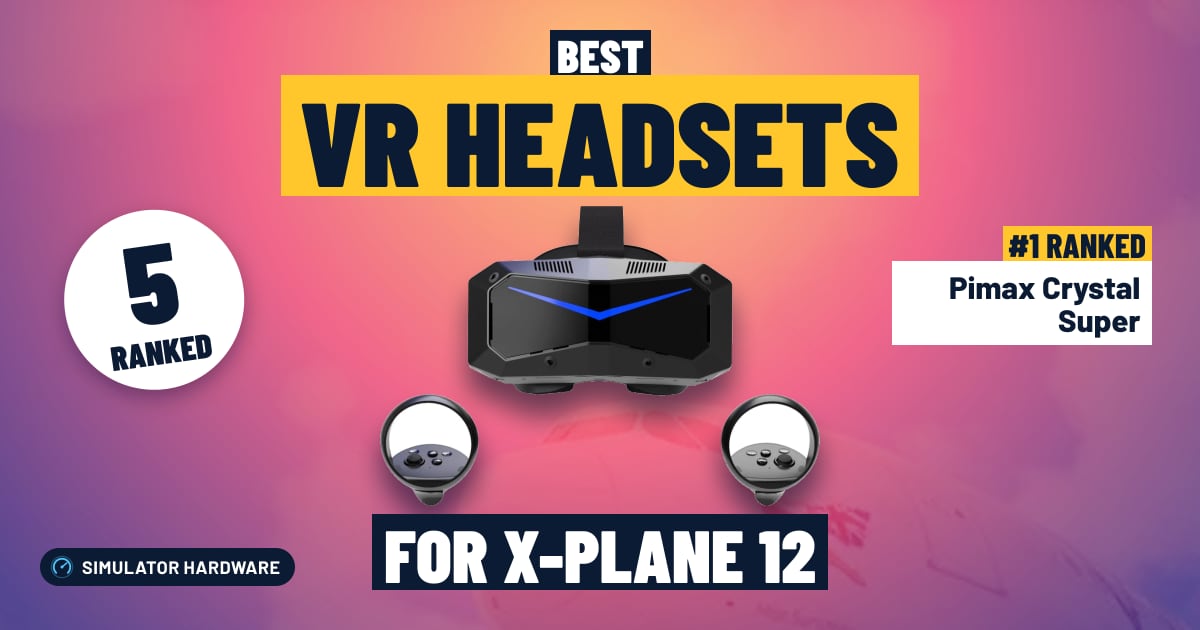
5 VR headsets ranked for X-Plane 12 by sharpness, lenses, refresh rate, no-cable freedom and platforms. Each score comes from the product's published specs.
This page contains affiliate links. As an Amazon Associate we earn from qualifying purchases.
5 VR headsets at a glance
| # | VR Headset | Score | Price |
|---|---|---|---|
| 1 | Pimax Crystal Super Best overall · High-End · 57 pixels per degree · DisplayPort cable | 82.0 /100 | Check price |
| 2 | Meta Quest 3 Mid-Range · 25 pixels per degree · Cable or Wi-Fi | 72.9 /100 | Check price |
| 3 | Pimax Crystal Light High-End · 35 pixels per degree · DisplayPort cable | 71.4 /100 | Check price |
| 4 | PlayStation VR2 Mid-Range · PS5 headset · PC and PS5 | 61.5 /100 | Check price |
| 5 | Meta Quest 3S Best budget · Budget · 20 pixels per degree · Cable or Wi-Fi | 59.8 /100 | Check price |


All VR Headsets Ranked for X-Plane 12
- #1 Best overall
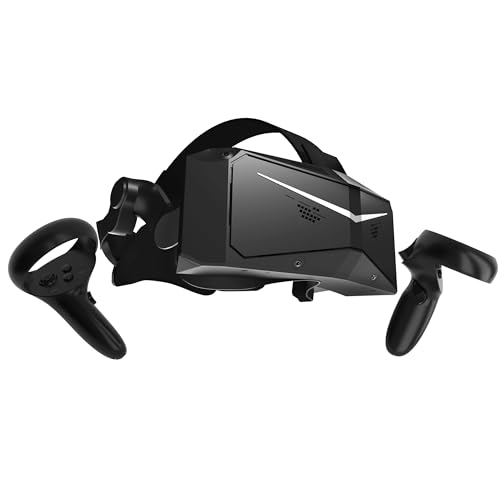
Pimax Crystal Super
- High-End
- 57 pixels per degree
- DisplayPort cable
- PC
82.0 /100 X-Plane 12 scoreThe Pimax Crystal Super suits X-Plane 12 pilots who want to read every gauge from the seat: at 57 pixels per degree the radio stack reads without leaning in. It is always wired to the graphics card by a DisplayPort video cable, and it needs an RTX 4070 Ti class card or faster.
Strengths and trade-offs
Strengths
- At 57 pixels per degree, the frequencies on the radio stack and the little labels around the autopilot read straight from the seat, so you can set a frequency on final without leaning your head toward the panel.
- Glass aspheric lenses stay sharp almost to the edge of the view, so when you look over your shoulder on the turn to base the runway threshold stays clear instead of blurring off to the side; the screen can redraw up to 90 times a second (that is the display's speed, not a frame rate) as you swing your head across the cockpit.
- It fits the simmer who already has a fast Windows PC: Pimax wants an RTX 4070 Ti class graphics card or faster and 32GB of memory, and X-Plane 12's Vulkan renderer leans hard on the graphics card, so this is a headset for a machine built for it.
Trade-offs
- You need the PC to match it: Pimax asks for an RTX 4070 Ti class card or faster and 32GB of memory, and on anything less you will be turning scenery and cloud detail down hard before the extra sharpness pays off low over detailed terrain.
- It never cuts the cord, because the DisplayPort video cable plus USB run to the PC for the whole flight, so there is no stepping away between circuits; a simpler standalone headset would let you fly without a cable and ask less of your graphics card, and this one is Windows PC only, with no Mac VR and no Xbox or PS5.
- #2
Meta Quest 3
- Mid-Range
- 25 pixels per degree
- Cable or Wi-Fi
- PC
72.9 /100 X-Plane 12 scoreThe Meta Quest 3 suits simmers who want readable cockpit text edge to edge in X-Plane 12: 25 pixels per degree with pancake lenses that stay sharp near the edge of the view. You'll need an RTX 3080, 4070 or 5070 class card and either a good USB-C cable or a Wi-Fi 6E router.
Strengths and trade-offs
Strengths
- At 25 pixels per degree the radio stack and autopilot panel read clearly without leaning into the panel on final.
- Pancake lenses (lenses that stay sharp almost to the edge of the view) keep the side panel readable when you look over your shoulder on the turn to base, and the screen runs at up to 120 Hz so head movement stays smooth.
- A good fit if you already have an RTX 3080, 4070 or 5070 class PC and want to try VR without rewiring the desk: it works over a USB-C cable or with no cable at all over Wi-Fi.
Trade-offs
- PC VR needs good plumbing: a quality USB-C Link cable (the cord that carries the sim picture from PC to headset) or a Wi-Fi 6E router by your desk, or the image can wobble as you pan across dense scenery on approach.
- A sharper headset gives you more pixels per degree, so the smallest GPS and chart text holds up better low and slow; that extra sharpness asks for an RTX 4070 Ti class card or faster.
- #3
Pimax Crystal Light
- High-End
- 35 pixels per degree
- DisplayPort cable
- PC
71.4 /100 X-Plane 12 scoreThe Pimax Crystal Light suits X-Plane 12 pilots who want to read the radio stack without leaning in, at 35 pixels per degree. It is always tethered by a DisplayPort video cable from your graphics card, and that sharpness asks a lot of that card.
Strengths and trade-offs
Strengths
- At 35 pixels per degree — a measure of how much fine detail fits into your view — the frequencies on the radio stack and the small labels above your head read straight off the panel on an X-Plane 12 approach, with no leaning in.
- Glass aspheric lenses stay sharp almost to the edge of the view, so the runway is still clear when you look over your shoulder on the turn to base, and the DisplayPort cable carries the picture to the headset uncompressed, with nothing squeezed out of thin scenery lines; the screen runs up to 120 Hz, so head movement stays smooth as you scan across the glareshield.
- It fits the desk-bound Windows simmer with a strong graphics card: an RTX 3080, 4070 or 5070 class card is the comfortable range, and that is the setup where the extra sharpness over a standalone headset actually shows in the cockpit.
Trade-offs
- There is no cable-free flying here: the DisplayPort video cable and a USB lead stay plugged in for the whole flight, so you need a free DisplayPort socket on the graphics card and a tidy cable route before you sit down for an hour in the circuit.
- All those pixels land on your graphics card, and X-Plane 12 leans hard on the GPU with its Vulkan renderer, so for the best experience Pimax points to an RTX 4070 Ti class card or faster; a simpler standalone headset skips the cable and goes easier on your card, while the next step up in price buys more pixels per degree again for the tiniest panel text.
- #4
PlayStation VR2
- Mid-Range
- PS5 headset
- PC and PS5
61.5 /100 X-Plane 12 scoreThe PlayStation VR2 suits a simmer who already has a PS5 and wants X-Plane 12 in VR on a Windows PC too, through Sony's PC adapter, with a screen that runs up to 120 Hz. Its Fresnel lenses are sharp in the middle, so you turn your head to read side panels.
Strengths and trade-offs
Strengths
- The screen runs at up to 120 Hz, so when you look over your shoulder on the turn to base the view keeps up with your head instead of smearing across the windshield.
- Fresnel lenses are sharp in the middle, which is where the attitude indicator and airspeed tape sit when you are flying the numbers down final and judging the flare.
- It makes most sense for someone who already owns a PS5 and also flies X-Plane 12 on a Windows PC, since one headset covers both rooms with Sony's PC adapter in between.
Trade-offs
- Fresnel lenses (the ridged kind, sharp in the center and softer toward the edges) mean the radio stack and the panel off to your right need a head turn rather than a glance while you are busy on final.
- It stays on a wire — it does not play PC VR without a cable — X-Plane 12 has no PS5 version so you must buy Sony's PC adapter to fly it at all, and the maker does not state a pixels-per-degree figure, so crisper small text and lenses that stay sharp corner to corner are what the next step up in price buys. Check the seller too: Amazon itself wasn't selling it when we looked.
- #5 Best budget
Meta Quest 3S
- Budget
- 20 pixels per degree
- Cable or Wi-Fi
- PC
59.8 /100 X-Plane 12 scoreThe Meta Quest 3S suits a simmer who wants to try VR flying in X-Plane 12 for the least money, with 20 pixels per degree putting you inside the cockpit instead of behind a monitor. The trade-off is modest sharpness and lenses that stay crisp only in the center.
Strengths and trade-offs
Strengths
- At 20 pixels per degree — a measure of how much detail packs into your view — the panel sits at real scale, so judging the flare over the runway numbers comes from depth you can see rather than guesswork off a flat screen.
- The screen runs at up to 120 Hz and it can play PC VR without a cable over Wi-Fi, so looking over your shoulder on the turn to base doesn't drag a wire across your yoke; a Wi-Fi 6E router in the same room is recommended for that.
- A sensible first VR step for a Windows simmer on an RTX 3080, 4070 or 5070 class card, which is the comfortable range for X-Plane 12 in VR, and you can run it on the cable instead if your Wi-Fi is shaky.
Trade-offs
- It uses Fresnel lenses, the thin ridged kind that are sharp in the middle and softer toward the edges, so reading the side panel or the overhead switches means turning your head instead of just glancing across.
- The next step up in price buys a finer picture and clarity closer to the edges; at 20 pixels per degree a frequency on the radio stack on final reads soft, and you still need a good USB-C Link cable — the cable that carries the PC's picture to the headset — or a Wi-Fi 6E router near the desk.




Frequently Asked Questions
What is the best VR headset for X-Plane 12?
Pimax Crystal Super VR Headset (57 PPD) leads with a score of 82/100, making it the top pick for 2026.
How much should I spend on a VR headset for X-Plane 12?
The lowest-priced pick we rank is the Meta Quest 3S (60/100). From the Meta Quest 3 (73/100) upward you get a better balance of build quality and features. Prices change daily, so check the current price with each Amazon button.
Does X-Plane 12 support VR headsets?
Yes — X-Plane 12 natively supports VR headsets. Pimax Crystal Super VR Headset (57 PPD) is our top-rated option with a score of 82/100.
What should I look for in a VR headset for X-Plane 12?
Prioritize Sharpness (35% of scoring) and Lenses (20%) when choosing VR headsets for flight simulation. These factors have the greatest impact on feel and immersion in X-Plane 12.
Own any of these?
Rate it in one tap. We research the specs; owners know how the gear holds up.
Also Essential for X-Plane 12
Further Reading
- The Best Graphics Card for VR in 2026 (Quest 3, PS VR2, Pimax)The best graphics card for VR in 2026, by headset: Quest 3, PS VR2 and Pimax. Five picks, how much memory VR needs, and which cards to skip.
- Best PC Builds for Microsoft Flight Simulator 2024 (October 2026)Three complete MSFS 2024 PC builds for 1080p, 1440p and 4K/VR. Every part is checked to fit together and explained for first-time builders.
- How to Build a Home Flight Simulator Cockpit: The Complete 2026 GuideEverything a beginner needs to build a home flight simulator: the sim, PC or console, controls, screens, VR and seats, plus three complete setups to copy.
- Which Controllers Work With Microsoft Flight Simulator on PC, Xbox and PS5?Check any joystick, yoke or pedals for MSFS 2024 on PC, Xbox or PS5 in seconds. See what works, what needs a hub, and our best picks for each platform.
- Types of VR Headsets for Flight Sims: Which One Should You Buy?Standalone, PC-tethered or PS VR2? The types of VR headsets explained for MSFS 2024 and X-Plane 12, the PC you need, and the right headset for your budget.
- X-Plane 12 vs Microsoft Flight Simulator 2024: Which Should You Buy?X-Plane 12 vs Microsoft Flight Simulator 2024 (and 2020): flight model, scenery, VR, PC needs and price compared, with a quick quiz to pick yours.
How We Score VR Headsets for X-Plane 12
Score formula
sharpness × 35% + lenses × 20% + refresh rate × 15% + no-cable freedom × 15% + platforms × 15%. Ratings come from each product's published specs, and the same formula is applied to every product. Tiers (Budget, Mid-Range, High-End) describe price, not quality. Full methodology · How we research
Comments
Flying with one of these VR headsets, or still deciding? Ask a question, share your setup or leave a tip. It helps the next simmer choose.
That didn't send. Check your connection and try again.