Rudder Pedals · Microsoft Flight Simulator 2024
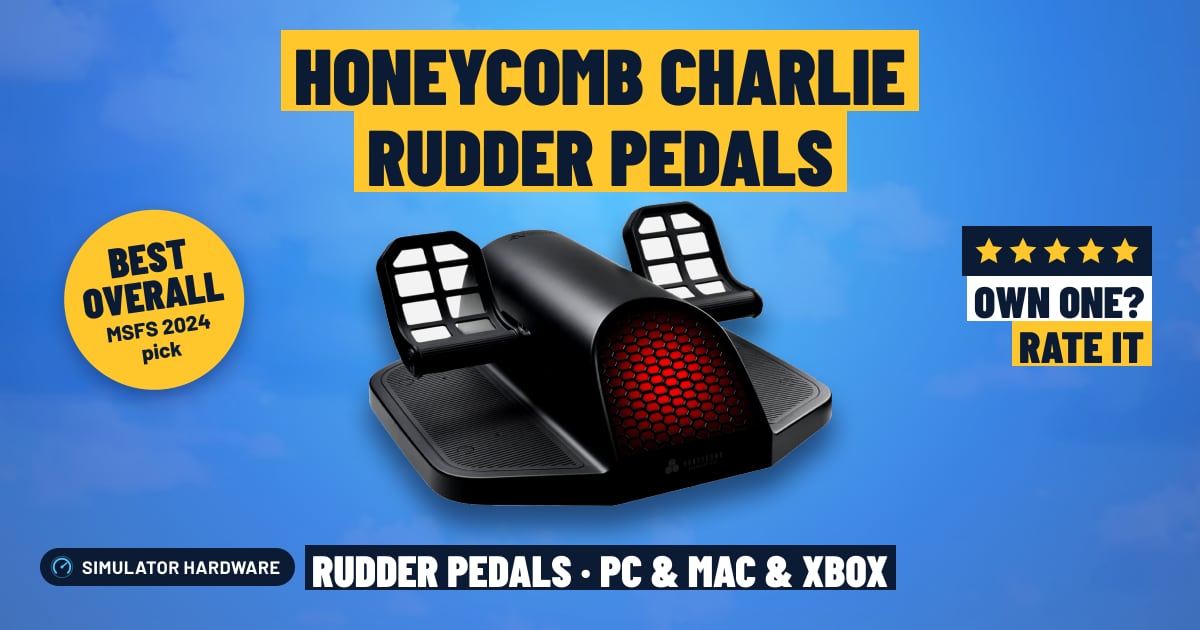
Honeycomb Charlie Rudder Pedals
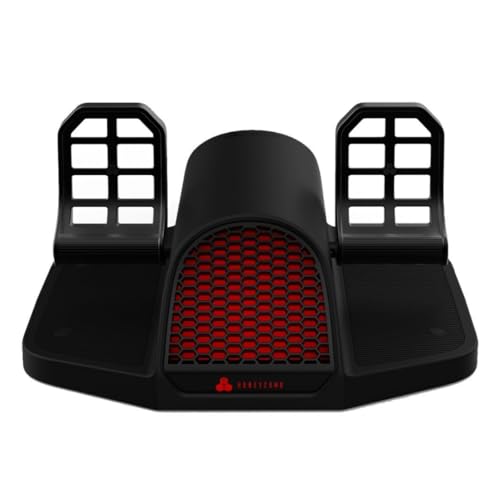
- Mid-Range
- Hall-effect sensors
- Toe brakes
- PC and Xbox
MSFS Performance Score
- Sensors25% 100
- Adjustability25% 100
- Build Quality20% 90
- Platforms15% 100
- Toe Brakes15% 100
Biggest contributor: sensors (25% of the score), rated 100/100. How we score
Verdict for MSFS
The Honeycomb Charlie Rudder Pedals suit MSFS pilots who want metal pedals with Hall-effect sensors — magnets, not rubbing contacts — so small rudder inputs stay steady while you hold the centerline. The trade-off is size: 7.3 kg, about 50 cm wide, and Xbox needs Honeycomb's Xbox Hub.
Updated October 2026
Pros & Cons for MSFS
Strengths
- The Hall-effect sensors read your feet with magnets instead of wiping contacts, so the tiny nudges that keep the nose straight in a gusty crosswind land exactly where you put them, session after session.
- Separate left and right toe brakes let you brake one wheel on its own, which is how you swing a taildragger around on a tight ramp, and the belt linking the two pedals keeps them working as one so right rudder always sends the left pedal back.
- They finish a Honeycomb setup — an Alpha yoke or Bravo throttle on PC, or the Alpha XPC on Xbox — and the adjustable spring tension plus adjustable pedals let you firm things up for an airliner approach or lighten them for pottering around in a Cub.
Trade-offs
- They are heavy and wide at 7.3 kg (16 lb) and about 50 cm (19.6 in) across, so you need real floor room under the desk; carpet spikes come in the box to stop them creeping forward when you stand on the brakes, but a hard floor wants a mat or a rig.
- On Xbox they never plug into the console itself — they run through Honeycomb's Alpha XPC yoke and Honeycomb's Xbox Hub, and there's no PS5 route — and the step down in price means giving up things like contactless sensors, a metal frame or adjustable tension, which is exactly what you're paying for here.
Full Specifications
- Sensors
- Hall effect (contactless)
- Toe brakes
- Yes, left and right
- Adjustable tension
- Yes
- Adjustable pedals
- Yes
- Mechanism
- Belt drive
- Build
- Metal
- Works on
- PC, Mac, Xbox
- On a console
- Plugs into Honeycomb's Xbox Hub (with the Alpha XPC)
- Released
- 2024
Frequently Asked Questions
Is this a good Rudder Pedals for MSFS?
Yes — they score 98.0/100 for MSFS and suit anyone moving up from a twist grip or keyboard keys, whether you fly bush strips, airliners or helicopters. They shine where rudder actually matters: holding the centerline on the takeoff roll, kicking straight in a crosswind landing, and using one toe brake at a time to turn tight onto a gate stand. The limits are practical rather than technical — they take up a lot of floor, and on console you have to be in Honeycomb's own setup for them to work at all.
Is it worth the price for MSFS?
For the money you get contactless Hall-effect sensors, separate left and right toe brakes, adjustable tension and a metal frame in one set, so there isn't an obvious feature you'll wish you had bought later. Spending less in rudder pedals can mean dropping one of those, and if you fly MSFS most weeks these are the kind you stop thinking about and just fly.
Does it work on Xbox or PS5?
On PC and Mac they connect over USB, and MSFS on Windows treats them as a normal controller, with popular pedals loading a ready-made control profile you can tweak. On Xbox they don't plug into the console: they connect through Honeycomb's Alpha XPC yoke and Honeycomb's Xbox Hub, and Xbox Cloud Gaming doesn't support pedals at all.
What else do I need with it?
Pair them with a yoke or stick and a throttle — on PC that's something like a Honeycomb Alpha and Bravo sitting on the desk, and on Xbox it's the Alpha XPC yoke plus Honeycomb's Xbox Hub, since that's the way in. On the floor, use the carpet spikes that come in the box on carpet or a mat or rig on hard flooring, and set your chair so your heels rest flat and your knees aren't cramped when you press full rudder.
How should I configure this in MSFS?
In MSFS, assign the rudder axis and both toe brake axes separately, then turn off the auto-rudder assist so the sim stops steering for you. If the nose twitches on the takeoff roll, add a small dead zone or soften the sensitivity curve, and set the spring tension and pedal position to suit your legs so you can hold a steady boot of rudder through a long sideslip without your foot drifting.