Throttle Quadrant · Microsoft Flight Simulator 2024
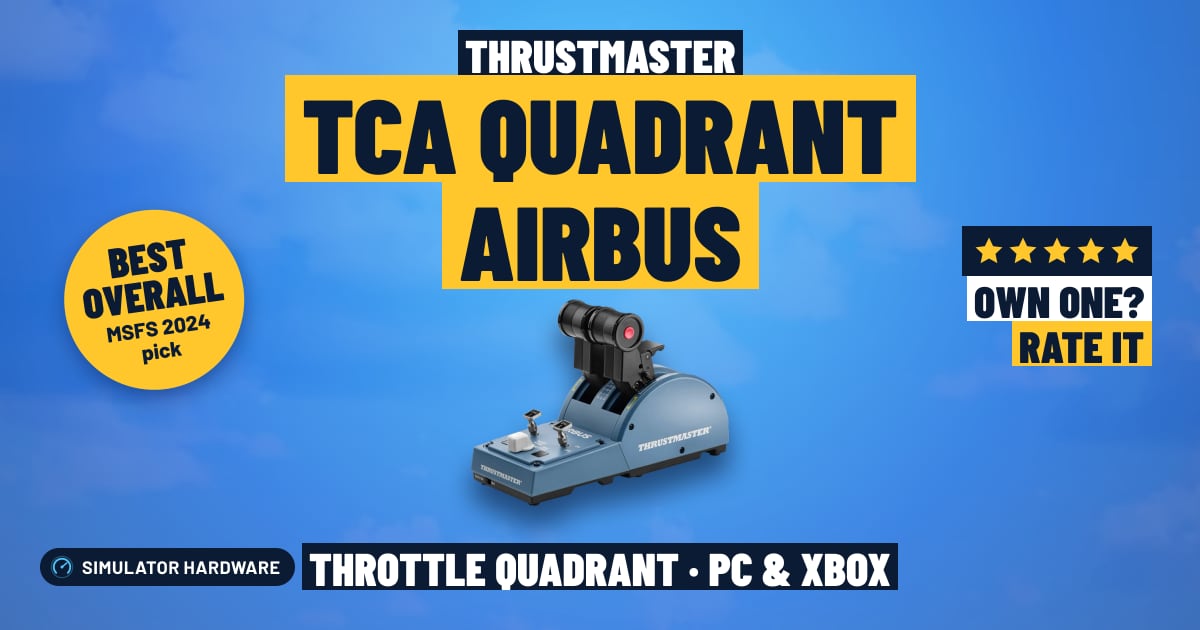
Thrustmaster TCA Quadrant Airbus

- Budget
- 2 levers
- Detents
- PC and Xbox
MSFS Performance Score
- Throttle & Rudder35% 55
- Sensors20% 100
- Detent Feel15% 100
- Platforms15% 100
- Build Quality15% 50
Biggest contributor: sensors (20% of the score), rated 100/100. How we score
Verdict for MSFS
The Thrustmaster TCA Quadrant Airbus suits MSFS pilots flying the A320, trading a keyboard throttle key for two levers with detents you can feel for takeoff and climb thrust. It's Airbus-shaped, though, and flaps, gear and trim need a separate add-on quadrant.
Updated October 2026
Pros & Cons for MSFS
Strengths
- Two thrust levers with detents — notches you can feel at set thrust positions — let you set takeoff thrust and then pull back to the climb detent after rotation in the A320 without taking your eyes off the PFD.
- Thrust reversers on the levers and engine master switches put two cockpit jobs on the quadrant: pulling reverse on the landing roll and cutting or starting the engines, instead of hunting for them with a mouse.
- It's the right fit for a simmer who mostly flies Airbus jets and already has a sidestick on the desk, since it's officially licensed A320-style and the lever shapes and detents match that cockpit rather than a generic set of levers.
Trade-offs
- On Xbox it plugs into the TCA Sidestick X Airbus rather than the console itself, so Xbox pilots can't fly MSFS with this quadrant unless they already own that stick; on PS5 no separate quadrant is supported at all.
- Flaps, speed brake, gear and trim aren't on this unit — they live on a separate add-on quadrant — so setting flaps on an approach is still a keyboard key here, and the next step up in price is where you find more levers or an autopilot panel.
Full Specifications
- Type
- Airbus A320-style replica
- Levers
- 2
- Detents
- Yes
- Extra controls
- thrust reversers, engine master switches
- Sensors
- Hall effect (contactless)
- Works on
- PC, Xbox
- On Xbox
- Plugs into the TCA Sidestick X Airbus
- Released
- 2020
Frequently Asked Questions
Is this a good Throttle Quadrant for MSFS?
Yes, if you fly Airbus airliners in MSFS 2024 — it scores 76.8/100 for the sim. It shines on a normal A320 line flight: thrust set into the takeoff detent, levers back to the climb detent after rotation, and reverse pulled on the landing roll, all by feel. It shows its limits if you mostly fly piston singles, since there's no propeller or mixture handle shaped for a Cessna and no flaps or trim controls here.
Is it worth the price for MSFS?
For the money you're buying Airbus-specific feel — the detents, the reverser latches and the engine master switches — rather than a stack of generic levers. Spend less and you get plain axes with no detents; spend more and you start getting extra levers, an autopilot panel or a full lever set in one unit.
Does it work on Xbox or PS5?
On PC it connects over USB and MSFS will load a ready-made control profile for it. On Xbox Series X|S it doesn't plug into the console — it connects to the TCA Sidestick X Airbus, so you need that stick for it to work; on PS5, no separate quadrant is supported.
What else do I need with it?
Pair it with a sidestick or a yoke for pitch and roll, and rudder pedals if you want to steer on the ground and handle a crosswind landing properly. Mount it on the side of your throttle hand — on the left of the stick suits Airbus flying, where the real thrust levers sit on the center pedestal within easy reach.
How should I configure this in MSFS?
In MSFS, check that the ready-made profile has loaded, then confirm each lever is on the axis you want — throttle for both engines in a jet, or throttle and prop or mixture if you repurpose them for a twin. Then do one calibration pass: move each lever slowly from idle to the stop so the sim learns where the detents fall, and test reverse on a short landing roll before you rely on it.